

Lockdown & Active Threat
Start a lockdown from any room. Reach every room at once.
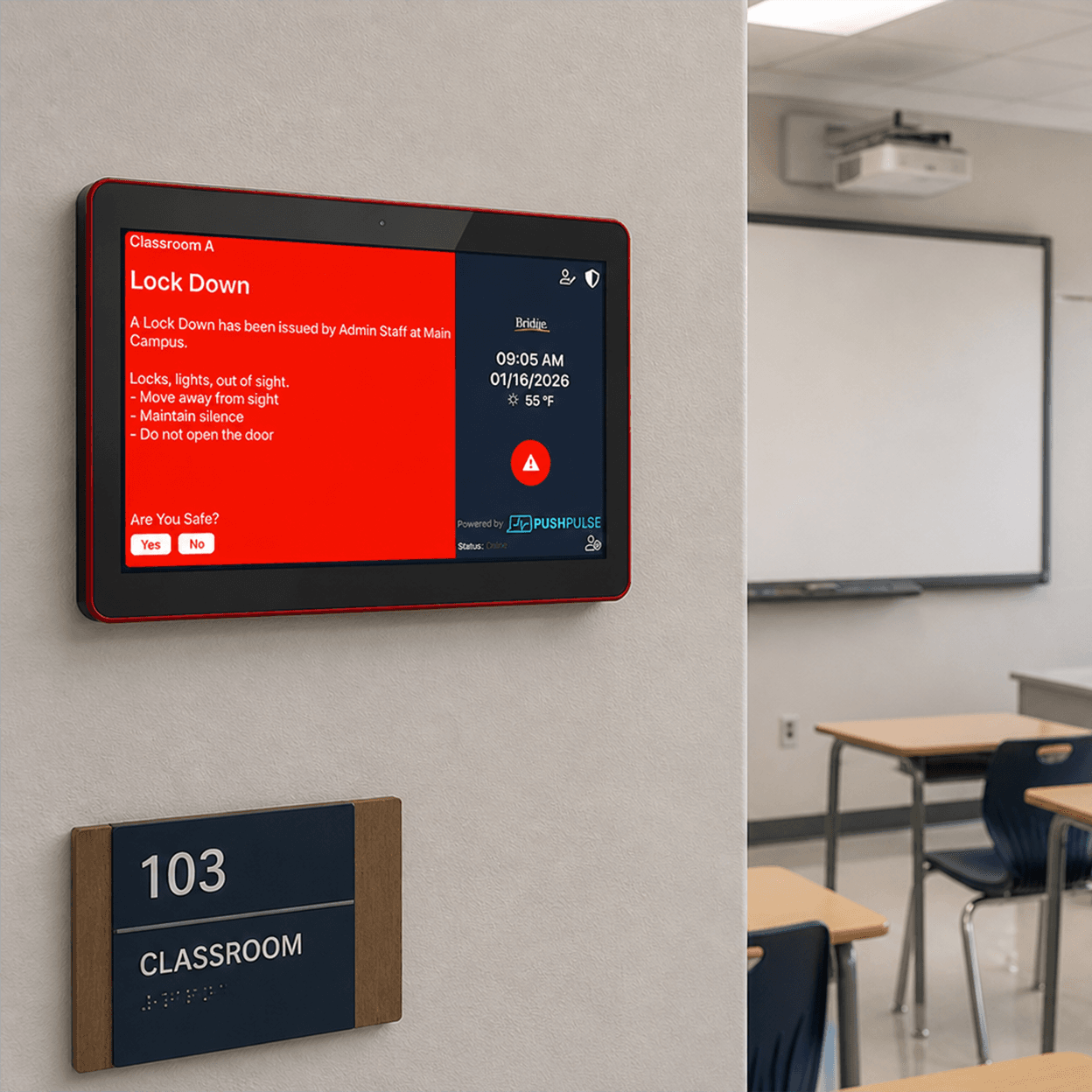
When a threat is reported, the person who sees it should be able to start the lockdown, and everyone else should know what to do within seconds. PushPulse puts that on the wall of every room and in every pocket.
Seconds matter, and so does what people are told.
A lockdown alert system tells everyone in a building to lock down at the same moment and gives them instructions they can follow. This is how a lockdown runs in PushPulse.
Any room can start it
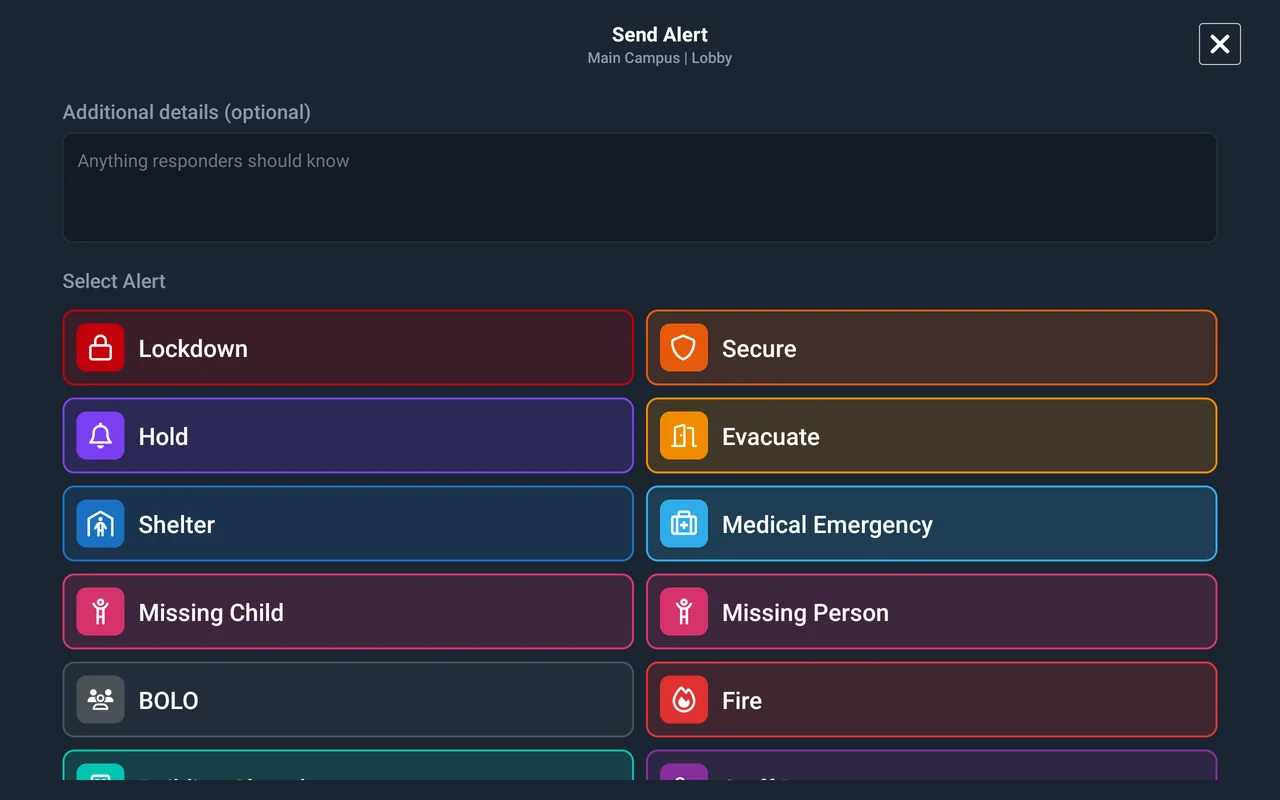
A teacher or volunteer taps the PushPulse Hub tablet on the wall, which is always on and needs no sign-in. Staff can also long-press the panic button in PushPulse Mobile, press a Bluetooth panic button, or use a keyboard shortcut in PushPulse Desktop at the front office. The alert can prompt the sender to call 911, and the phone dials if they say yes. With the IntelliSee integration, a camera detection such as a weapon can also send the alert automatically, with the snapshot attached.
Every room and every person is told
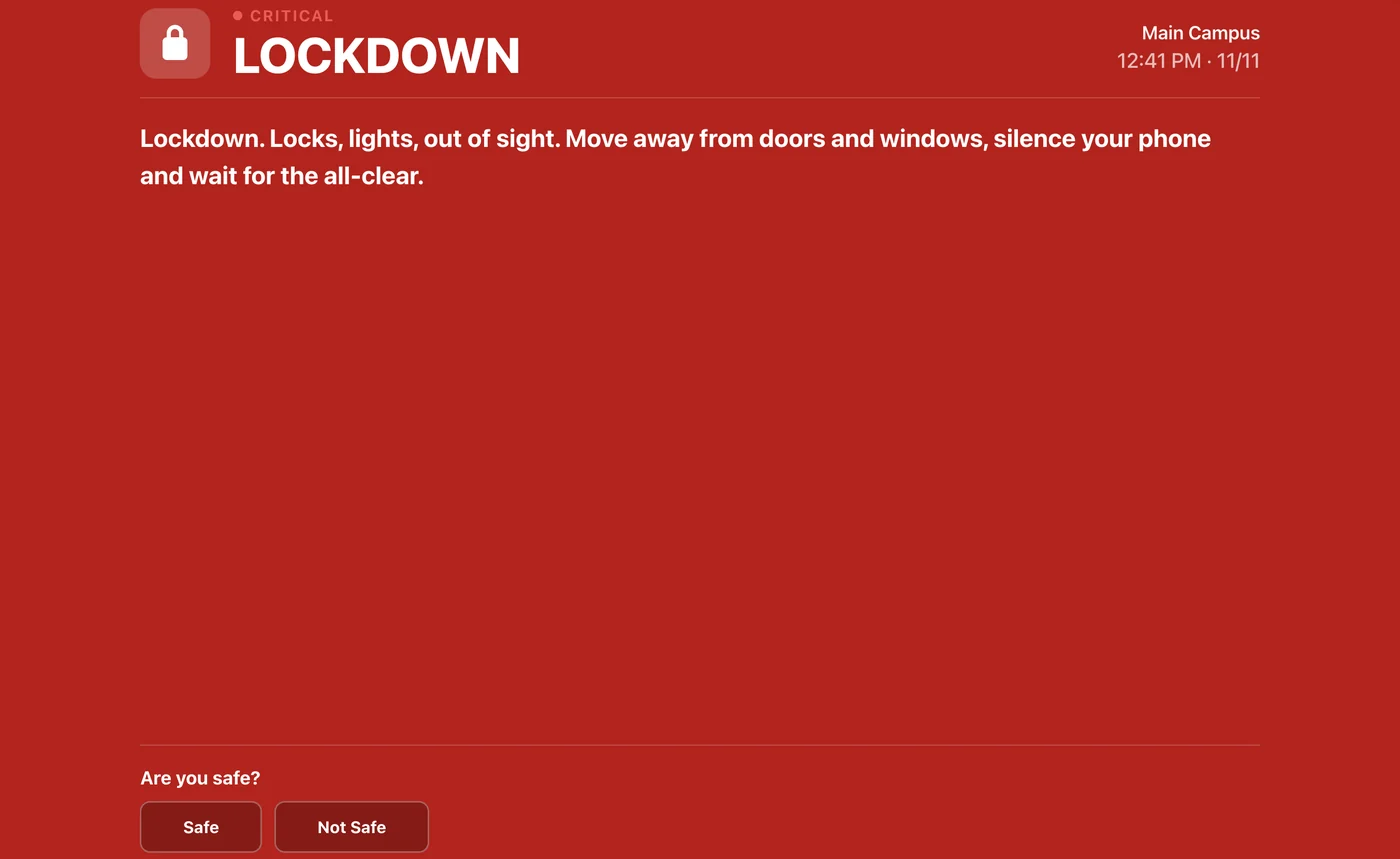
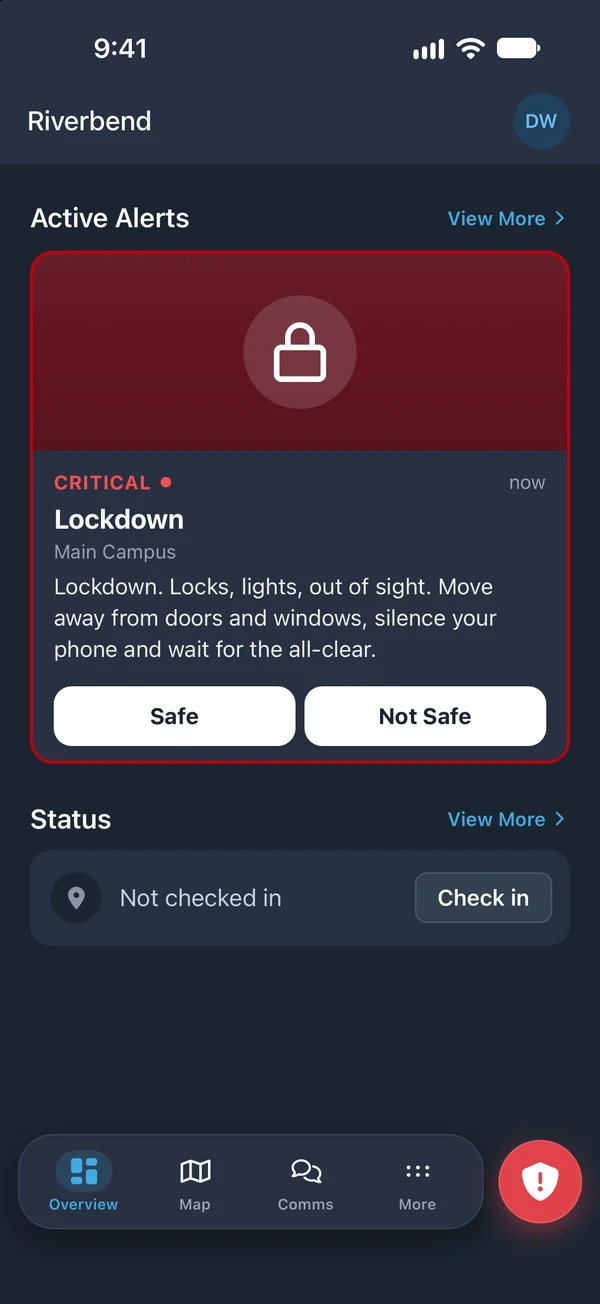
Your lockdown template carries the instructions you wrote in advance, in the terms your staff already train on, such as Lockdown, Secure, Hold, Evacuate, and Shelter. It reaches every staff phone as a Critical Alert on iPhone and overrides the volume on Android, appears on every Hub tablet with the LED bar in the alert color, and goes out by desktop, SMS, and voice call at the same time.
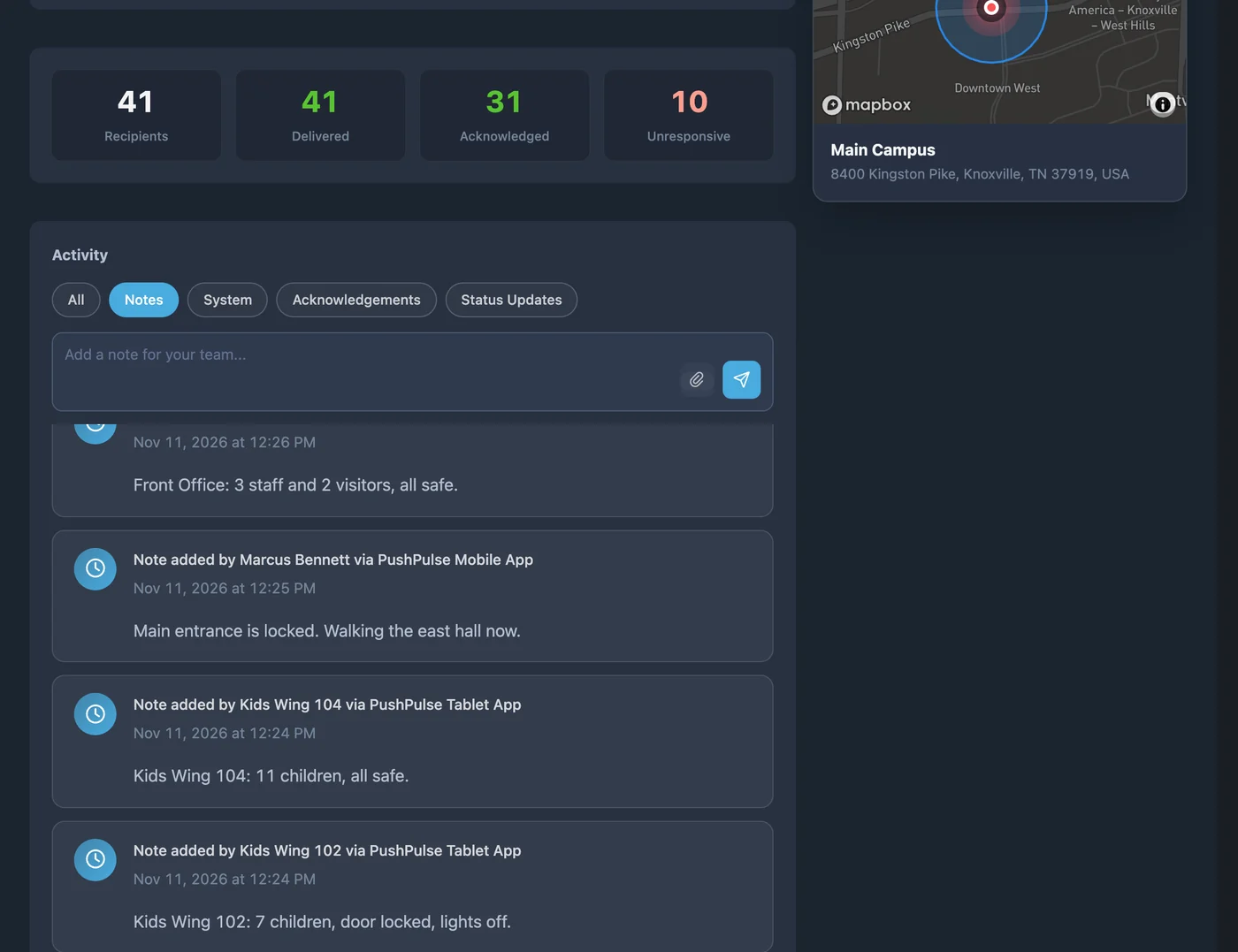
Locked rooms stay in contact
Staff answer safe or not safe from the app, email, or SMS, and responders see which people have not answered. A locked classroom can use notes on its Hub tablet or a phone to tell responders what is happening inside, with a photo if it helps.
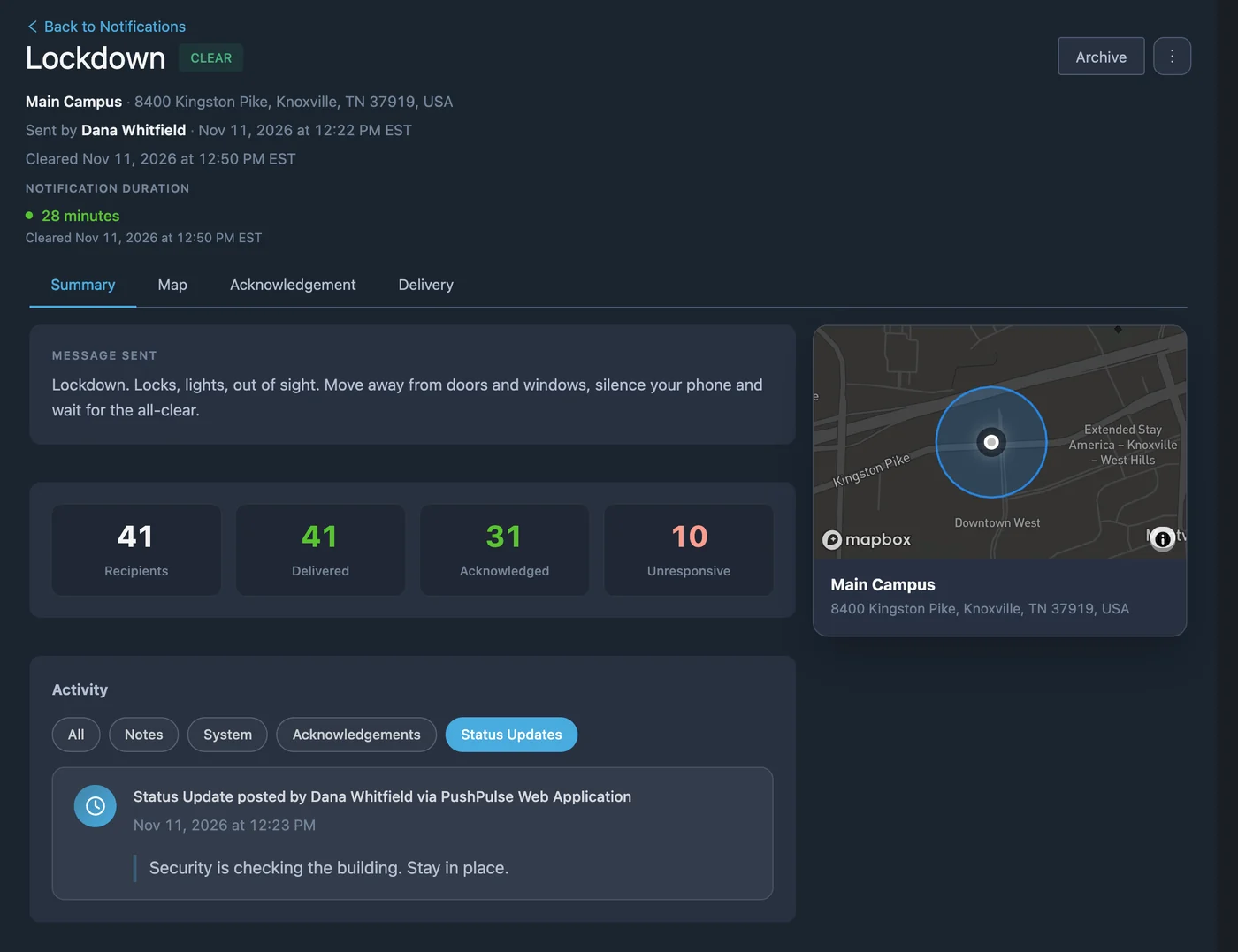
Updates, then the all-clear
The person running the response posts status updates, and every recipient gets them on the same channels as the lockdown alert. When the building is safe, the all-clear goes to everyone. The timeline of the whole event exports as a PDF report.
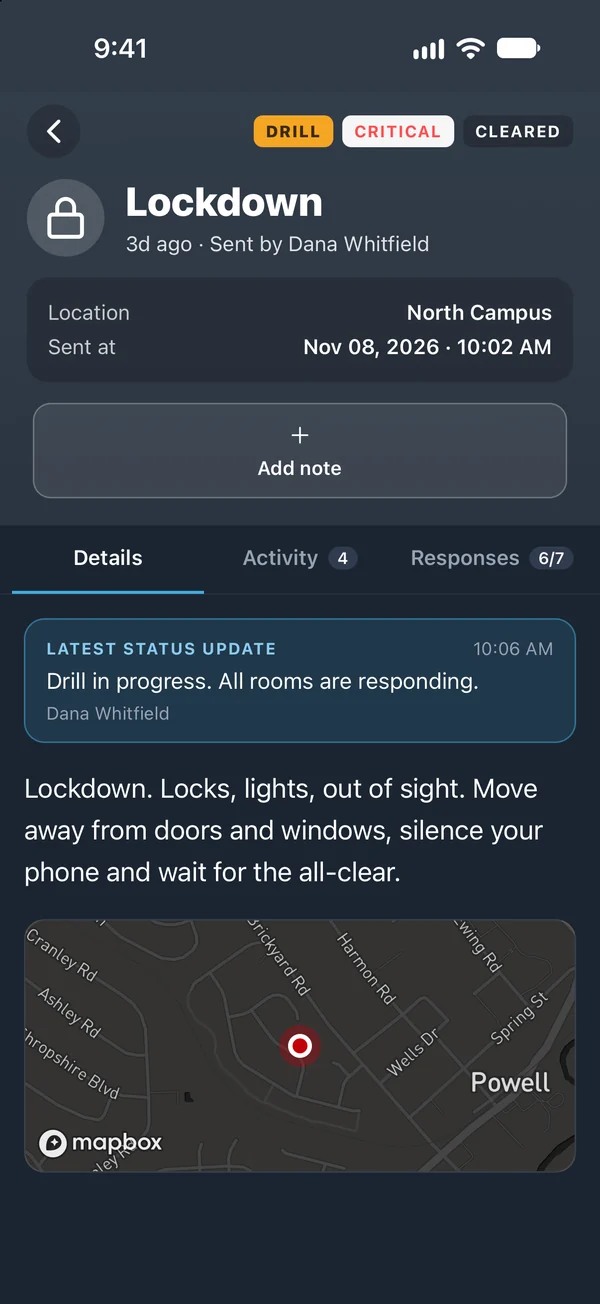
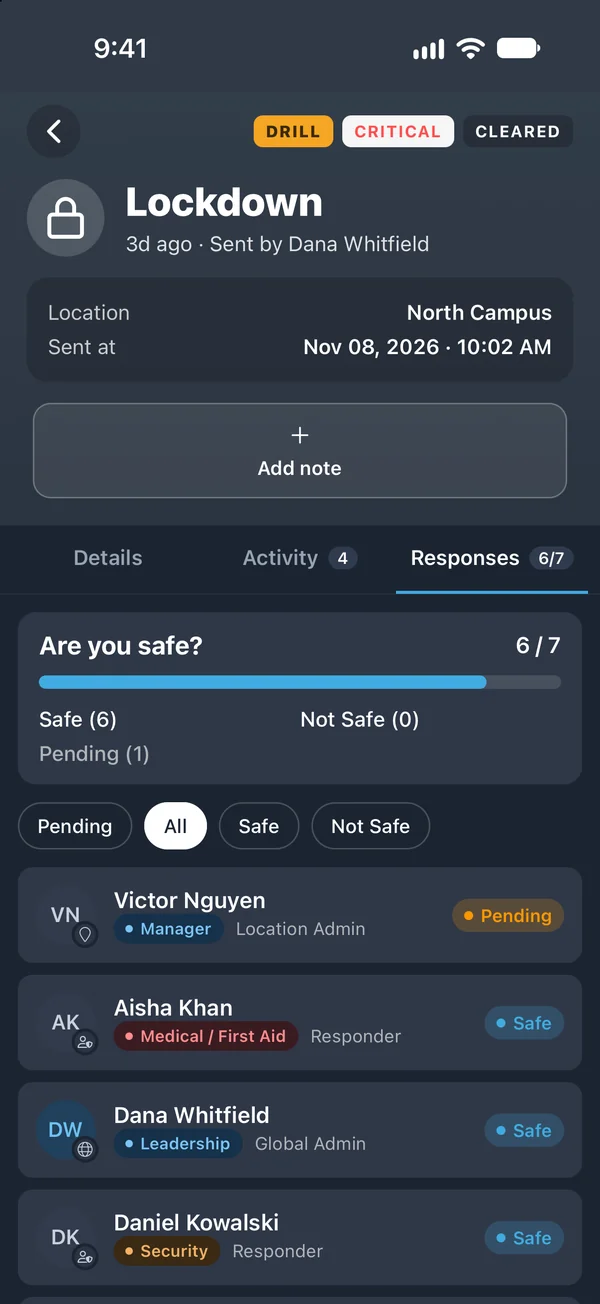
Practice it with drill mode
The first time your staff see a lockdown alert should not be the real one. Drill mode runs the same alert through the same channels, clearly marked as a drill, and the Emergency Drill Evaluation form records how it went.
Lockdown questions
What is a lockdown alert system?
How do staff start a lockdown in PushPulse?
Does a lockdown alert notify the police?
Can a teacher communicate from a locked classroom?
Can we run a lockdown drill without alarming people?
See PushPulse in action
Upgrading your safety and operations strategy is easier than you think. Get a personalized walkthrough from our team.