

Tablets
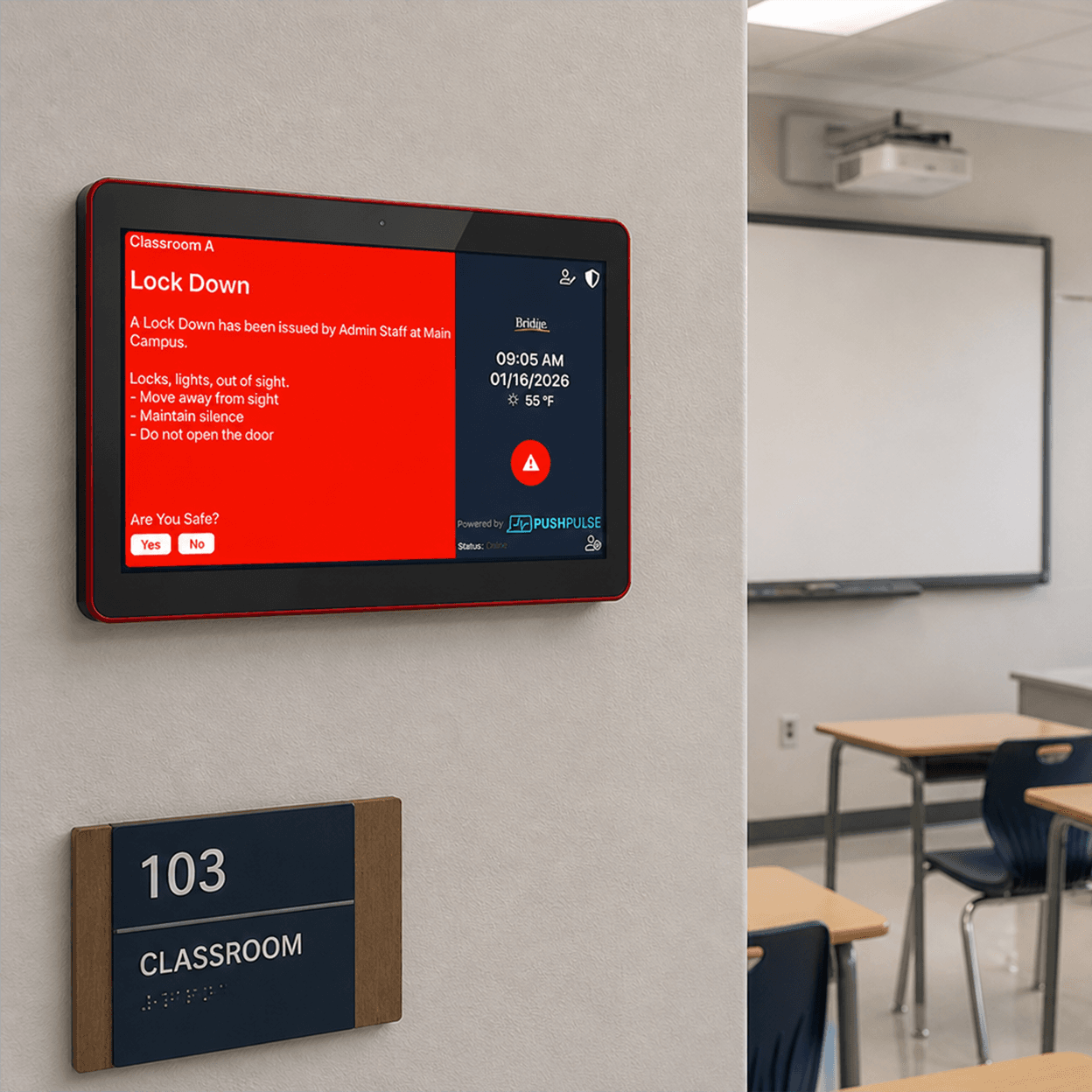
A safety station on the wall of every room.
PushPulse Hub is a 10-inch wall-mounted tablet that is always on. Anyone in the room can send an alert, hear a page, and read instructions without finding a phone, and it works as a branded display the rest of the time.
Built for the wall, not adapted for it.
A wall-mounted alert tablet gives a room its own way to call for help and to receive instructions. PushPulse supplies the Hub tablet and loads it with our own software image, so there is one company to call and no outside vendor with access to the device.
Alerts in and out of every room
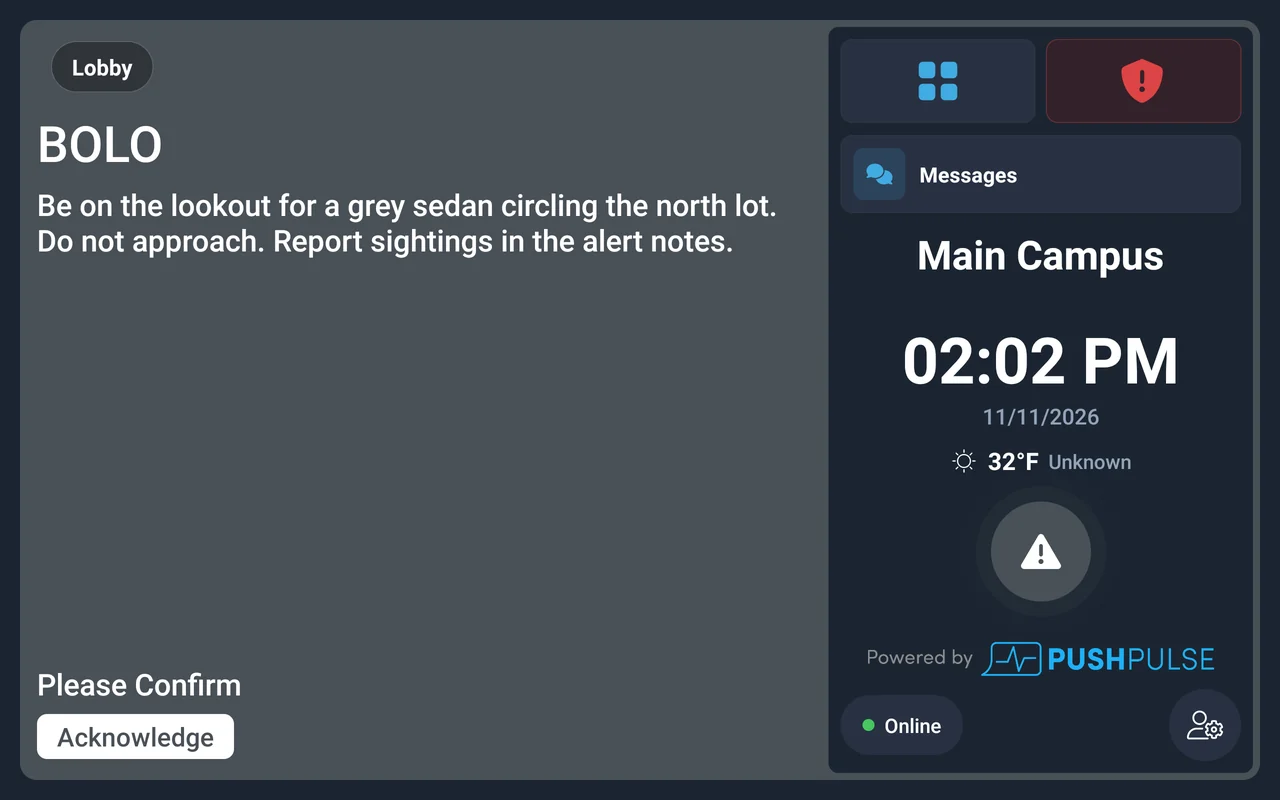
A substitute teacher, a volunteer, or a visitor may not have the app, but they can reach the wall. The Hub tablet is always on and needs no sign-in to send an alert. When an alert arrives, the LED bar changes color with it, so the room knows at a glance.
- Send alerts and panic with no sign-in
- LED bar changes color with the alert
- Alert every tablet, one location, or specific tablets
- Pairs with Bluetooth panic buttons
Paging and two-way notes
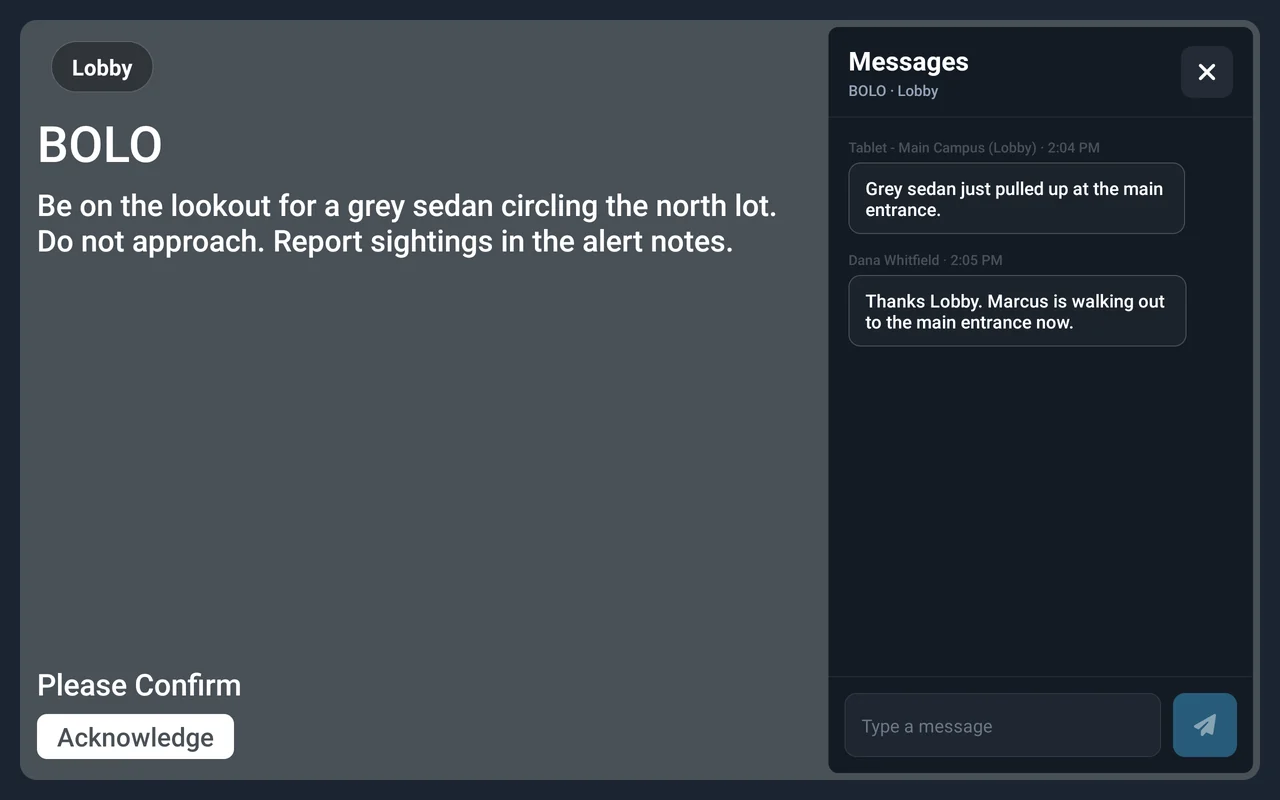
Speak to a room without walking to it. Voice pages sent from PushPulse Console or PushPulse Mobile play on the tablets in the paging zones you choose. During an alert, the people in the room and your responders trade notes on the tablet, so responders know what is happening inside.
- Receives voice pages by zone
- Pages sent from PushPulse Console or PushPulse Mobile
- Two-way notes with responders during an alert
Forms and documents within reach
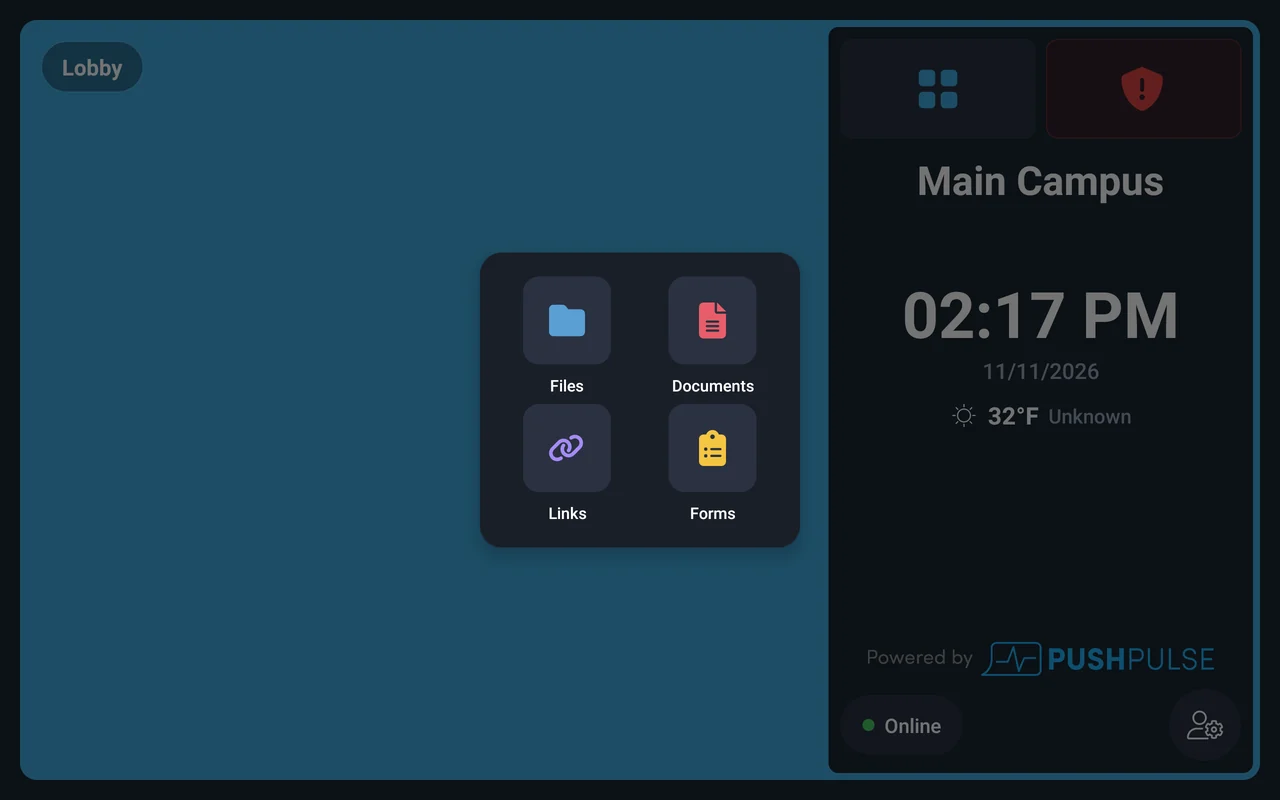
The tablet is also where the room keeps its paperwork. Staff complete forms on it, such as an incident report or an attendance count, and open the documents shared with that room, such as the emergency procedure for the building.
- Complete forms on the tablet
- Open documents and procedures
- Mounted where people gather and evacuate
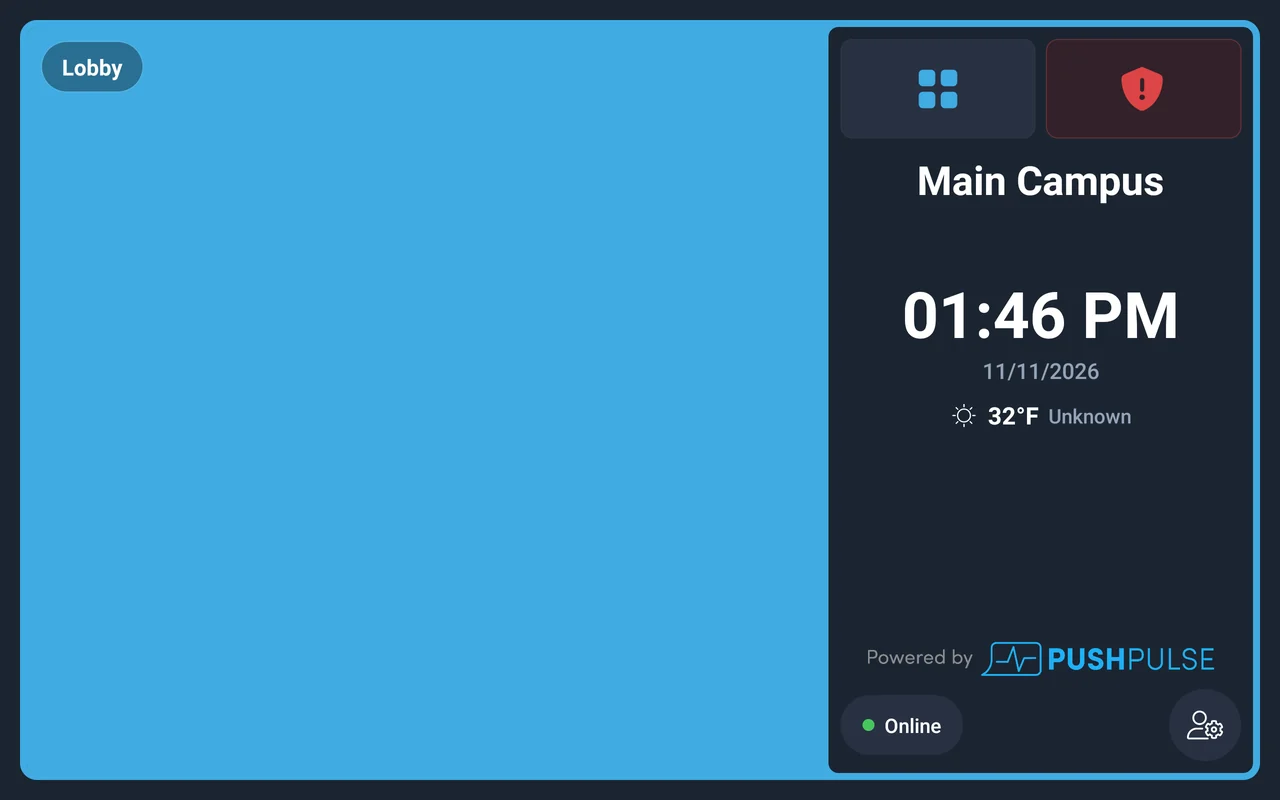
Useful on a normal day
Most days there is no emergency, and the tablet still earns its place on the wall. Show a slideshow, a calendar feed, or the time and temperature, with your logo and color, so it looks like part of the building and not a piece of safety equipment.
- Slideshows
- Calendar feeds
- Time and temperature
- Your logo and color

Simple to install, hard to get wrong
The Hub tablet has a 10-inch screen and a built-in wall mount kit, and connects over Wi-Fi or PoE. Connect it to the internet, pair it to your account, select the room, and it is ready. Wi-Fi, sound, brightness, and language are set inside the app, so nobody can mute it by accident.
- 10-inch screen with a built-in wall mount kit
- Wi-Fi or PoE
- Connect, pair to your account, and select the room
- Wi-Fi, sound, brightness, and language set in the app
- No kiosk mode or permissions to configure
Tablet questions
What is PushPulse Hub?
Can we use our own iPad or Android tablet?
How does the PushPulse Hub tablet connect?
Does someone need to sign in to use the tablet?
Can a tablet page another room?
What does the tablet show when there is no alert?
Who has access to the PushPulse Hub tablet?
See PushPulse in action
Upgrading your safety and operations strategy is easier than you think. Get a personalized walkthrough from our team.