

Map & Location Sharing
Know who is on site and where help is needed.
PushPulse gives your team a map of sites and active alerts, check-in to each location, and GPS tracking you can limit to alerts or time on duty. Each part is turned on separately, so you share only what your organization is comfortable with.
Three parts. Turn on what you need.
A security GPS tracking app only works if the people carrying it trust it. PushPulse separates location into three parts: the Map, Check In, and GPS Tracking. You can run the first two with GPS sharing off, or turn sharing on only while an alert is active.
Map: your sites and active alerts
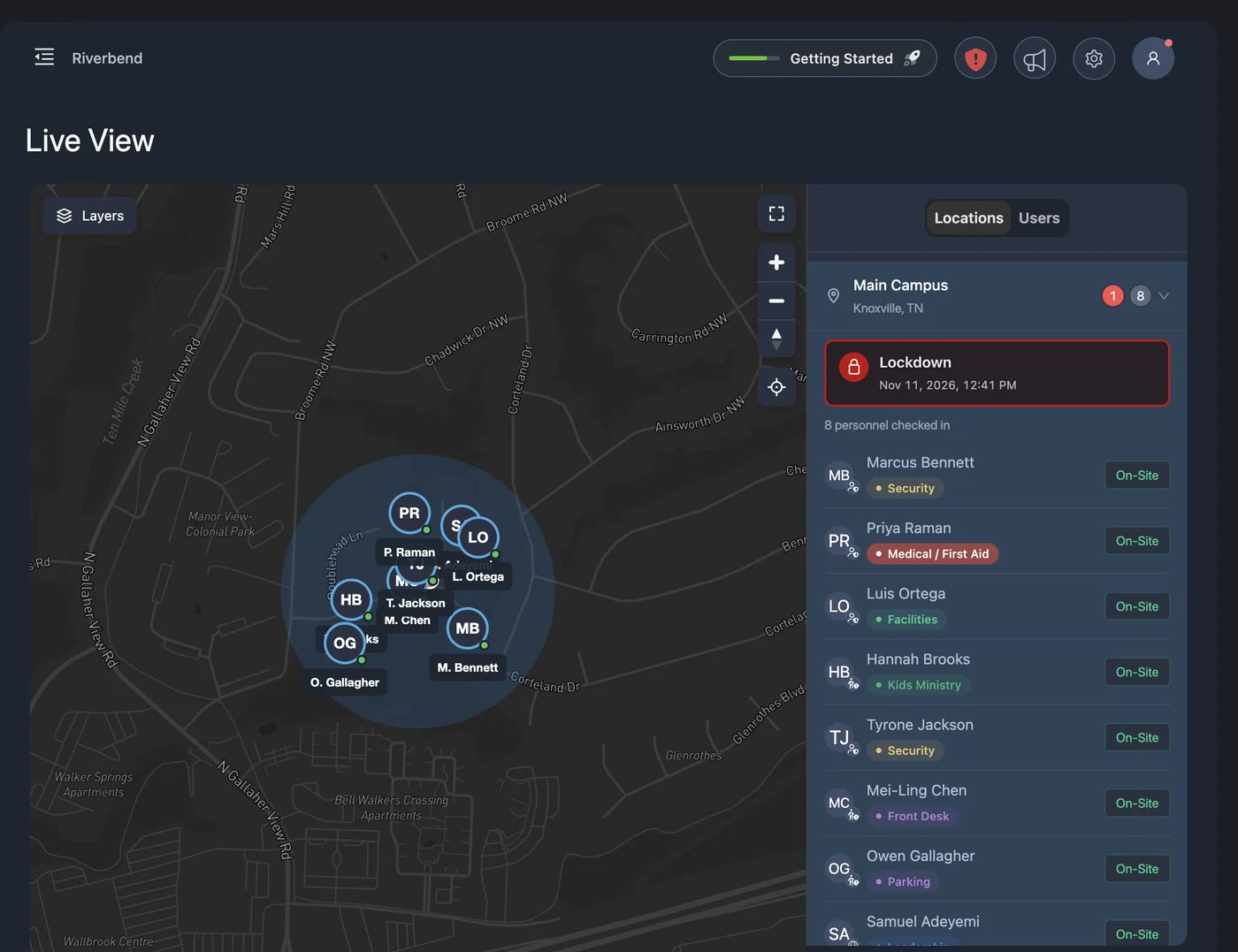
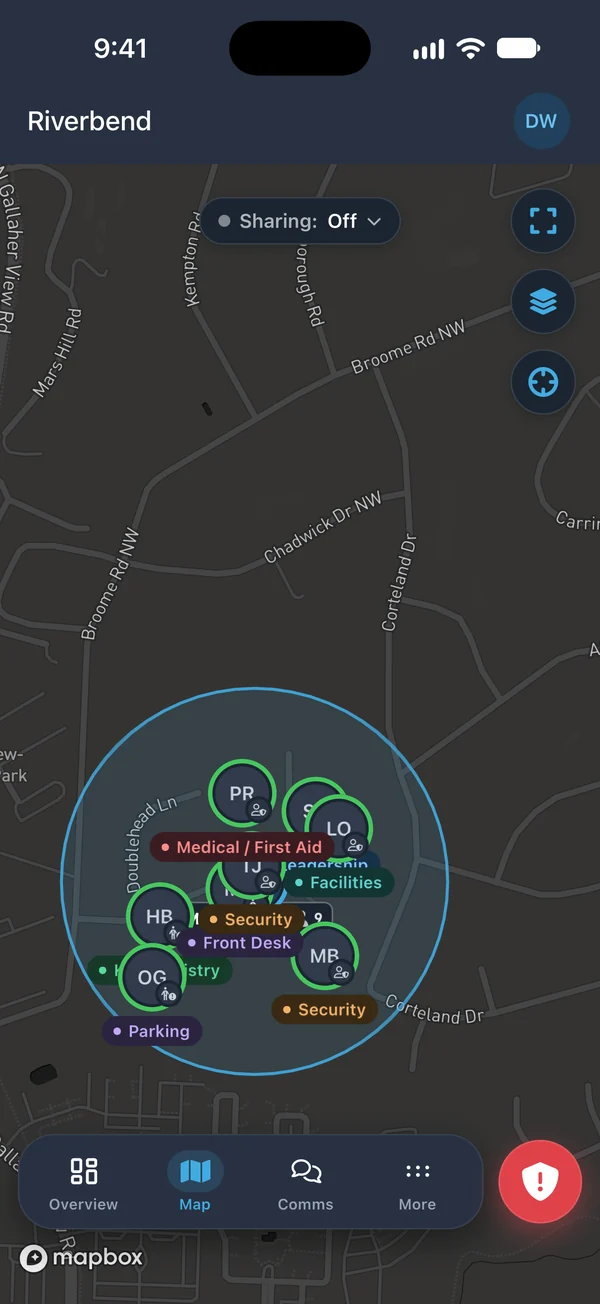
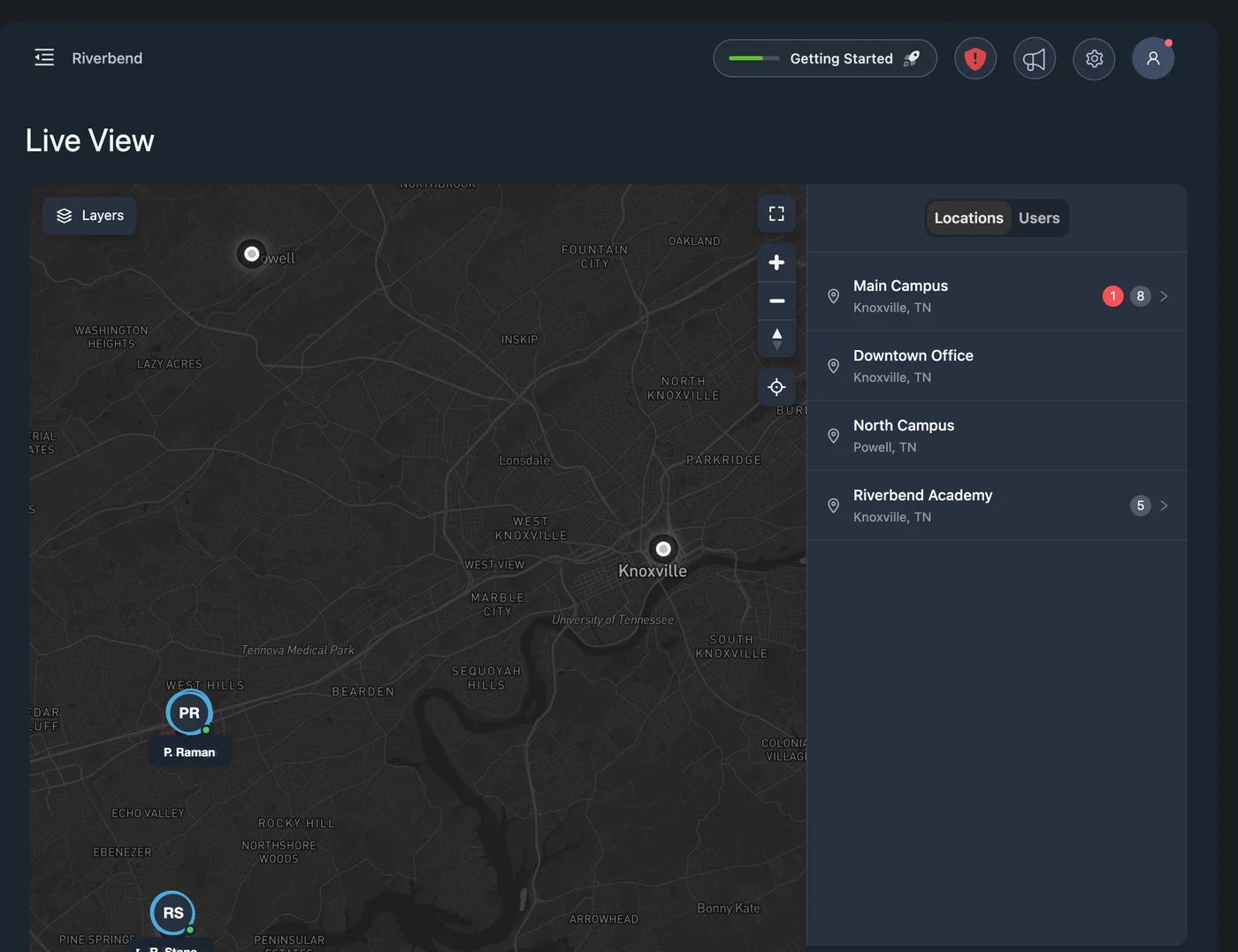
The Map shows the sites a person is assigned to and any active alerts. Your team sees it in PushPulse Mobile, and dispatchers and admins get the complete live view in PushPulse Console. Admins choose who gets the Map, and people without it can still send alerts.
- Map tab in PushPulse Mobile
- Complete live view in PushPulse Console
- Assigned sites and active alerts
- Admins choose who sees the Map
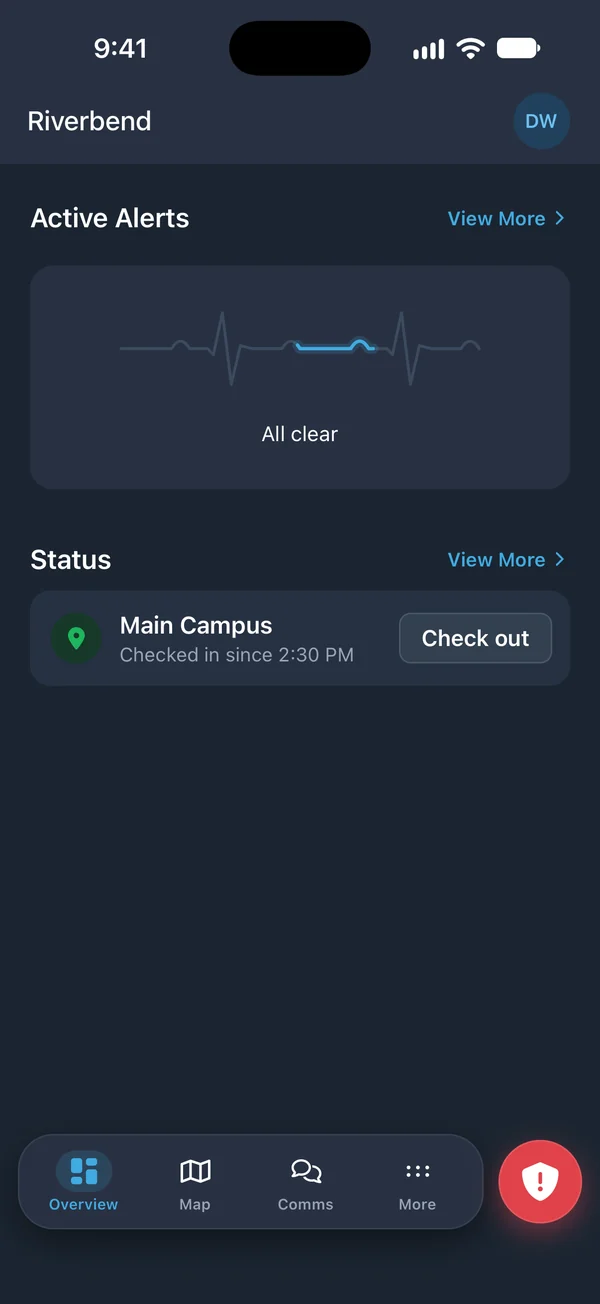
Check In: know who is on site
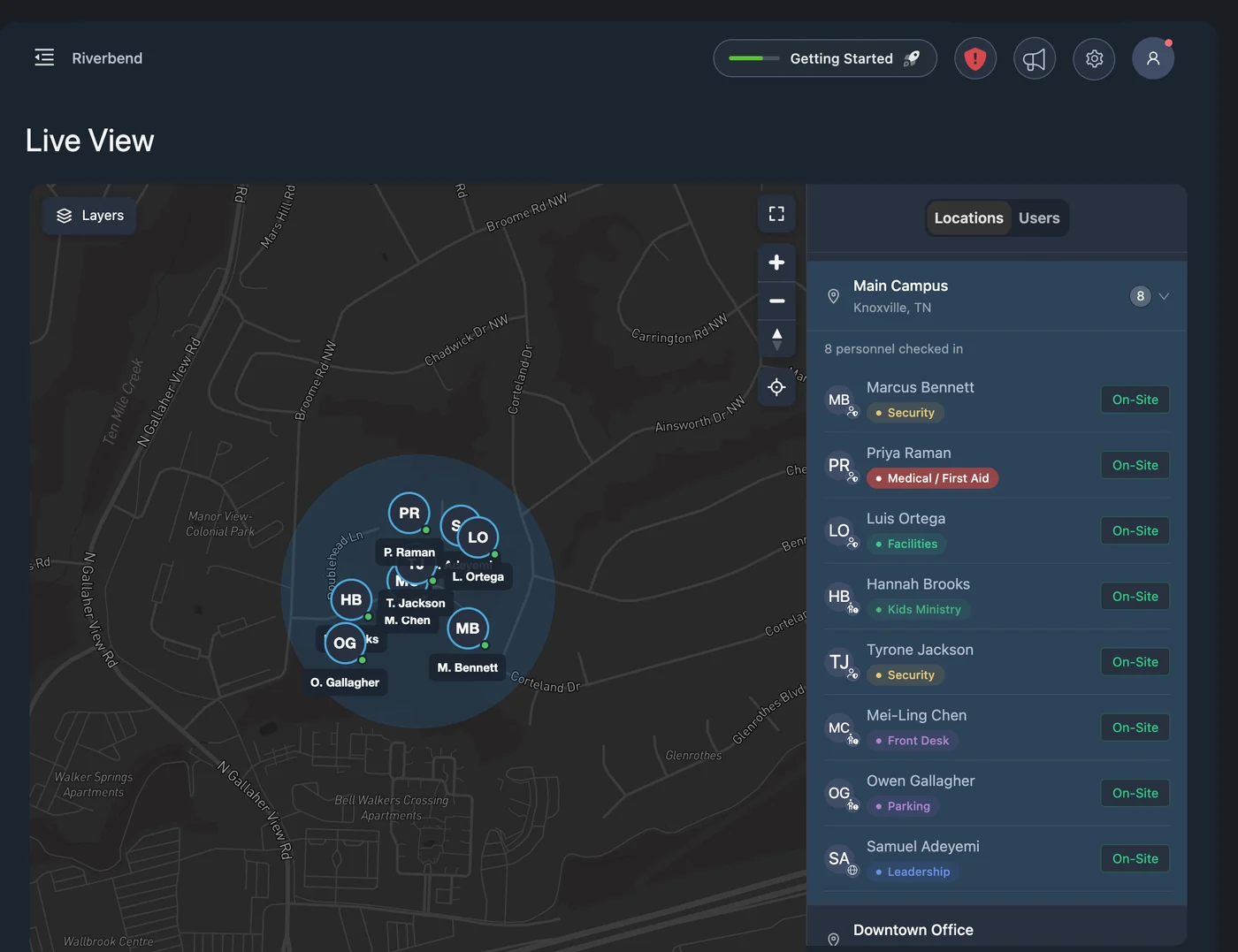
When something happens, the first question is who is in the building. People check in to a location from PushPulse Mobile or PushPulse Desktop, and are checked out automatically when they leave the geofence or at a time you set. Location admins can check people in and out, so the on-site list stays accurate during an incident.
- Check in from PushPulse Mobile or PushPulse Desktop
- Automatic check-out by geofence or at a set time
- Location admins can check people in and out
- Send alerts to the people who are checked in
- Check-in history you can export
GPS Tracking: shared only when you allow it
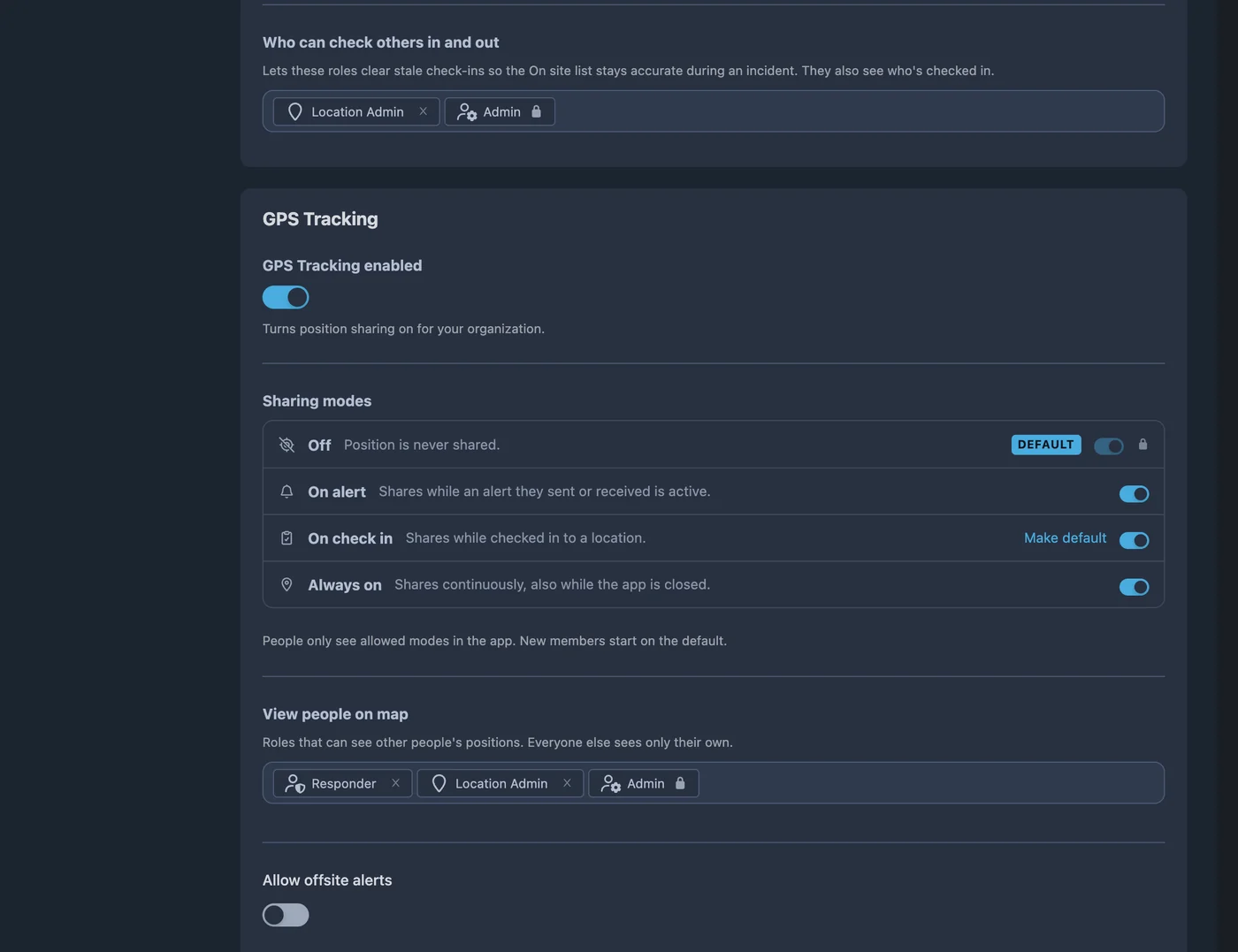
GPS tracking is off until your organization turns it on, and you choose which sharing modes people can use. A church might share positions only during an alert. A security firm might share while officers are checked in to a post. People only see the modes you allow.
- Off: position is never shared (the default)
- On alert: shared while an alert is active
- On check in: shared while checked in to a location
- Always on: shared continuously, even with the app closed
- People only see the modes you allow
Control who can see whom
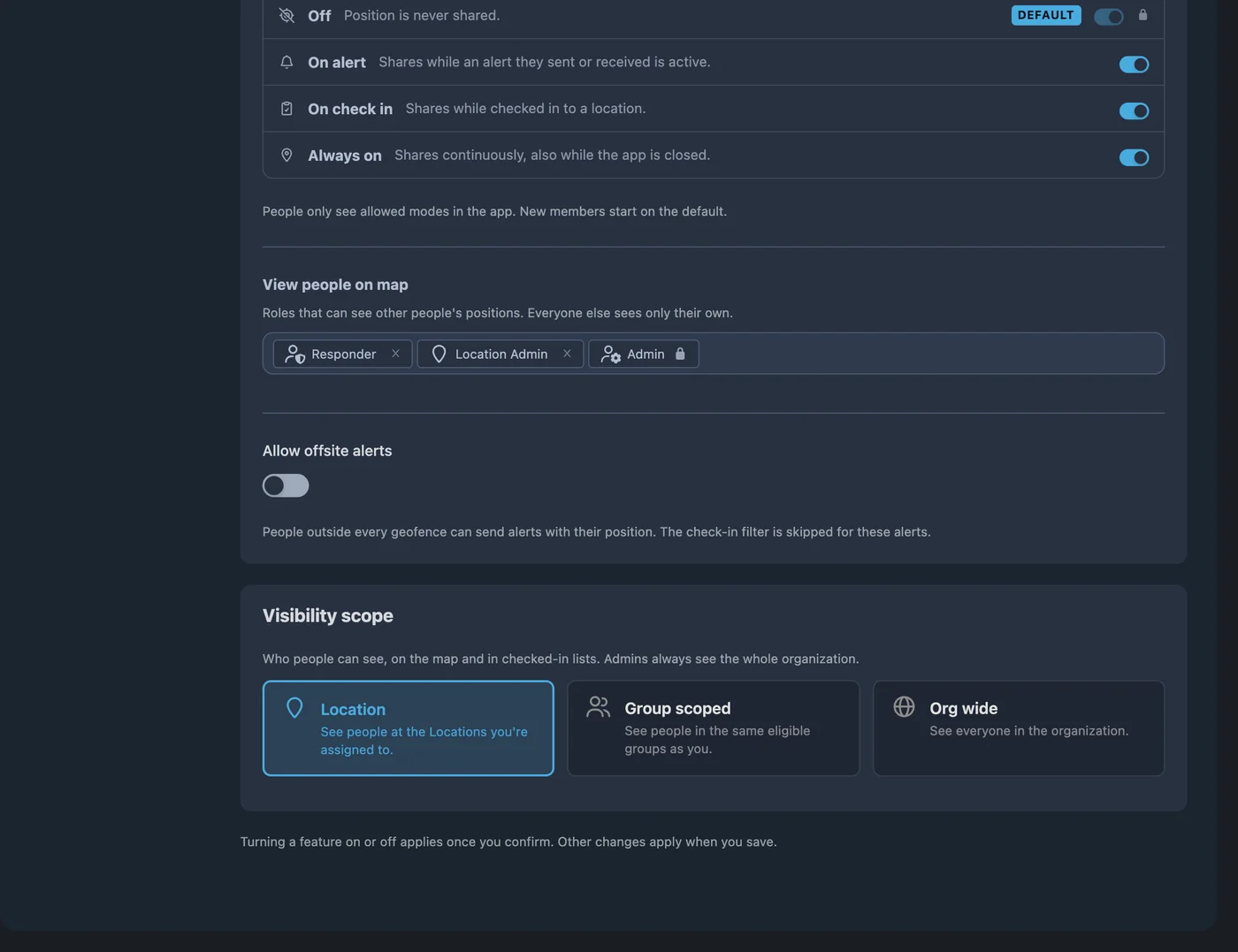
Seeing where people are is a responsibility, so you decide who has it. Choose which roles can see other people on the map, and limit what they see to their own locations, to their own groups, or to the whole organization. Everyone else sees only their own position.
- Only the roles you choose see other people on the map
- Scope by location, by group, or organization wide
- Everyone else sees only their own position
Location that makes alerts more useful
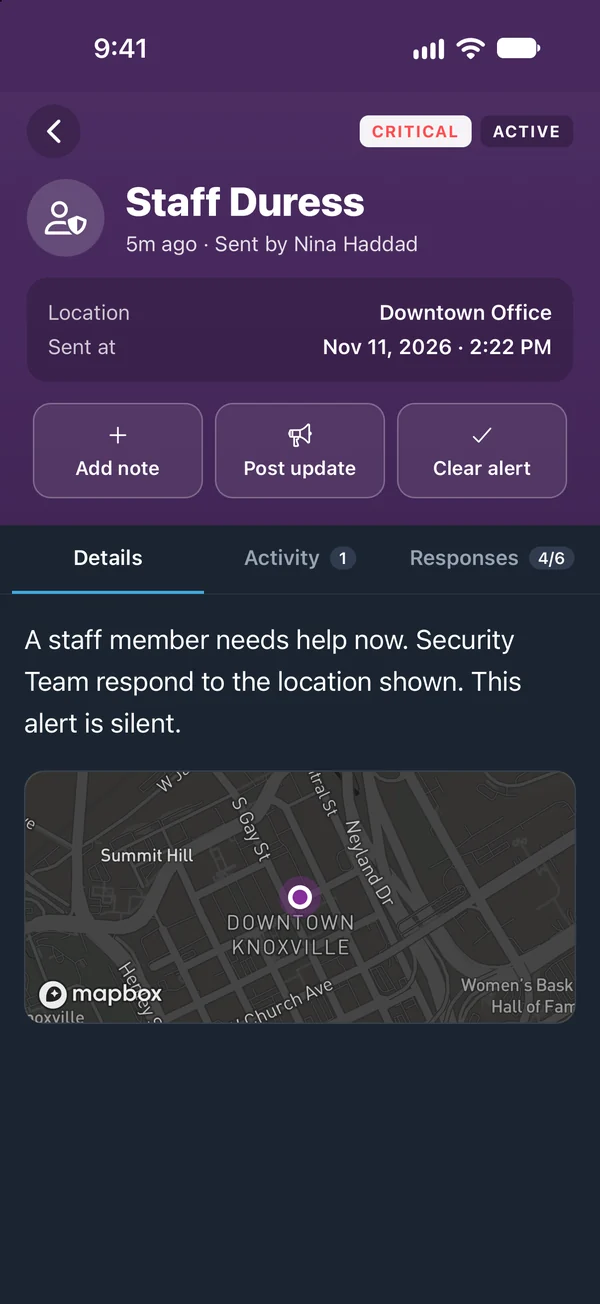
Location matters most when someone needs help. With GPS tracking on, a panic alert includes the sender position and responders appear on the incident map. Alerts can be sent to people inside or outside a geofence, and people outside every geofence can still send an alert with their position.
- GPS position on panic alerts when tracking is on
- Send alerts to people inside or outside a geofence
- Offsite alerts from outside every geofence
- Live positions on the incident map
Map and GPS tracking questions
Does PushPulse track staff location all the time?
What are the GPS tracking modes in PushPulse?
Who can see where people are?
Can we use the map and check-in without GPS tracking?
How does check-in work?
Where can we see the live map?
See PushPulse in action
Upgrading your safety and operations strategy is easier than you think. Get a personalized walkthrough from our team.