

Mass Notifications
Reach everyone in seconds, on every channel.
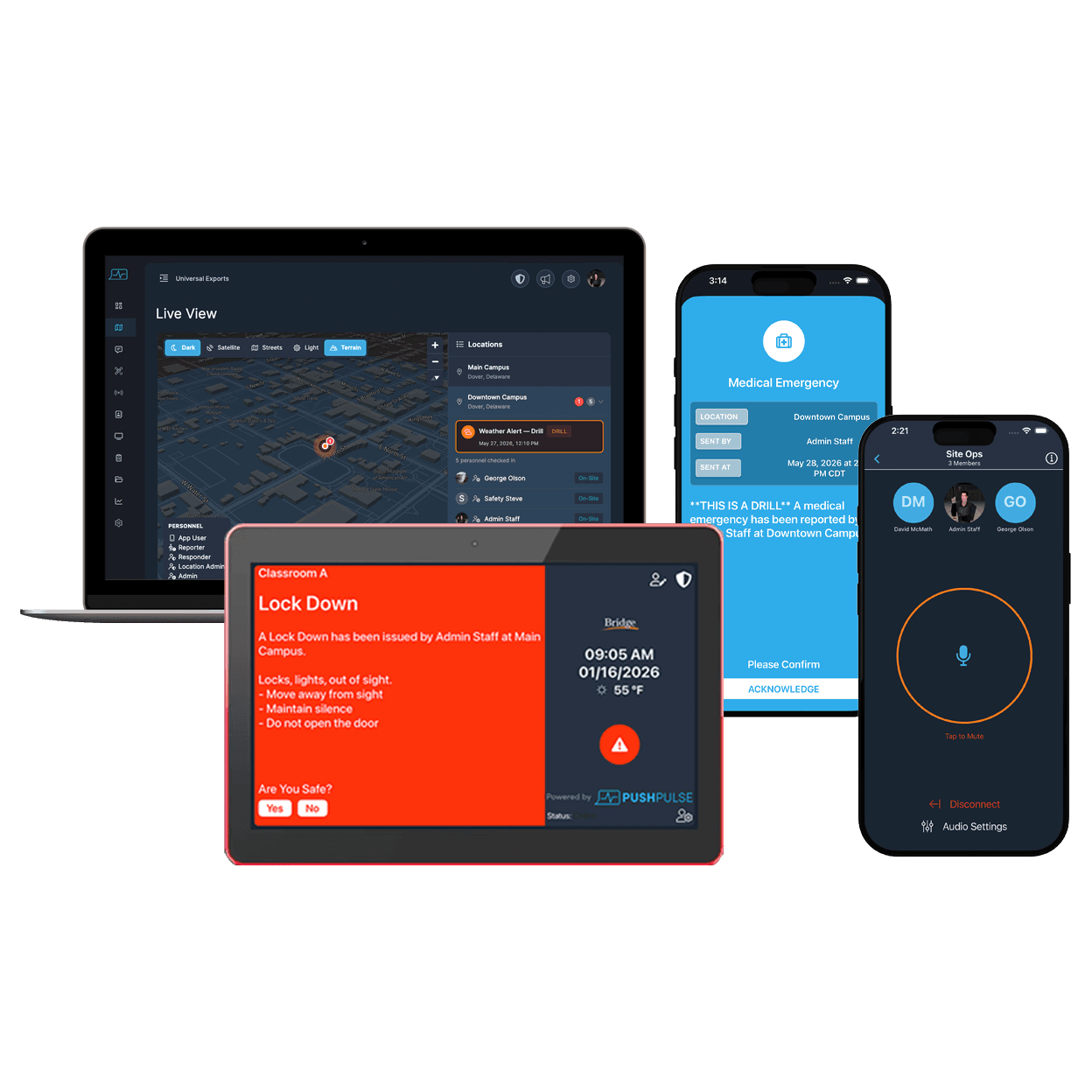
Send one alert and PushPulse delivers it to phones, tablets, desktops, email, SMS, voice, Slack, and Microsoft Teams at the same time. Then see who received it, who acknowledged, and who is safe.
One send. Every channel. A clear record.
A mass notification system has to answer two questions: did the alert reach your people, and are they safe? PushPulse sends the first alert in under one second from the moment the button is pressed, then tracks delivery and acknowledgement for every recipient on every channel.
Alerts that get noticed on every device
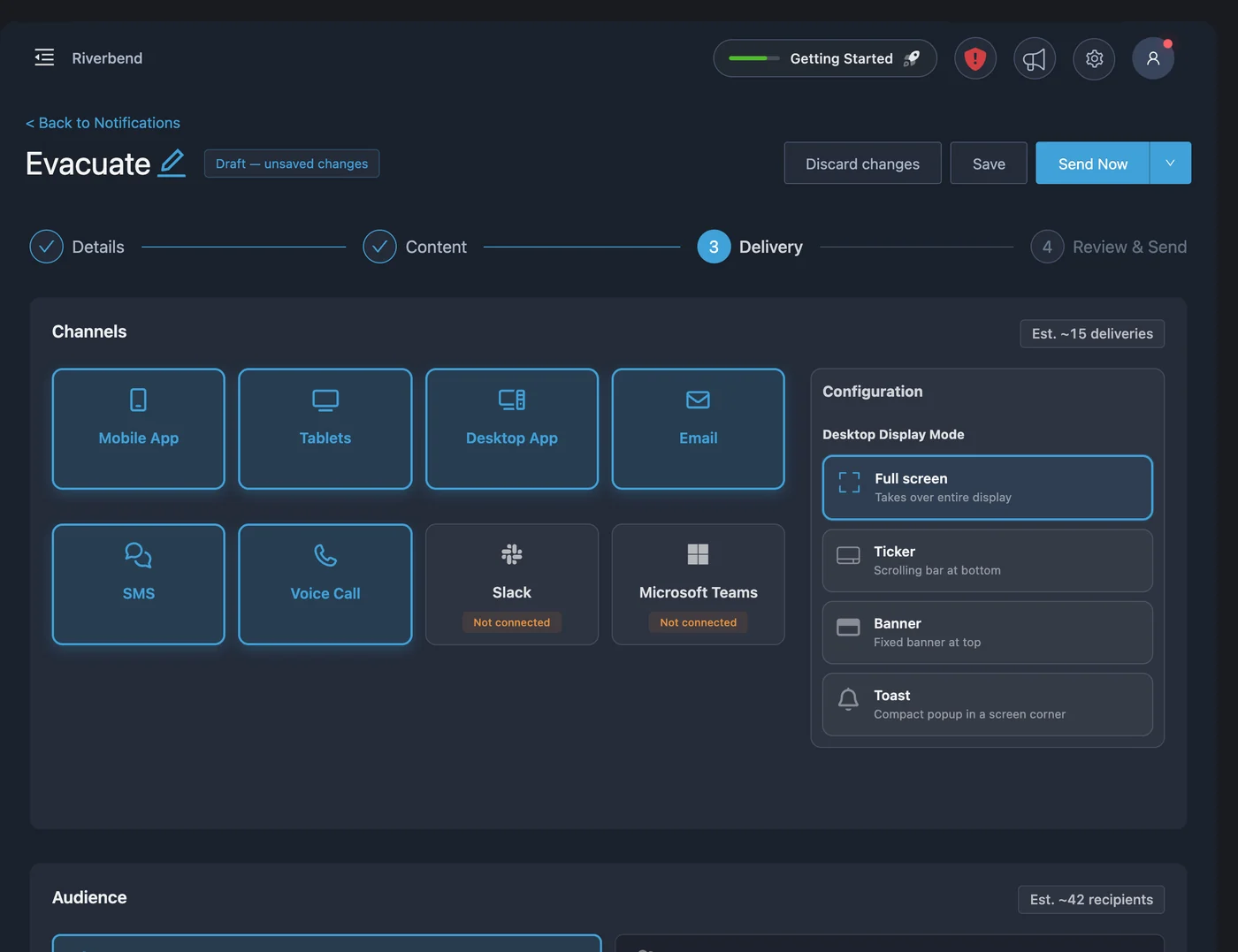
One alert goes to PushPulse Mobile, PushPulse Hub tablets, PushPulse Desktop, email, SMS, voice calls, Slack, and Microsoft Teams together. A silenced phone or an unread inbox is never the only way your message can arrive.
- Mobile, tablet, desktop, email, SMS, and voice in one send
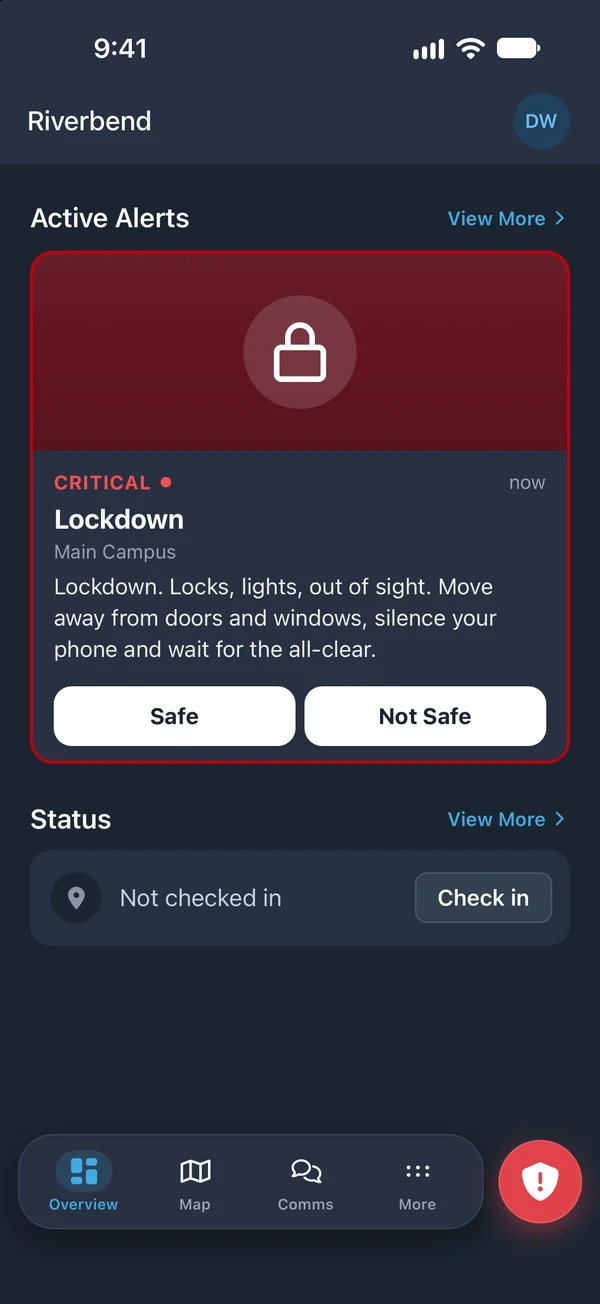
- iOS Critical Alerts sound through silent and Do Not Disturb
- Android alerts override the system volume
- Slack and Microsoft Teams channels as alert destinations
- First alert sent in under one second
The right message to the right people
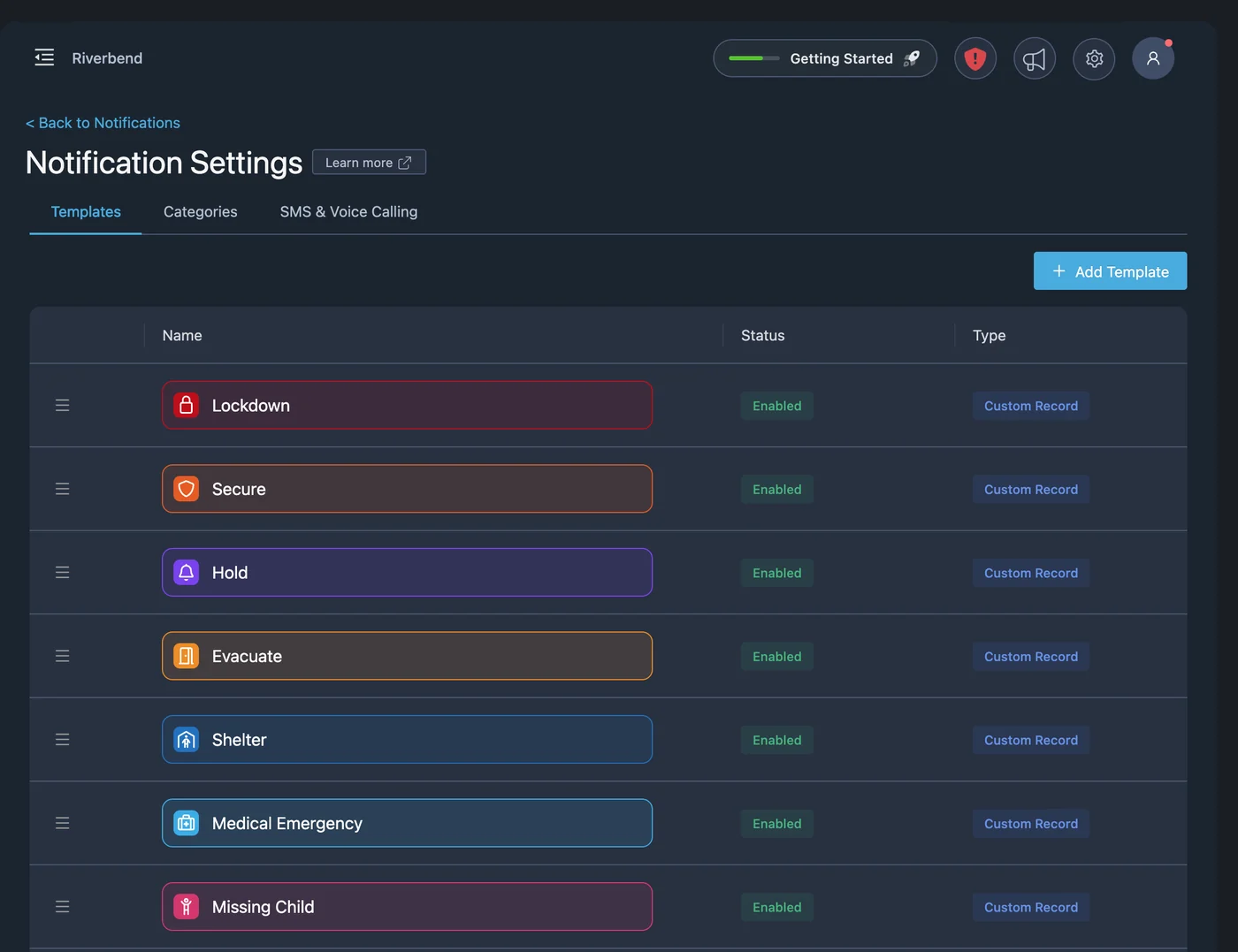
An emergency is not the time to write from scratch. Start from pre-built templates, including ones made for your industry, or build your own with a custom icon, color, and sound. Send to everyone, or narrow the audience so the alert reaches the people who need to act.
- Pre-built and custom alert templates
- Target by location, group, role, or title
- Filter by check-in status or geofence
- Automatic translation into 75 languages
- Trigger templates from integrations and the API
Show your team what is happening
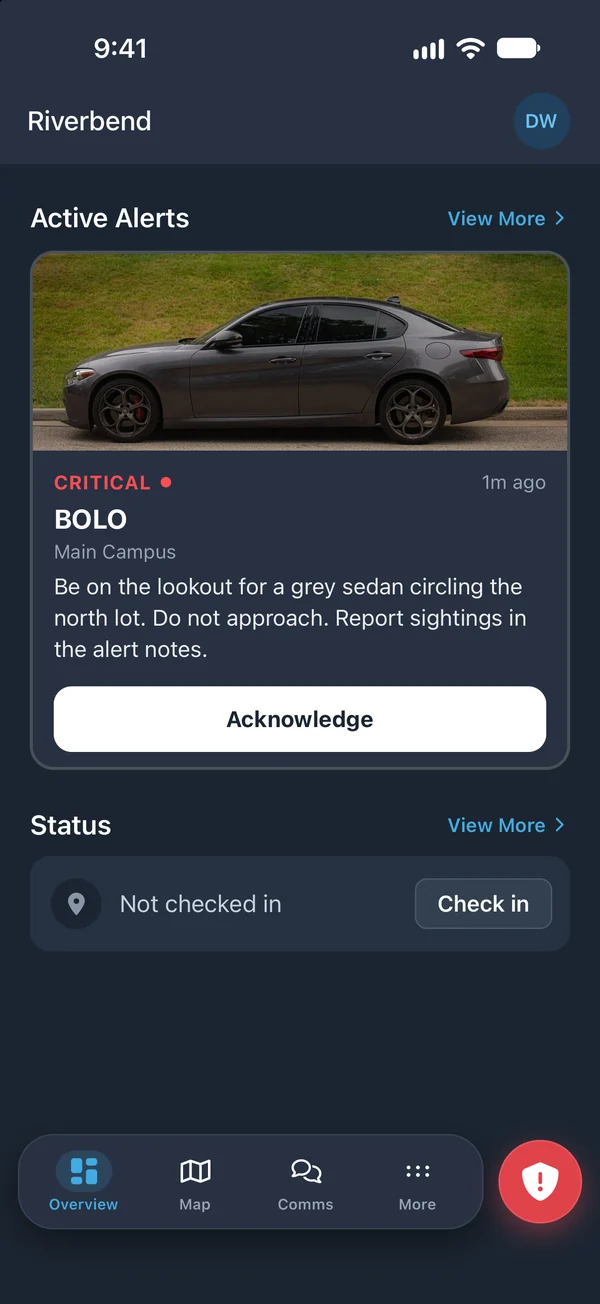
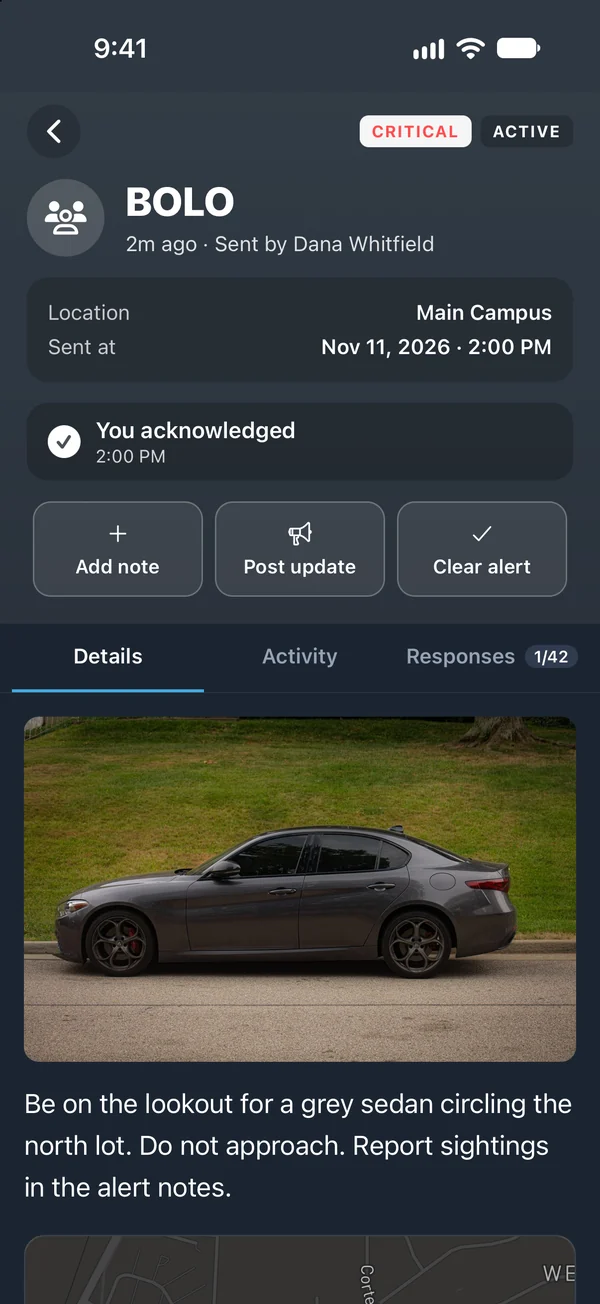
A description only goes so far. Attach a photo or video to the alert, such as camera footage or a clip recorded by the person reporting, so responders know who or what to look for. As the situation develops, your team can add notes and more attachments to the active alert.
- Photos and video attached to any alert
- Media delivered in the app, email, SMS, tablets, web, and desktop
- Notes and attachments added to an active alert
- Updates and new notes posted to Slack and Teams
Know who is safe, not just who received it
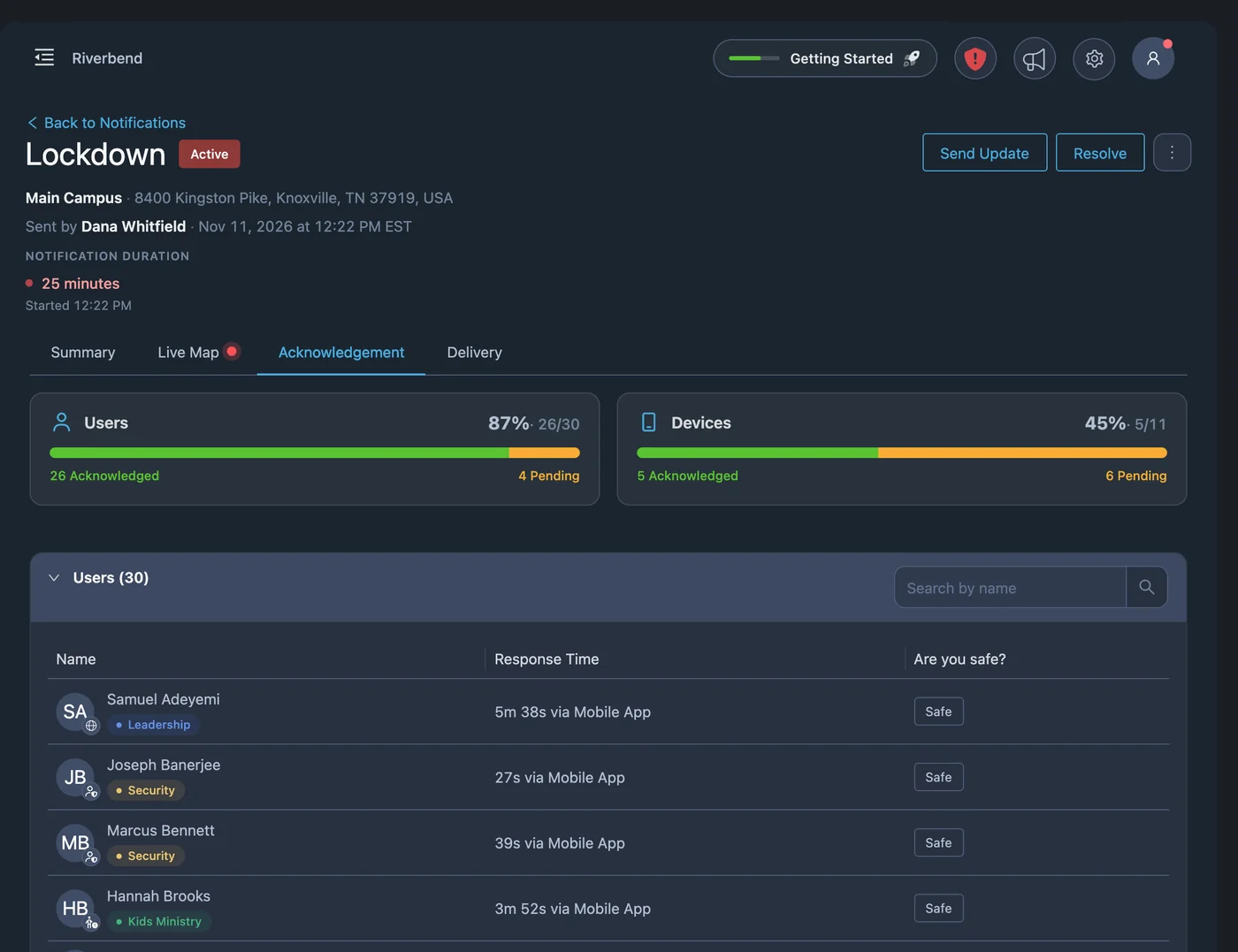
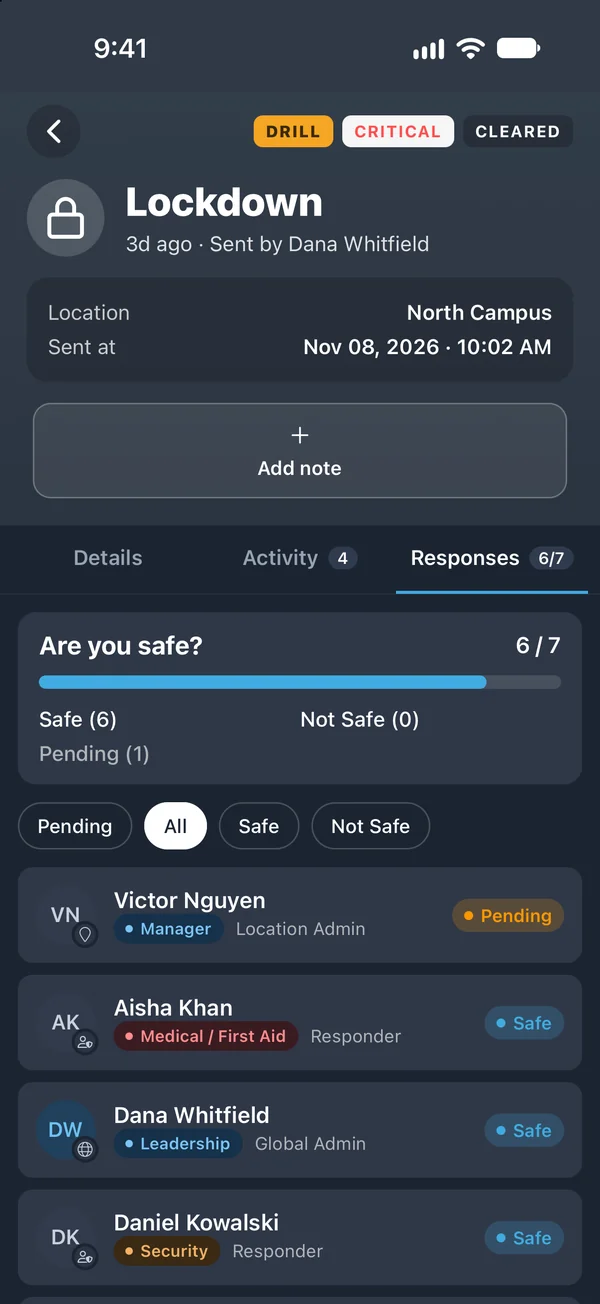
Delivery tells you the message arrived. Acknowledgement tells you a person saw it. Ask a safe or not safe question, or write your own, and recipients can answer from the app, email, or SMS. You see who has responded and who needs follow-up.
- Safe / not safe polls and custom questions
- Responses from the app, email, or SMS
- Delivery and acknowledgement logs per recipient and channel
- Progress charts and roll-ups of responses
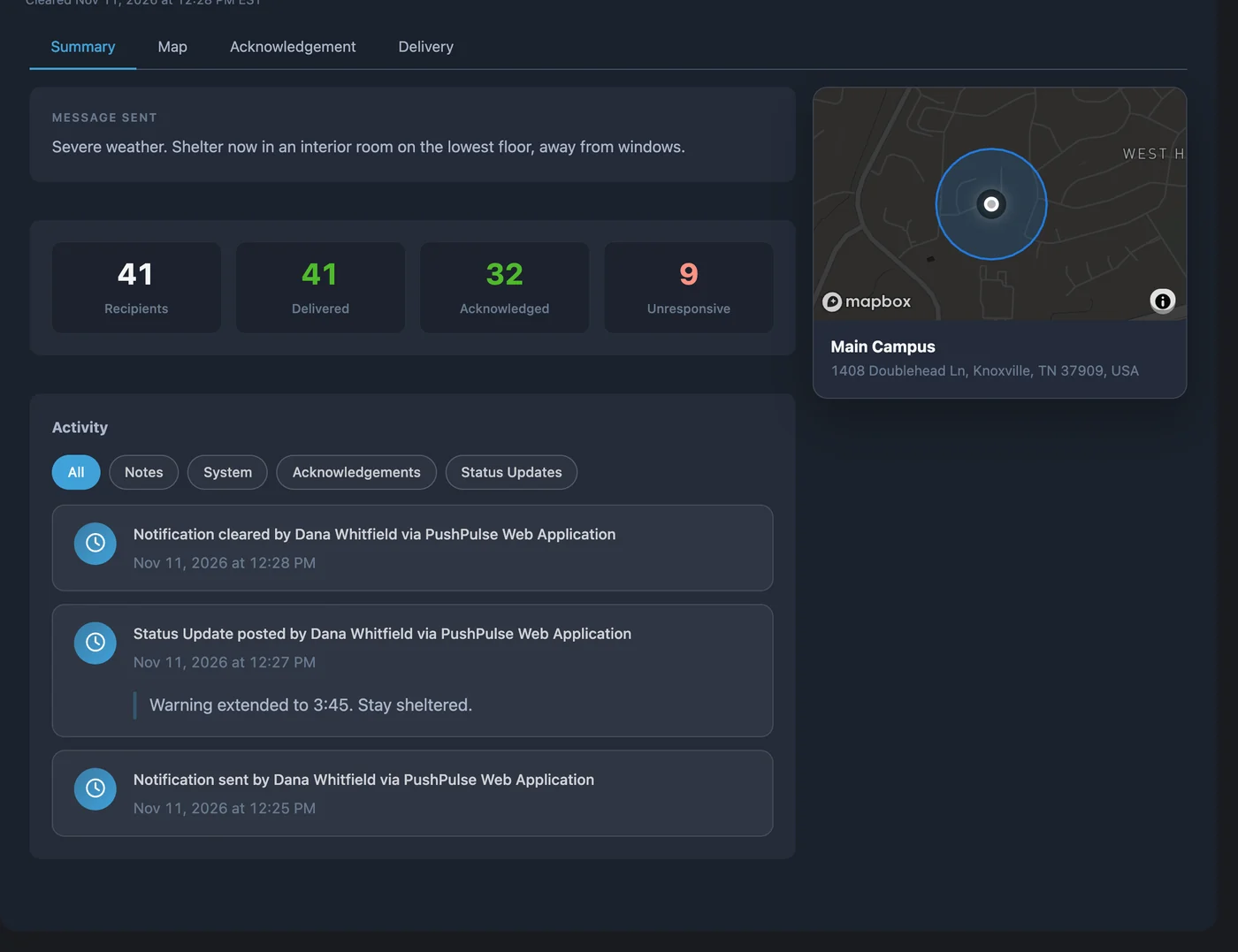
From first alert to all-clear
Post status updates as things change and every recipient gets them on the same channels as the original alert. When it is over, send an all-clear to everyone or close the alert quietly. Updates and the all-clear are written to the incident timeline, so the record builds as you work.
- Status updates sent to every recipient
- All-clear sent to recipients or closed silently
- Auto-clear after a set time
- Drill mode that clearly marks an alert as a drill
- Scheduled notifications
Mass notification questions
What is a mass notification system?
Will an alert come through if a phone is on silent?
How fast does PushPulse send an alert?
Can people respond to an alert?
Can alerts be sent in other languages?
Can we run a drill without causing alarm?
Do text messages and voice calls cost extra?
See PushPulse in action
Upgrading your safety and operations strategy is easier than you think. Get a personalized walkthrough from our team.