

Forms & Incident Reports
Every report your team files, in one place.
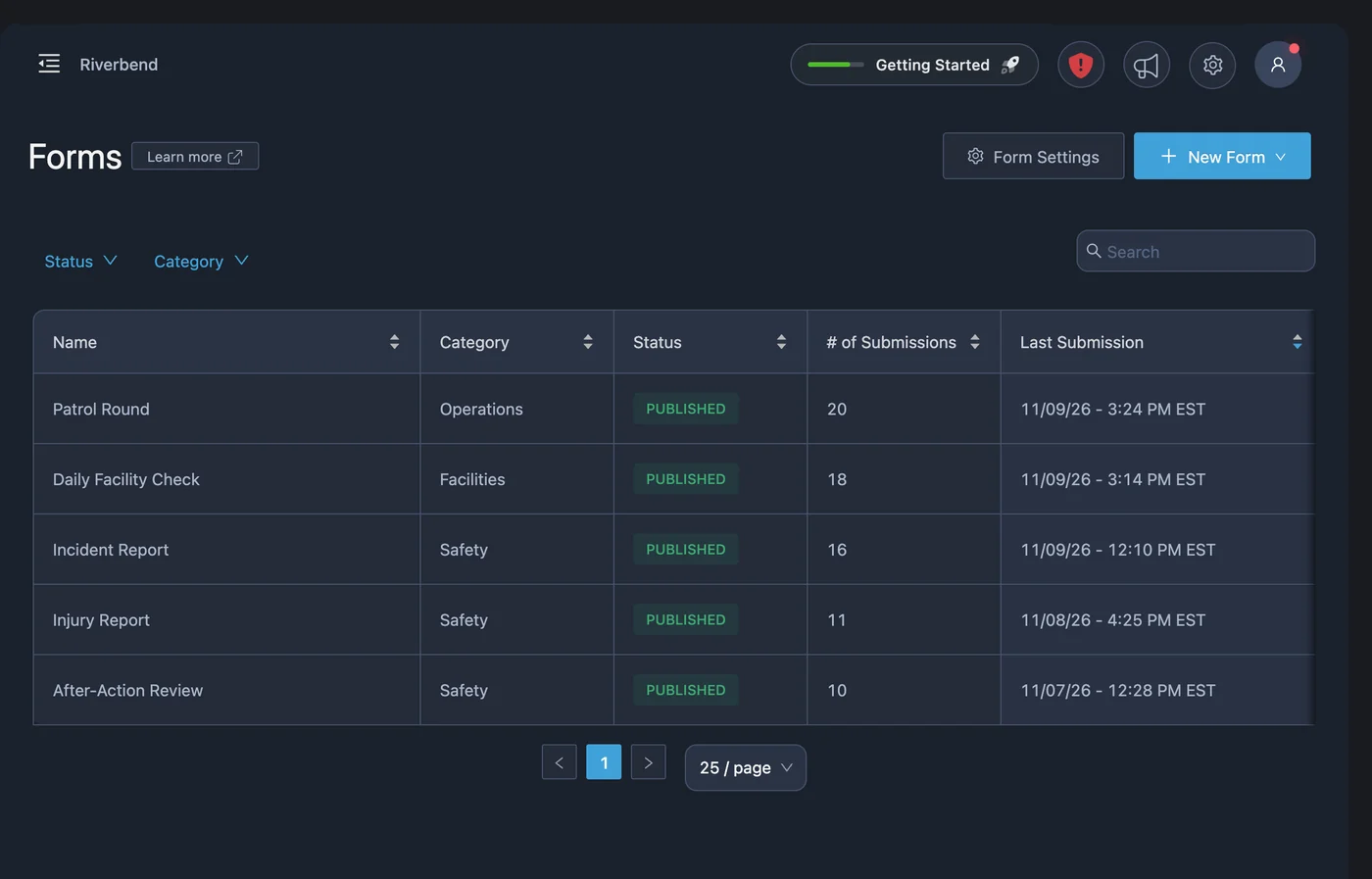
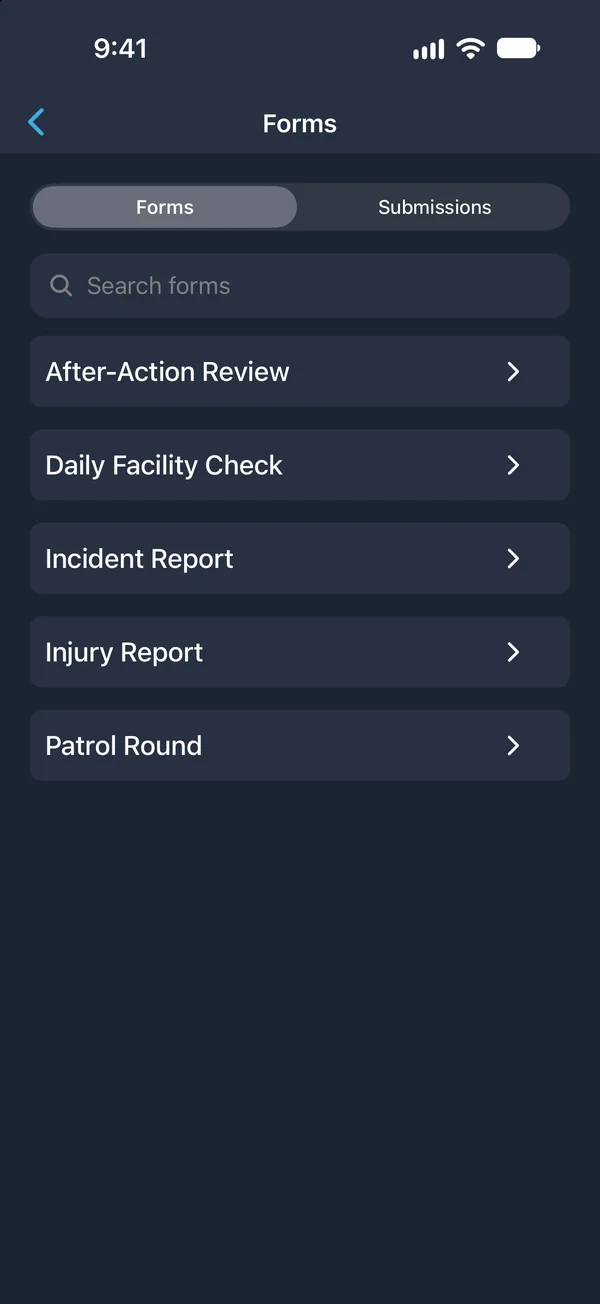
Build the forms your team needs or start from a ready-made template. People fill them out on a phone, in a browser, or on a wall tablet, and each submission goes to the right people with the submitter and time already recorded.
Forms that get finished.
Incident reporting software replaces paper forms and shared spreadsheets with forms people can complete where the work happens. PushPulse Forms covers incident reports, injury reports, inspections, work orders, attendance, and anything else your team needs to collect.
Start from a template
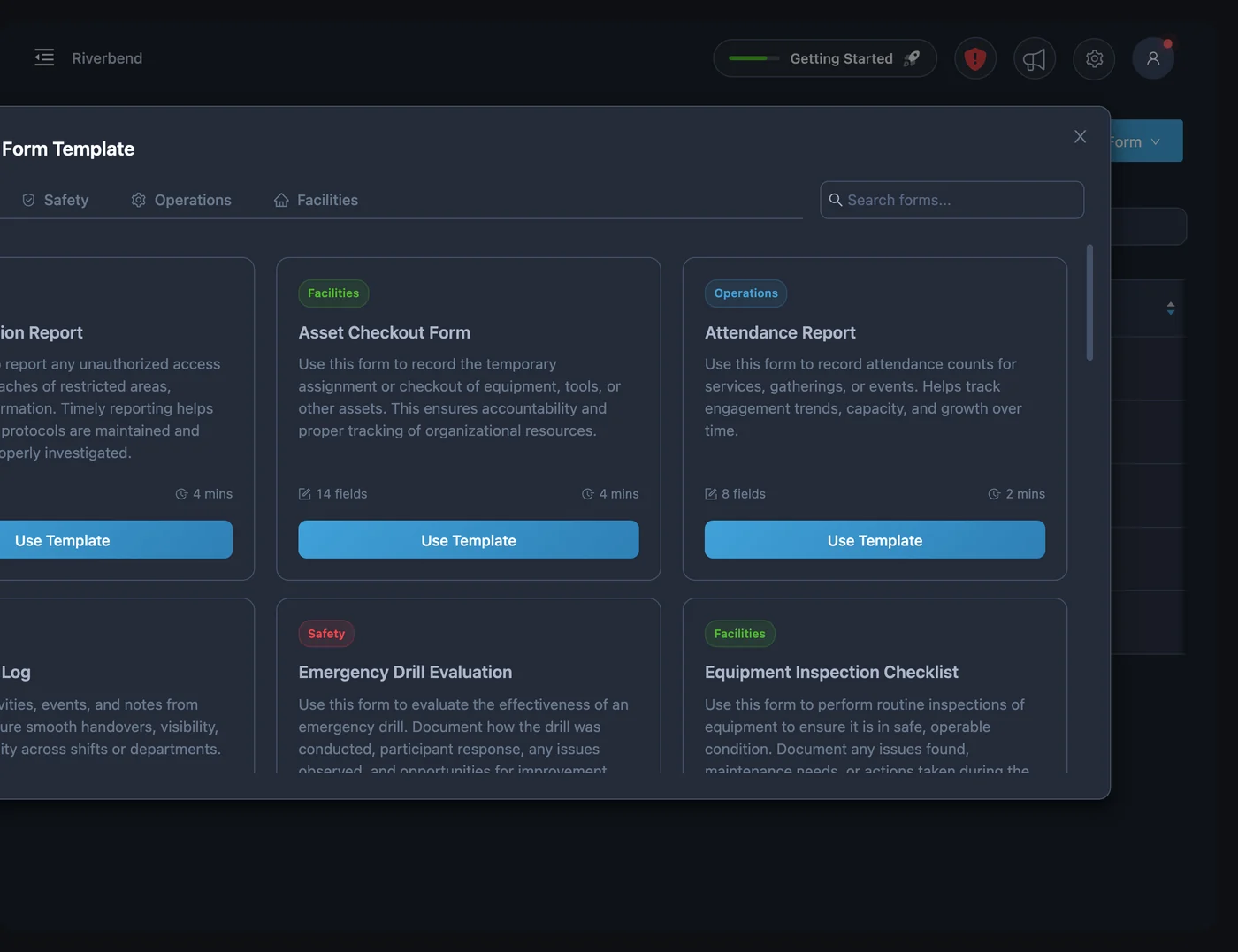
You do not have to design every form yourself. The template library has ready-made forms in three categories, Safety, Operations, and Facilities, including an Incident Report, a Suspicious Activity Report, an Emergency Drill Evaluation, a Shift Handover Report, and a Work Order Request.
- More than 20 ready-made templates
- Safety, Operations, and Facilities categories
- Incident, injury, and after-action reports
- Inspections, patrol logs, and work orders
- Attendance and visitor check-in forms
Build your own with the fields you need
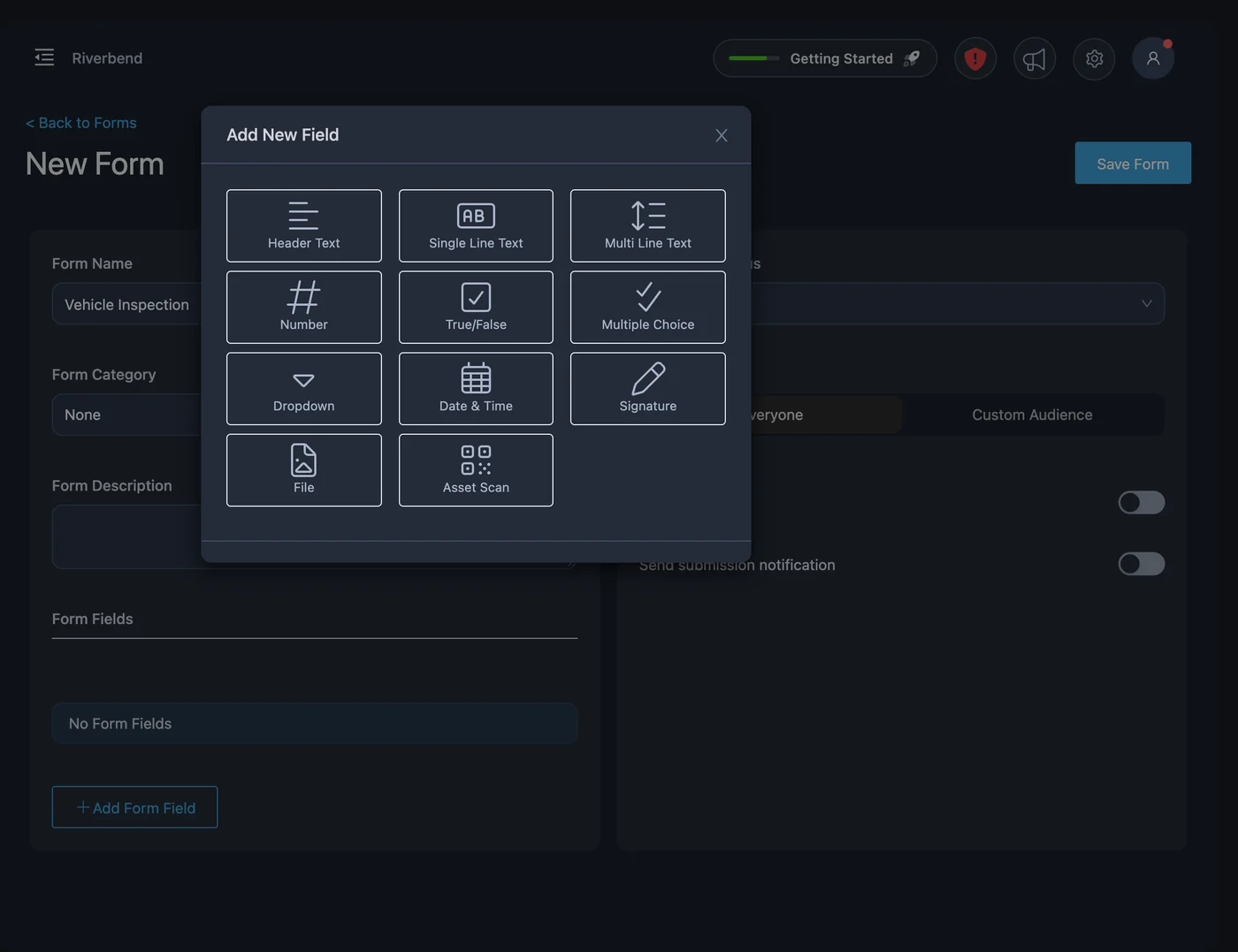
When a template does not fit, build the form from scratch. Choose from eleven field types, mark the ones that must be answered, and use conditional logic so people only see the questions that apply. Drag and drop fields into the order you want.
- Text, number, dropdown, and multiple choice fields
- Date and time, true/false, and header fields
- Signature capture
- File, photo, and asset scan fields
- Required fields, conditional logic, and drag-and-drop sorting
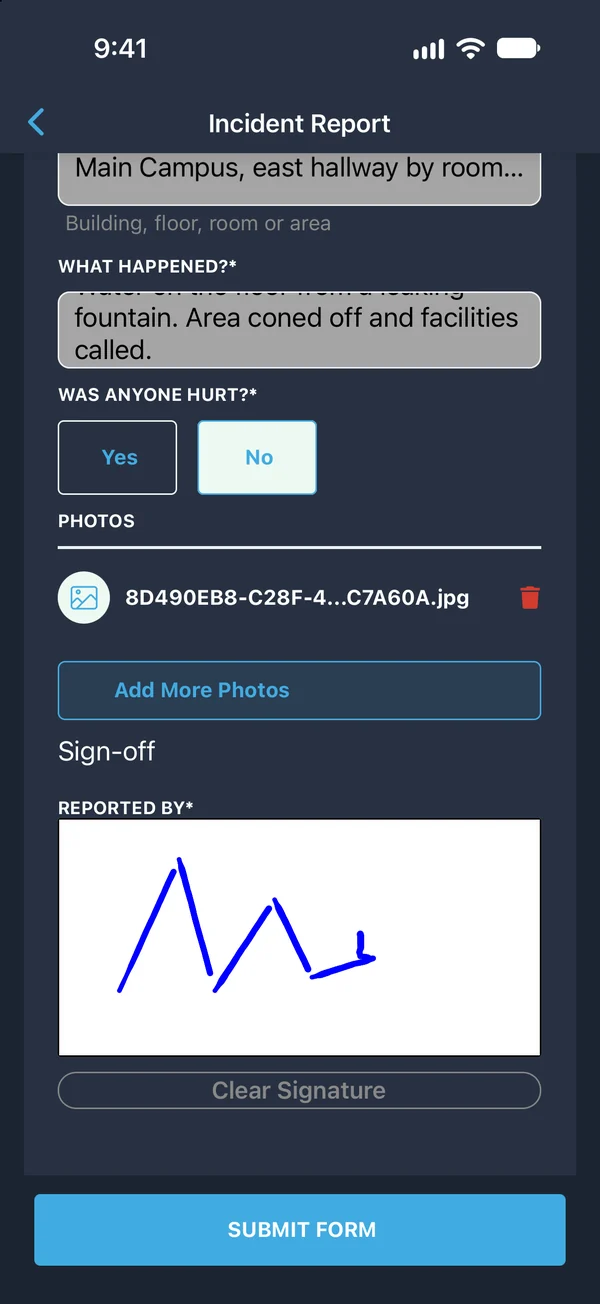
Fill it out where the work happens
A report filed on the spot is more accurate than one written from memory. Your team completes forms in PushPulse Mobile, in PushPulse Console, or on a PushPulse Hub tablet. They can take a photo with the camera, scan an asset as part of the form, and sign on the screen.
- Complete forms in PushPulse Mobile, Console, and Hub
- Take a photo with the camera or attach a file
- Scan an asset as part of the form
- Submitter and time recorded automatically
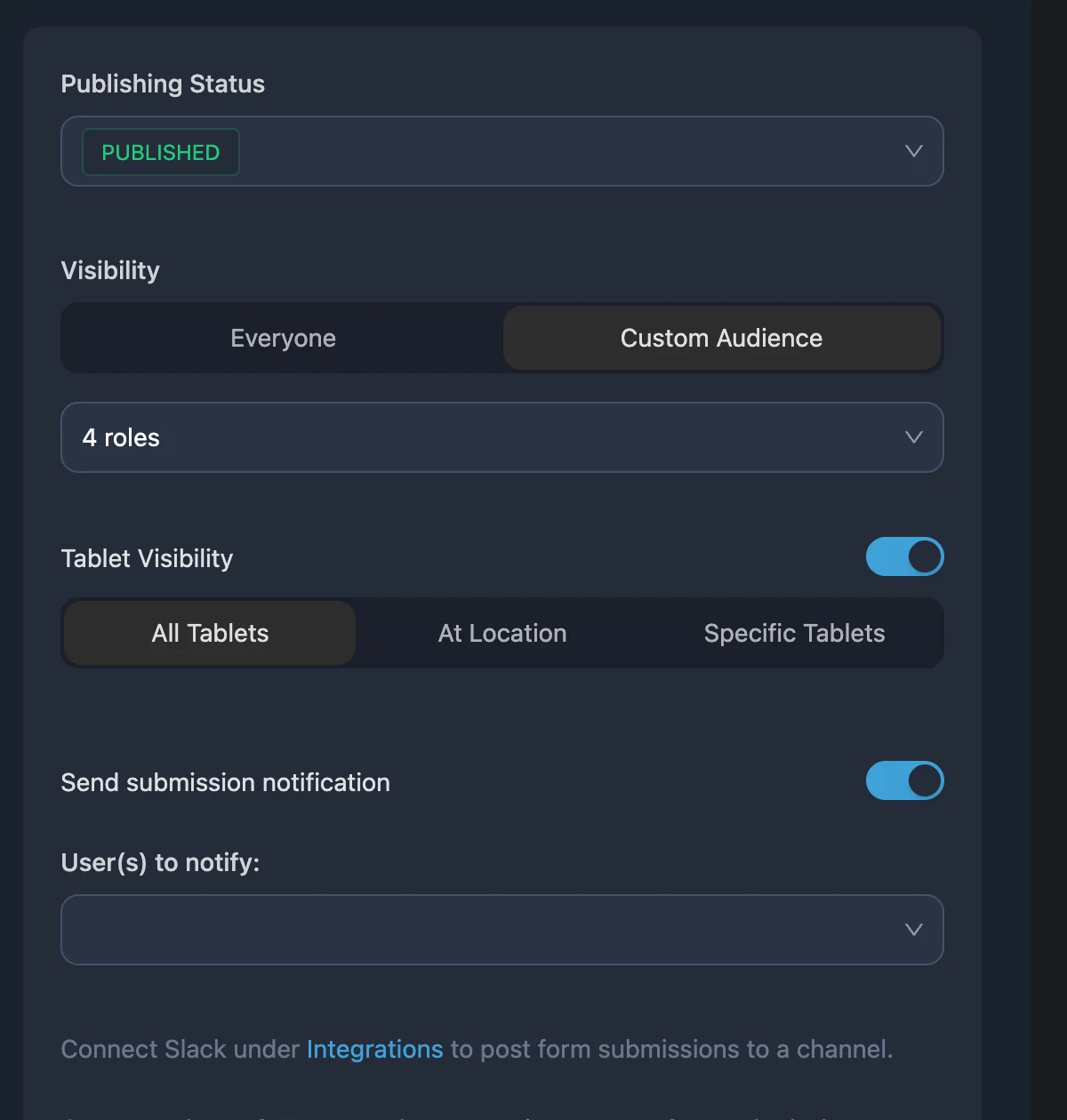
Send each submission to the right people
A form only helps if the right person sees the answer. Show each form to everyone or to a custom audience, and send submissions to specific people or to a Slack or Microsoft Teams channel, so a work order reaches facilities and an incident report reaches your safety lead.
- Show a form to everyone or to a custom audience
- Send submissions to specific users
- Post submissions to Slack or Microsoft Teams channels
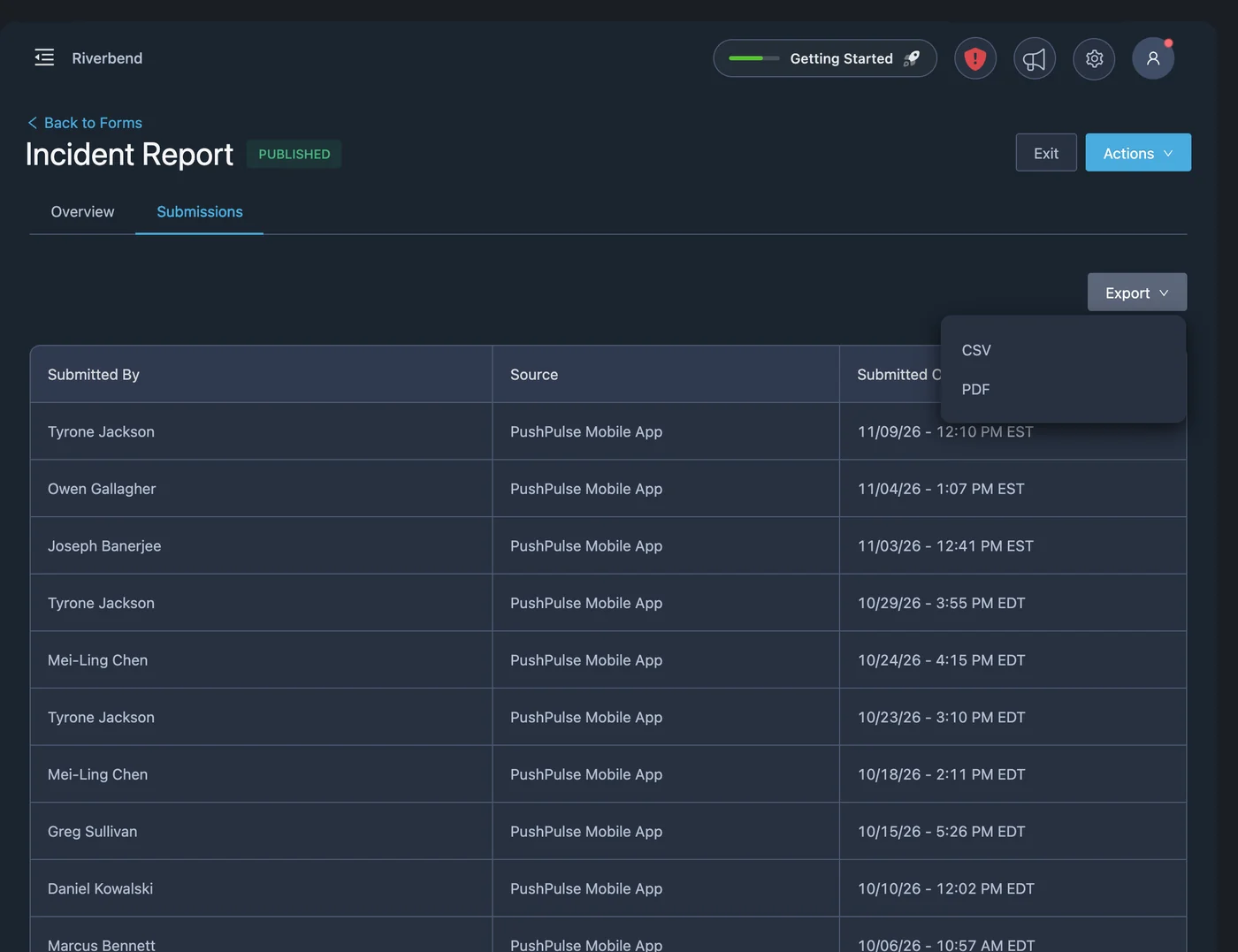
Review and export
Submissions are waiting when someone asks for them. Review them in PushPulse Mobile or PushPulse Console, and export to CSV for a spreadsheet or to PDF for your leadership, insurer, or licensing body.
- Review submissions in PushPulse Mobile and Console
- Export to CSV
- Export to PDF
Forms questions
What is incident reporting software?
What form templates come with PushPulse?
What field types can a PushPulse form have?
Where can people fill out a form?
Do forms work offline?
Can form submissions be exported?
See PushPulse in action
Upgrading your safety and operations strategy is easier than you think. Get a personalized walkthrough from our team.