

Panic Buttons
One press. The right people respond.
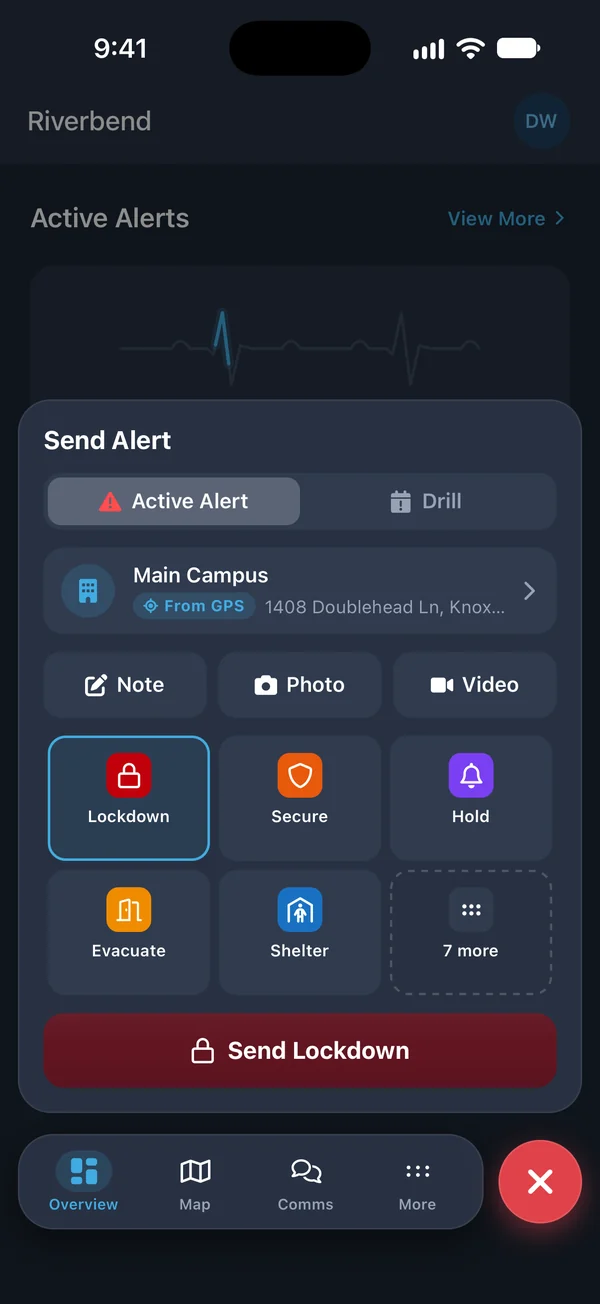
Trigger an emergency alert from the phone in your pocket, the tablet on the wall, your computer, or a Bluetooth button. PushPulse tells your responders who needs help and where on every channel, and starts the incident record.
A panic button wherever your people are.
A panic button system lets any staff member call for help with a single action, without making a phone call or typing a message. In PushPulse, every panic button sends an alert template you set up in advance, so the responders, channels, and instructions are decided before the emergency, not during it.
A panic button on every device
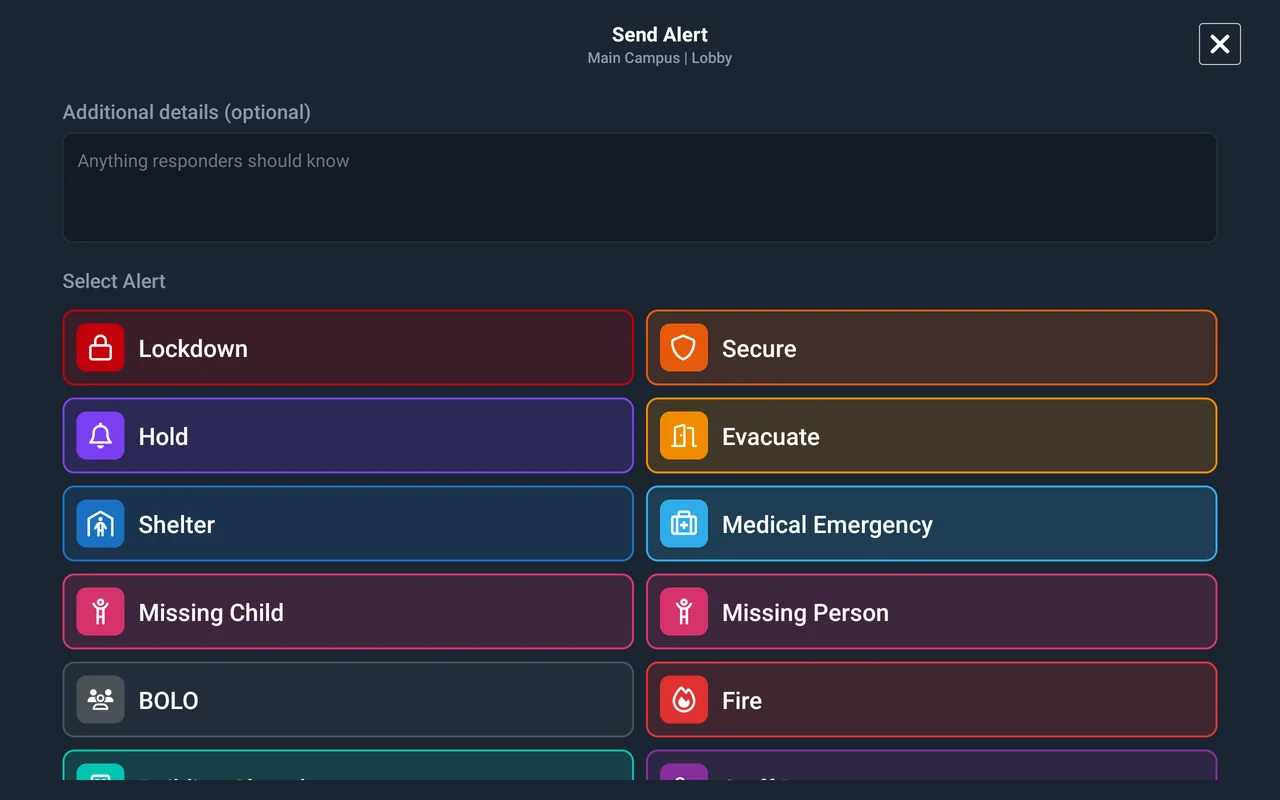
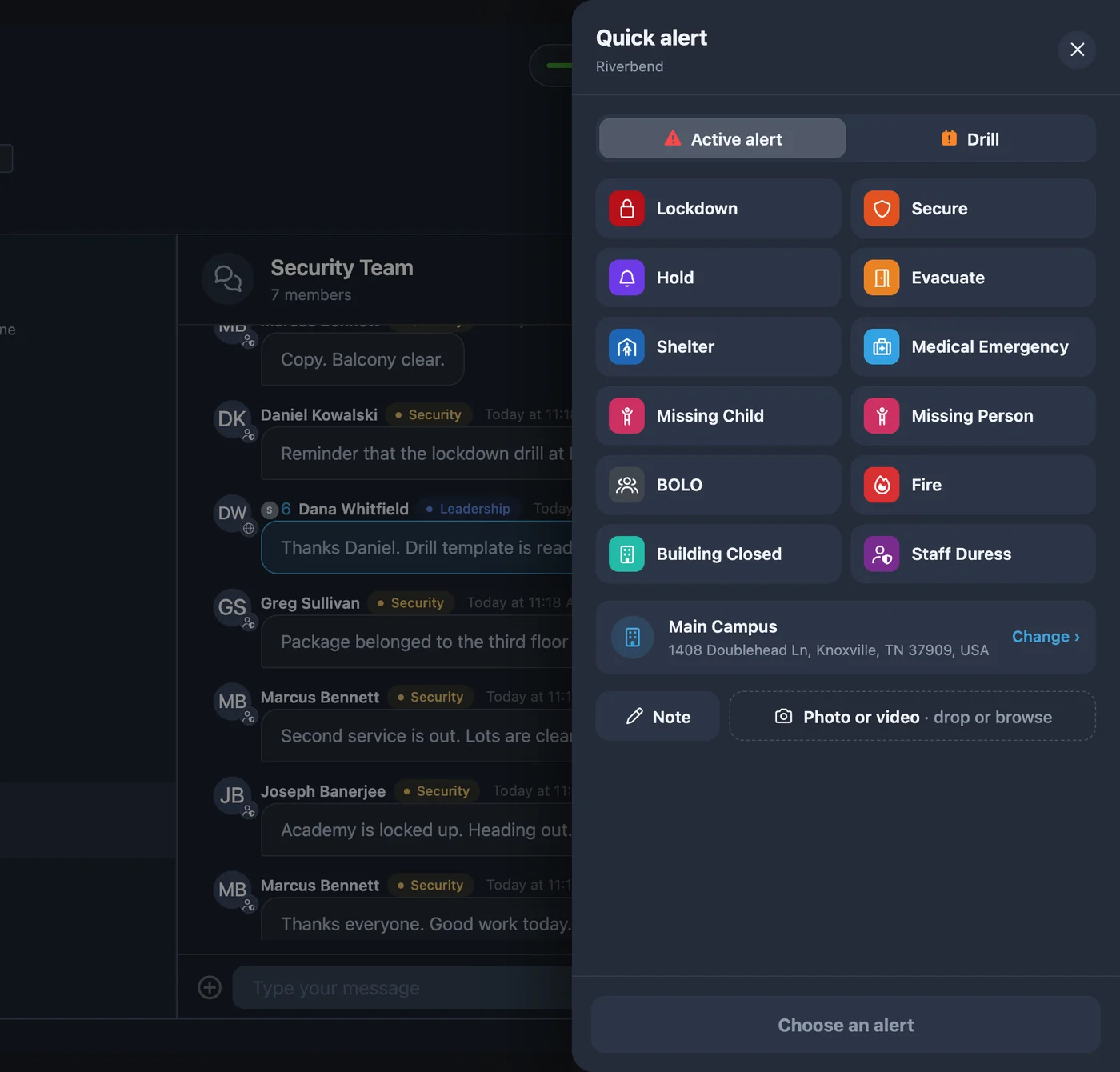
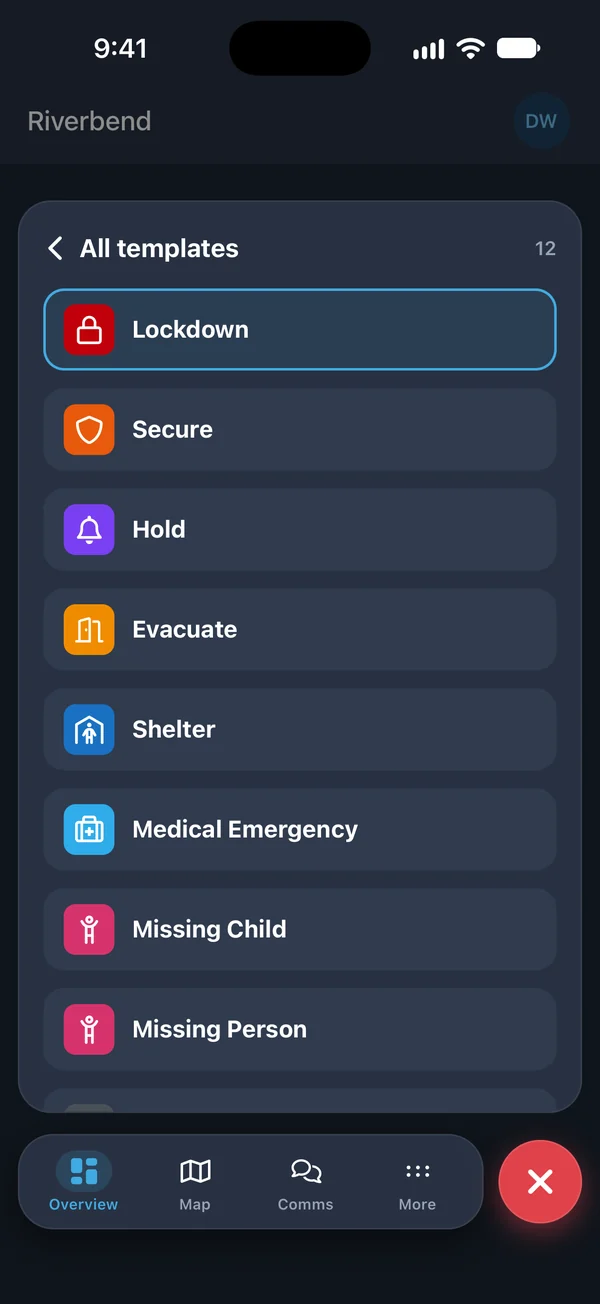
Staff should not have to hunt for a way to call for help. Long-press the panic button in PushPulse Mobile, tap the PushPulse Hub tablet on the wall, use the quick alert button in PushPulse Console, or press a keyboard shortcut in PushPulse Desktop. Each one sends the same alert to the same responders.
- Long-press panic in PushPulse Mobile (iOS and Android)
- PushPulse Hub tablets, always on with no sign-in needed
- Hub app on your own iPad or Android tablet
- Quick alert button in PushPulse Console, the web app
- Keyboard shortcut in PushPulse Desktop (Windows and Mac)

Physical buttons for busy hands
Some people cannot reach for a phone: a teacher mid-lesson, a greeter at the door, a cashier at the register. A Bluetooth panic button pairs with PushPulse Mobile or a PushPulse Hub tablet and sends your panic alert with a press pattern. At a desk, PushPulse Desktop works with Bluetooth and USB buttons.
- Bluetooth panic buttons paired with PushPulse Mobile
- Bluetooth panic buttons paired with PushPulse Hub tablets
- Bluetooth and USB buttons with PushPulse Desktop
- A press pattern sends your panic alert
Responders know who needs help and where
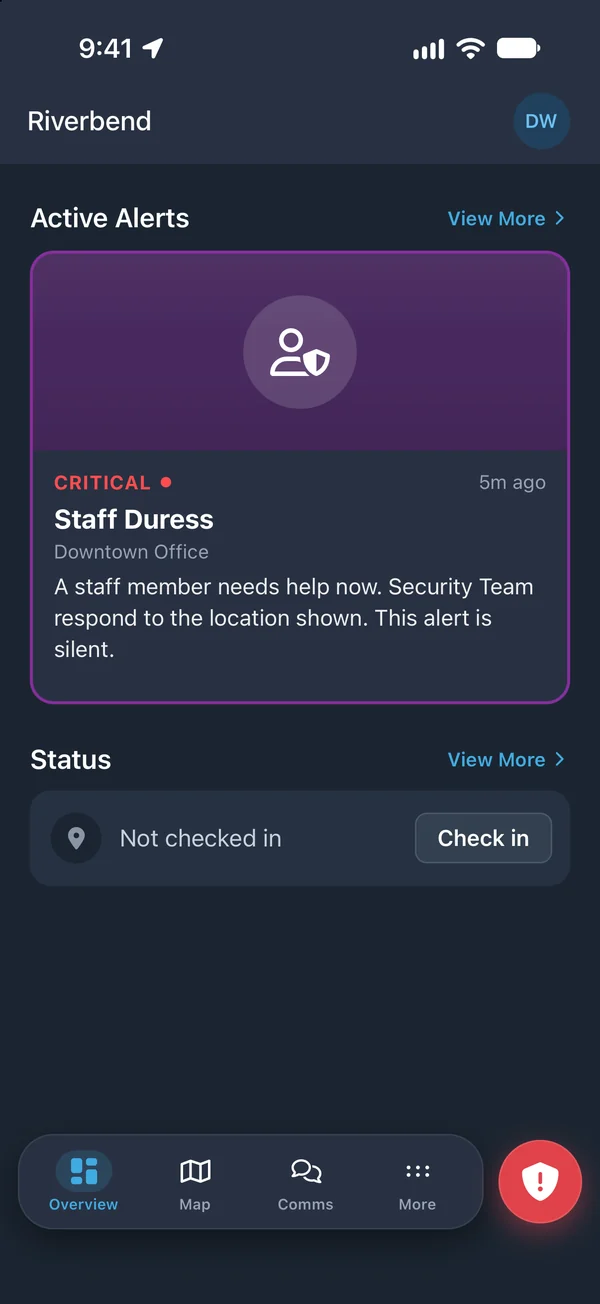
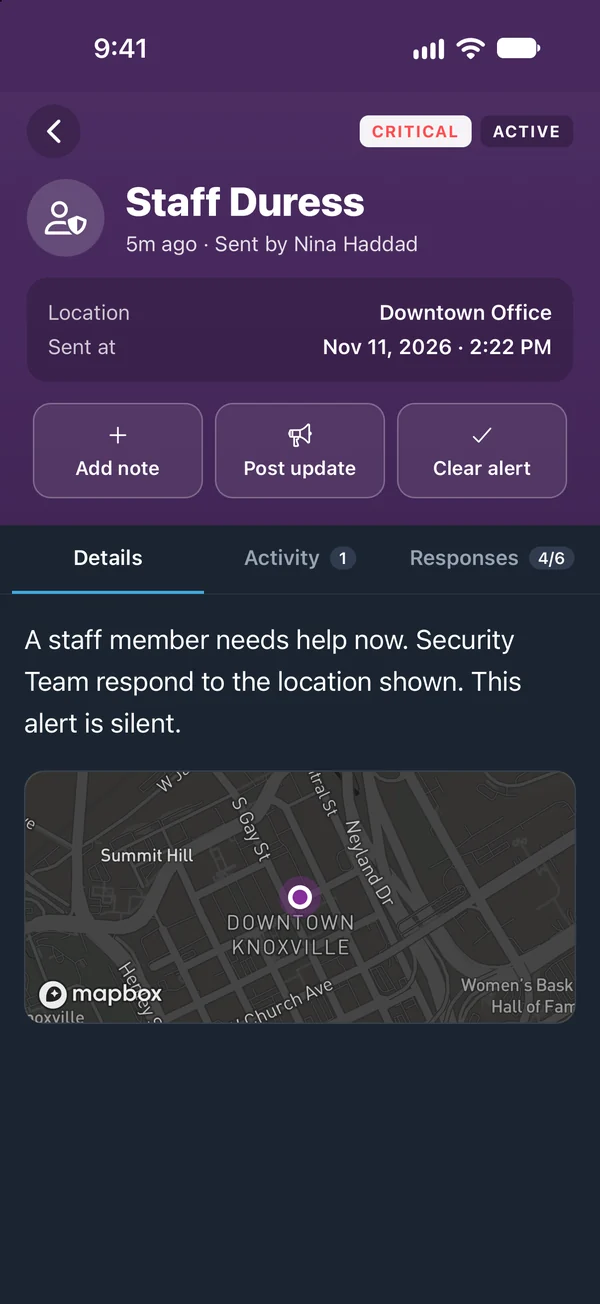
A panic alert is only useful if responders can act on it. Each alert shows the person or tablet that triggered it and the location it came from, and adds a GPS position when GPS tracking is turned on. The alert goes out on every channel the template uses, so responders are not waiting on a phone tree.
- Shows the person or tablet that triggered the alert
- Location and site included
- GPS position when GPS tracking is enabled
- Push, SMS, email, voice, tablets, and desktop
- iOS Critical Alerts and Android volume override
Silent or loud, decided ahead of time
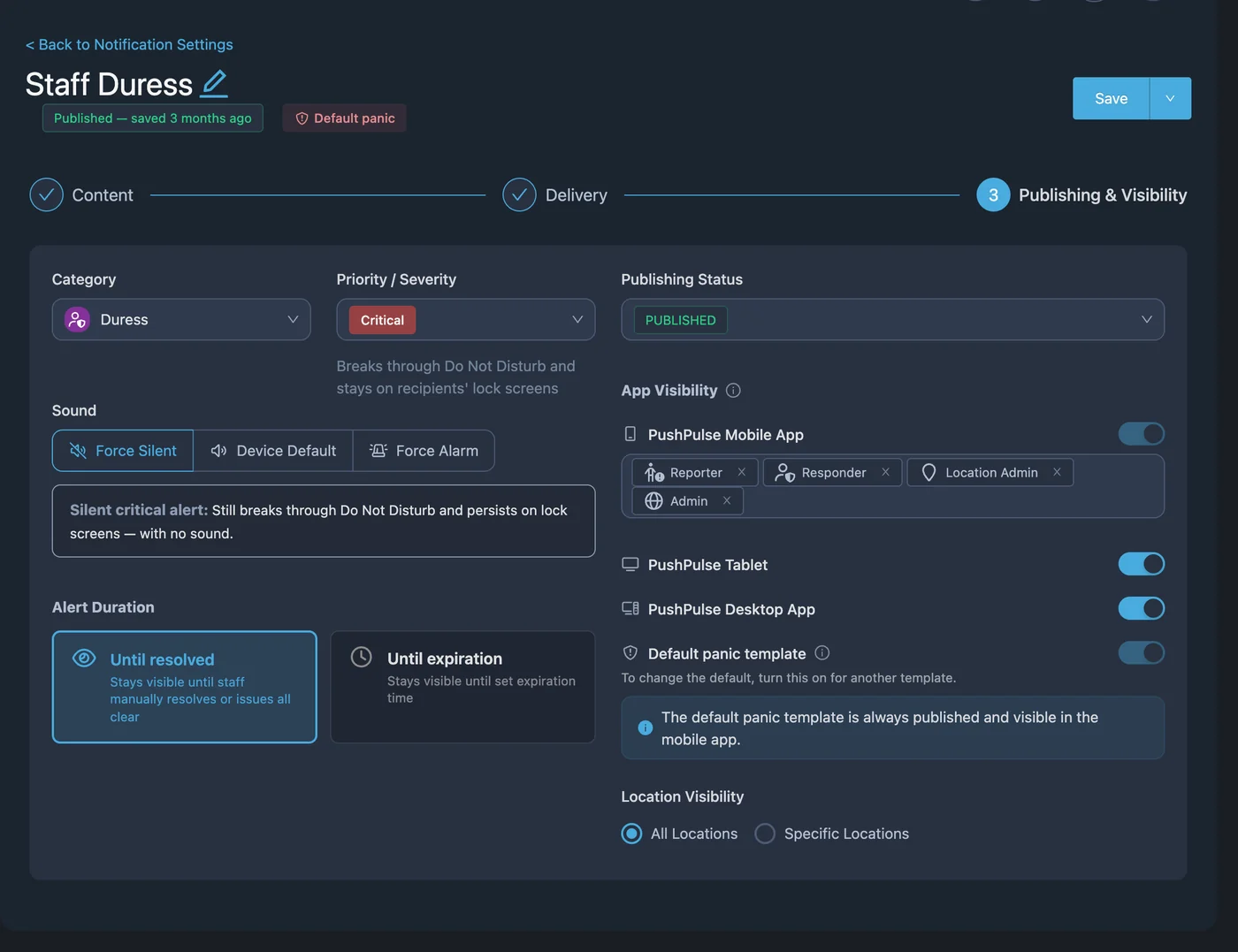
Every panic button sends an alert template, and the template sets the rules. A front desk duress alert can be silent so it does not escalate the situation. A lockdown can be loud so everyone moves. Choose a default panic template for your organization, and each template controls who is notified, on which channels, and which integrations it triggers.
- Silent or audible, set per template
- A default panic template for your organization
- Templates set recipients, channels, and integrations
- Drill mode that clearly marks a practice alert
Every activation on the record
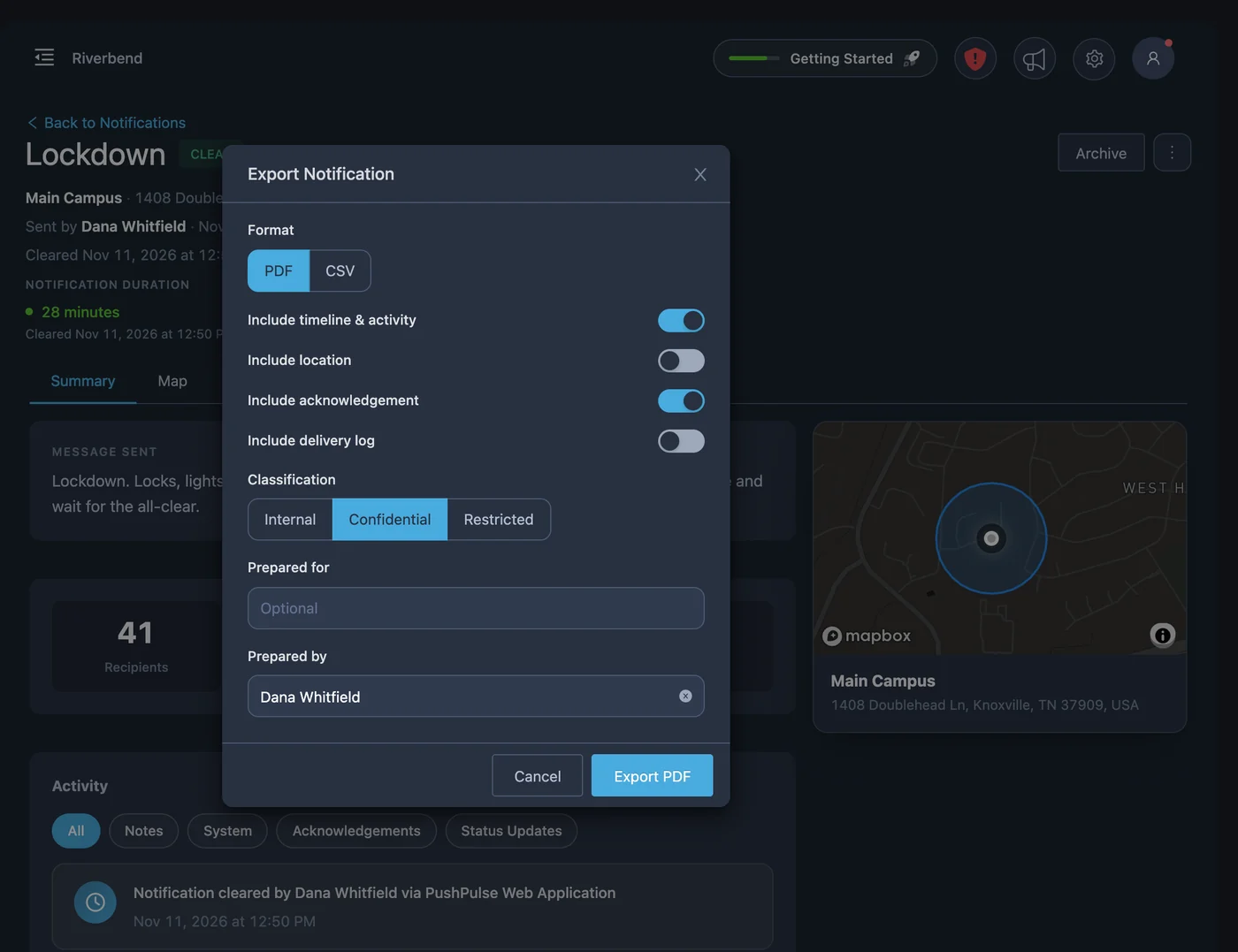
After a panic alert, someone will ask what happened. Status updates, notes, and the all-clear are written to the incident timeline as your team works, with delivery and acknowledgement logs for every recipient. Export the incident as a PDF report for your leadership, insurer, or licensing body.
- Updates, notes, and the all-clear on the incident timeline
- Delivery and acknowledgement logs per recipient
- Incident report exported as a PDF
- Cleared by responders or admins, not by the sender
Panic button questions
What is a panic button system?
How do staff trigger a panic alert in PushPulse?
Is a PushPulse panic alert silent?
Does a panic alert show where the person is?
Do Bluetooth panic buttons work with any tablet?
Can someone cancel a panic alert they sent by mistake?
Do we have to buy hardware to use panic buttons?
See PushPulse in action
Upgrading your safety and operations strategy is easier than you think. Get a personalized walkthrough from our team.