

Comms
Talk, page, and chat in one place.
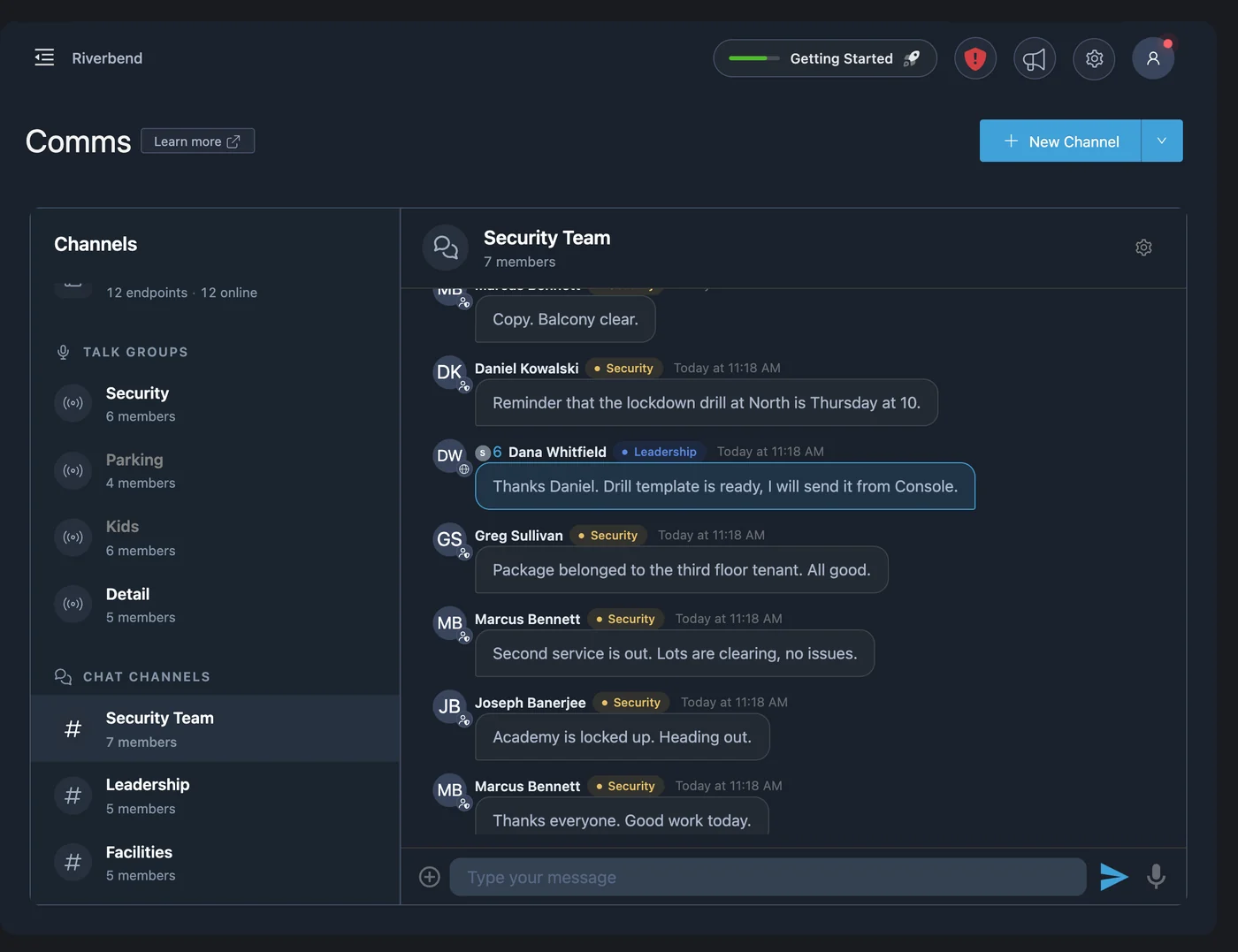
PushPulse Comms gives your team live talk groups, paging to wall tablets, and chat channels in the same app as your alerts. It runs in PushPulse Mobile and in PushPulse Console, the web app, anywhere your team has cellular or Wi-Fi.
Three ways to reach your team.
Team communication in safety work comes in three kinds: talking live, announcing to a room, and putting it in writing. PushPulse Comms has a channel type for each one. Admins set up talk groups, paging zones, and chat channels once, then add people individually or by group.
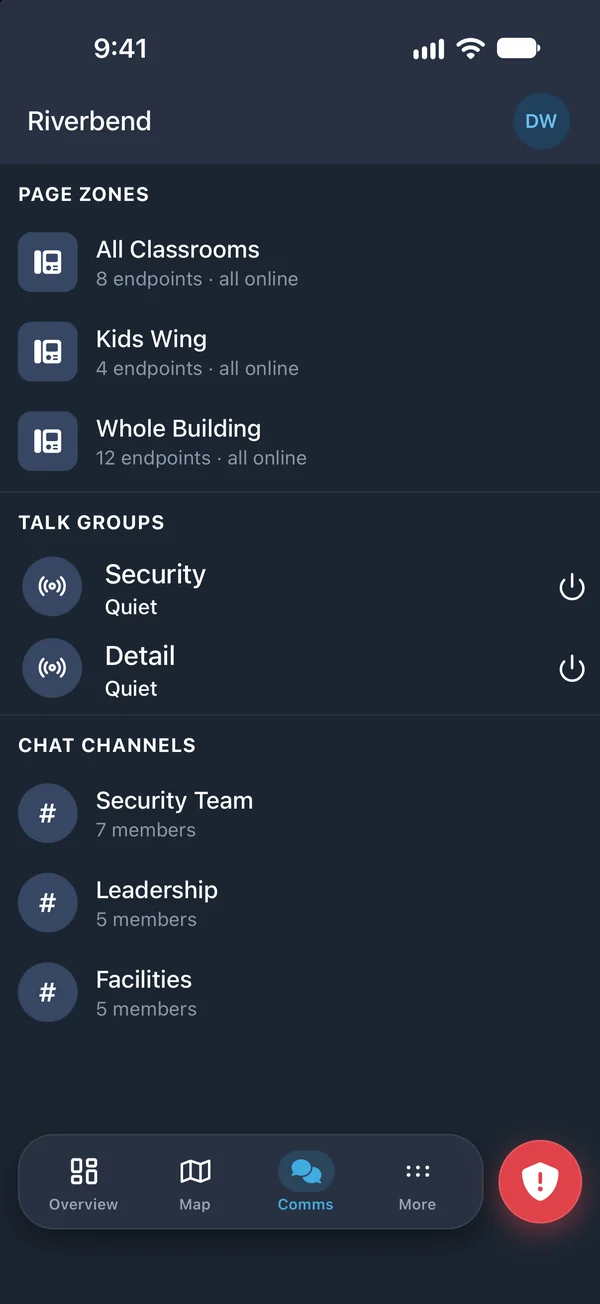
Talk groups: live voice for your team
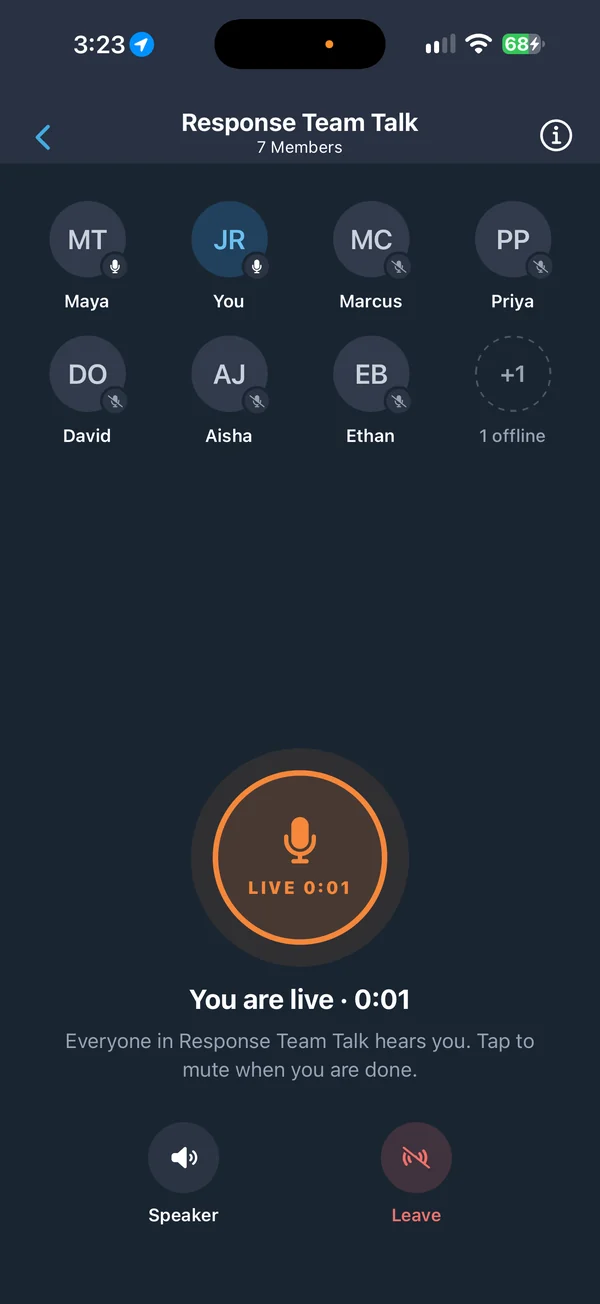
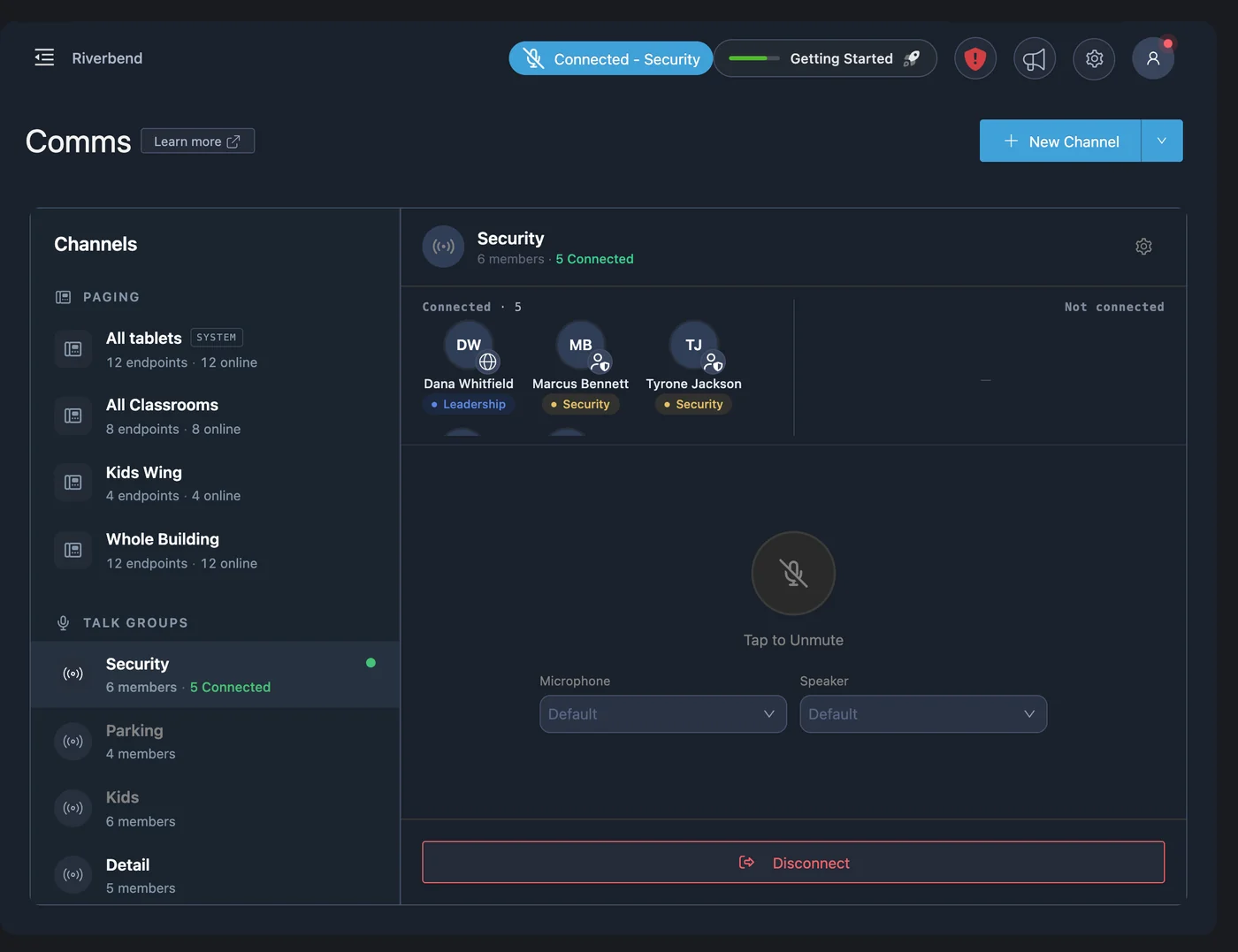
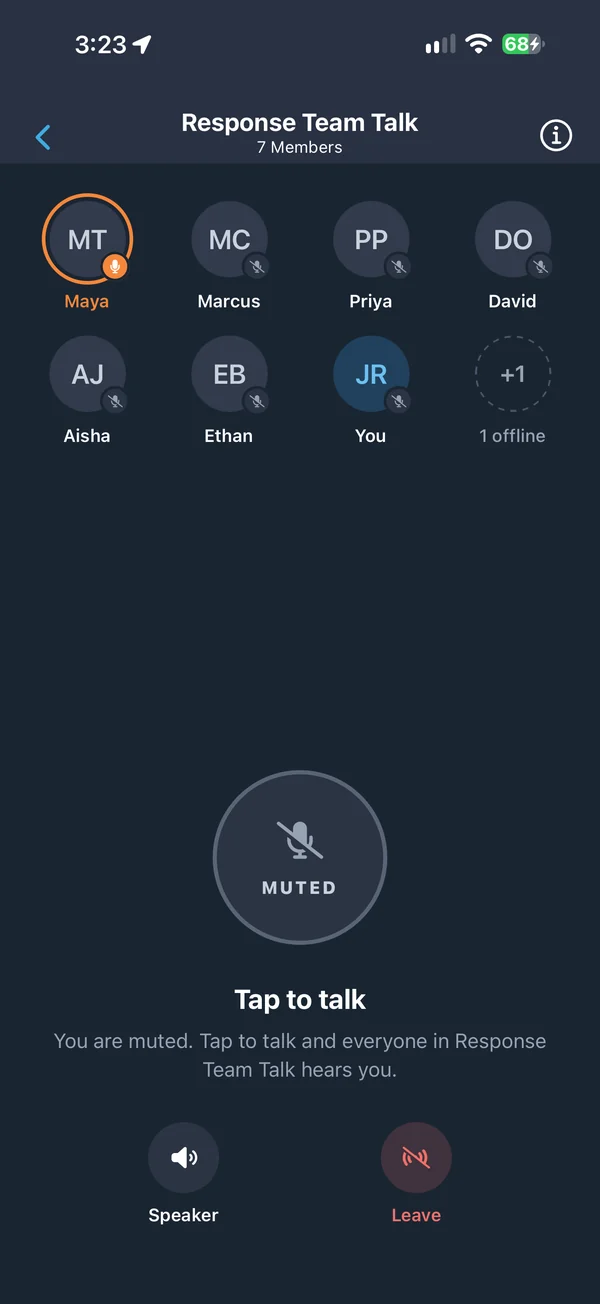
A talk group is a live voice channel, like a radio channel on your phone. Connect, tap to unmute, and everyone connected hears you. Talk groups run over cellular and Wi-Fi, so one group can cover a building, a campus, or several sites without radios or repeaters.
- Live voice in PushPulse Mobile and PushPulse Console
- See who is connected to each talk group
- Keeps working with the phone locked or the app in the background
- Works with Bluetooth headsets and earbuds
- No radios or repeaters to buy
Paging: speak to a room, a wing, or every tablet
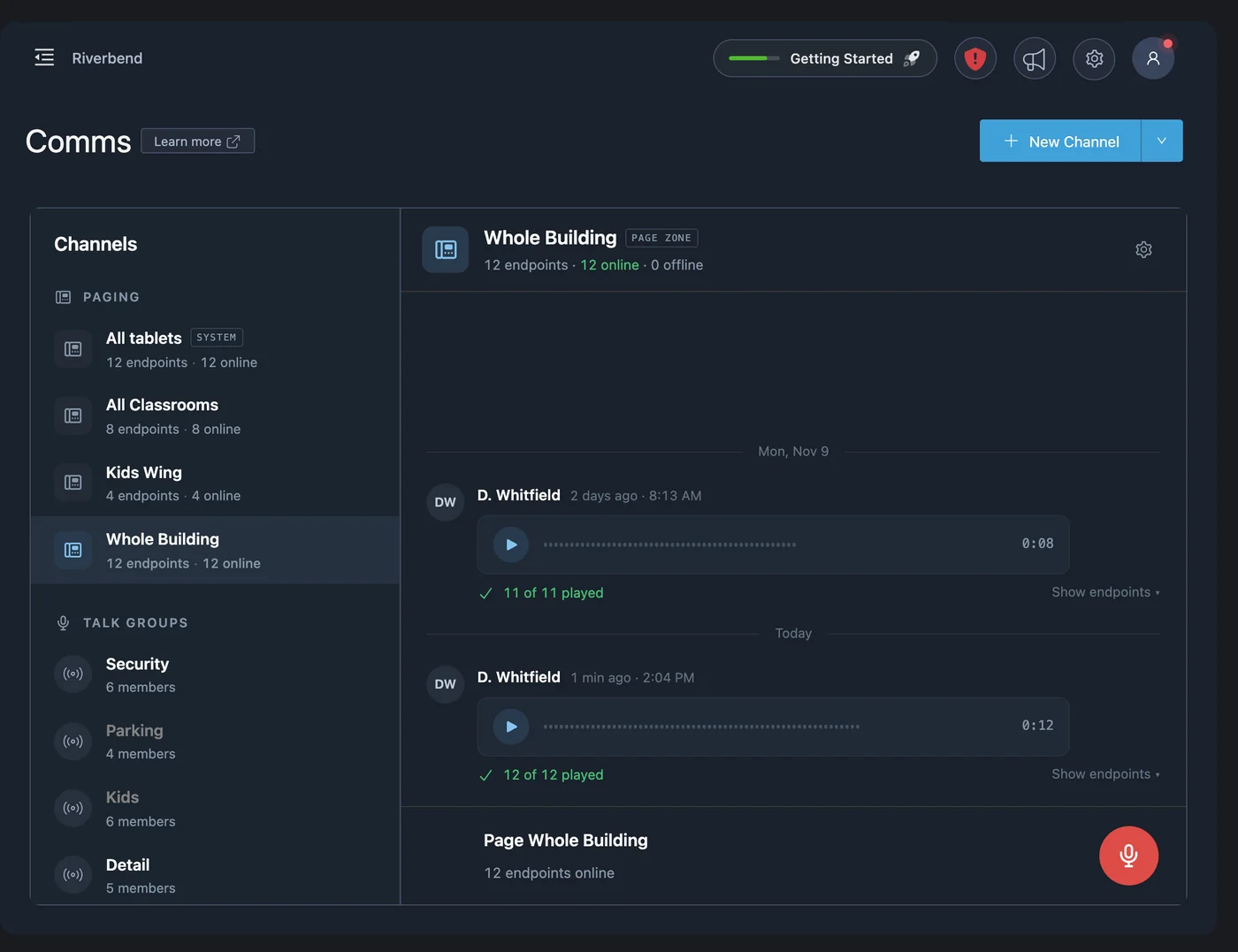
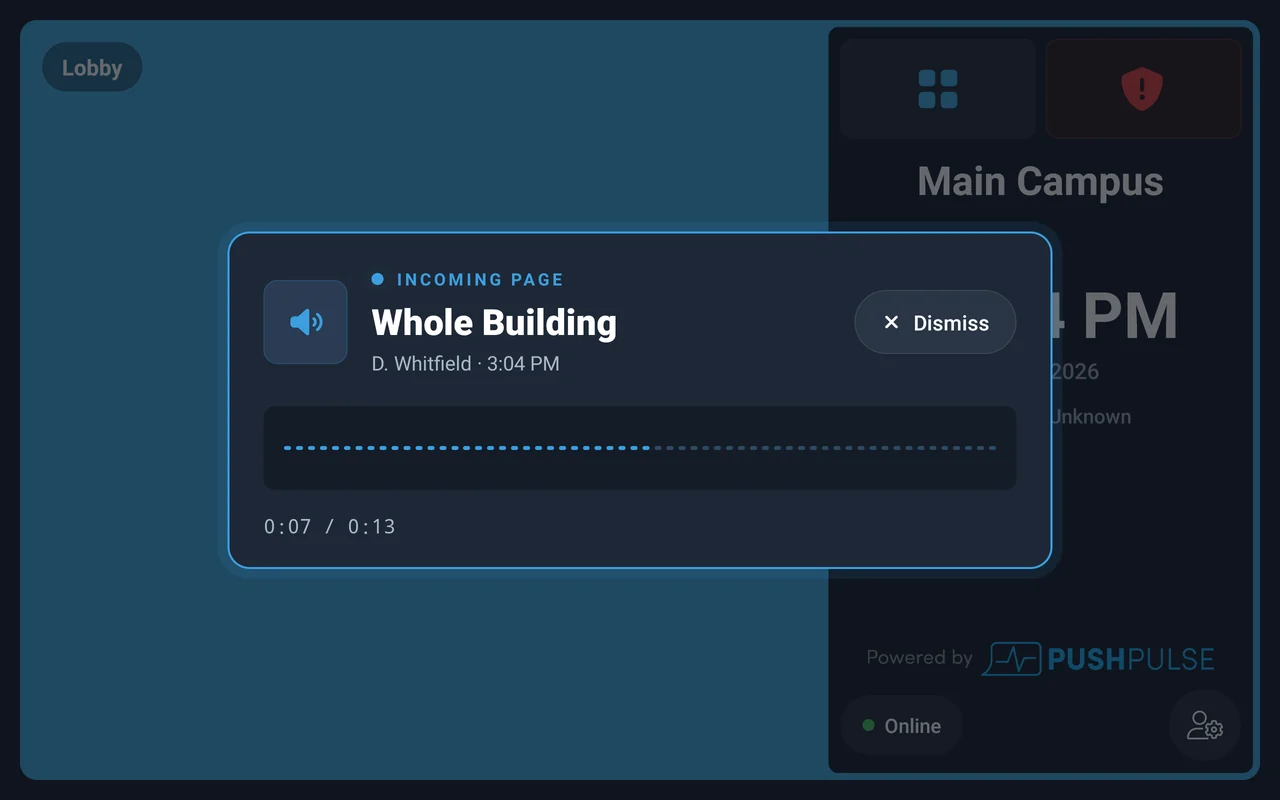
Paging sends your voice to the PushPulse Hub tablets on the wall. Group rooms into paging zones, such as a kids wing or a single floor, and page one zone or every tablet at once from PushPulse Mobile or PushPulse Console. Each page is saved, and you can see how many tablets played it.
- Page from PushPulse Mobile or PushPulse Console
- Paging zones built from rooms, floors, and campuses
- Page every tablet at once
- See how many tablets played each page
- Pages saved with playback
Chat channels for each team
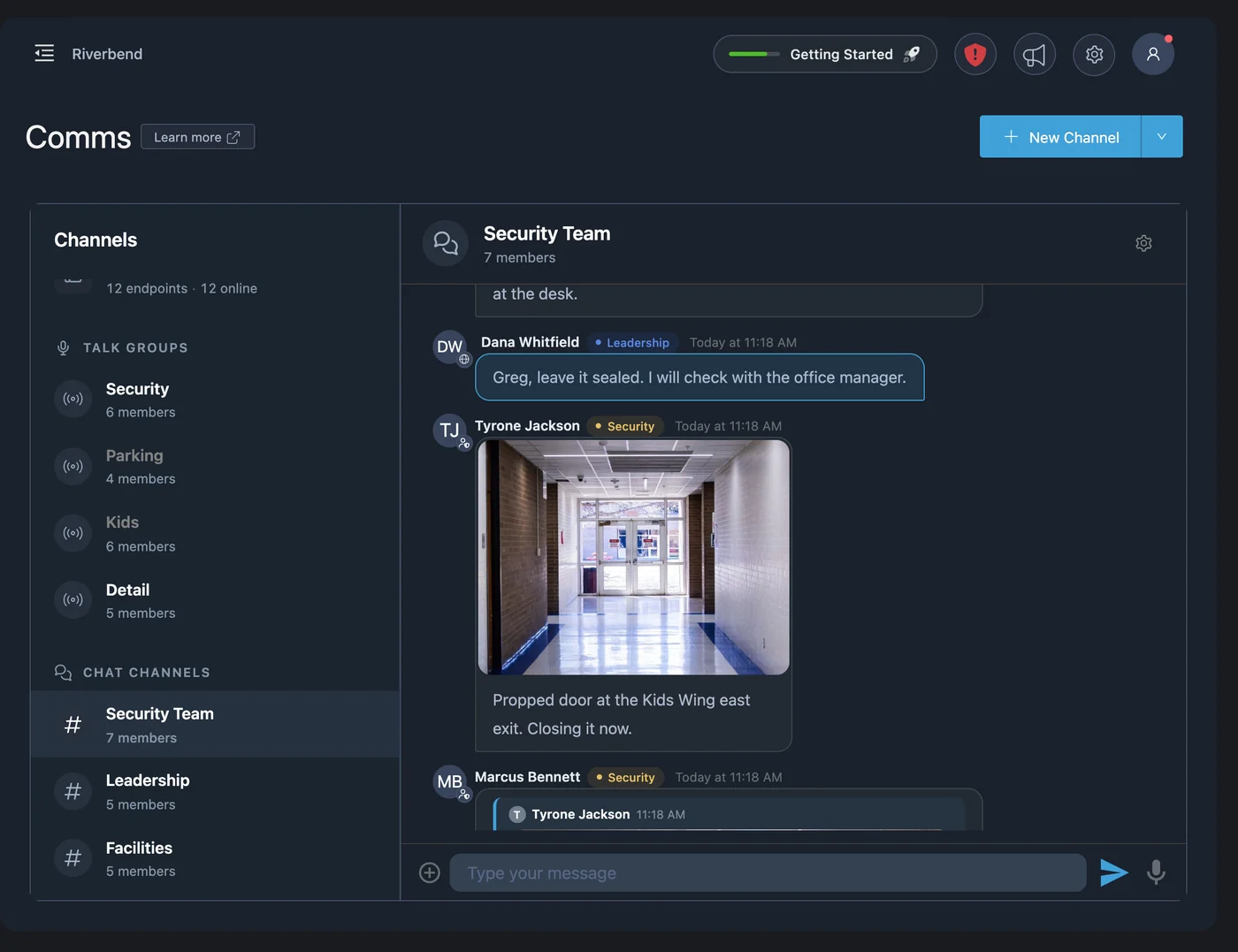
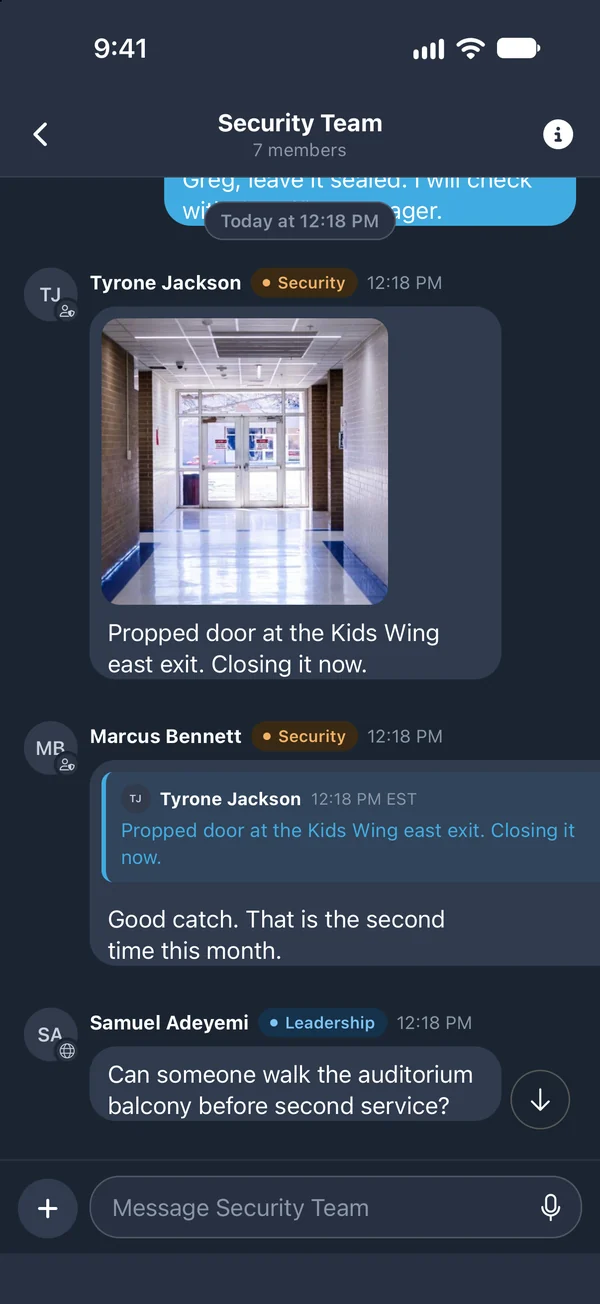
Not every update needs a voice call. Chat channels give each team, such as security or operations, a place to share information without interrupting a talk group. Send a photo of a person to watch for, a video clip, a file, or a voice message. Reply to a specific message to keep the thread clear, and see who has read it.
- Team chat channels managed by admins
- Photos, videos, and files
- Voice messages
- Quoted and threaded replies
- Read receipts and message history
Organized the way your team works
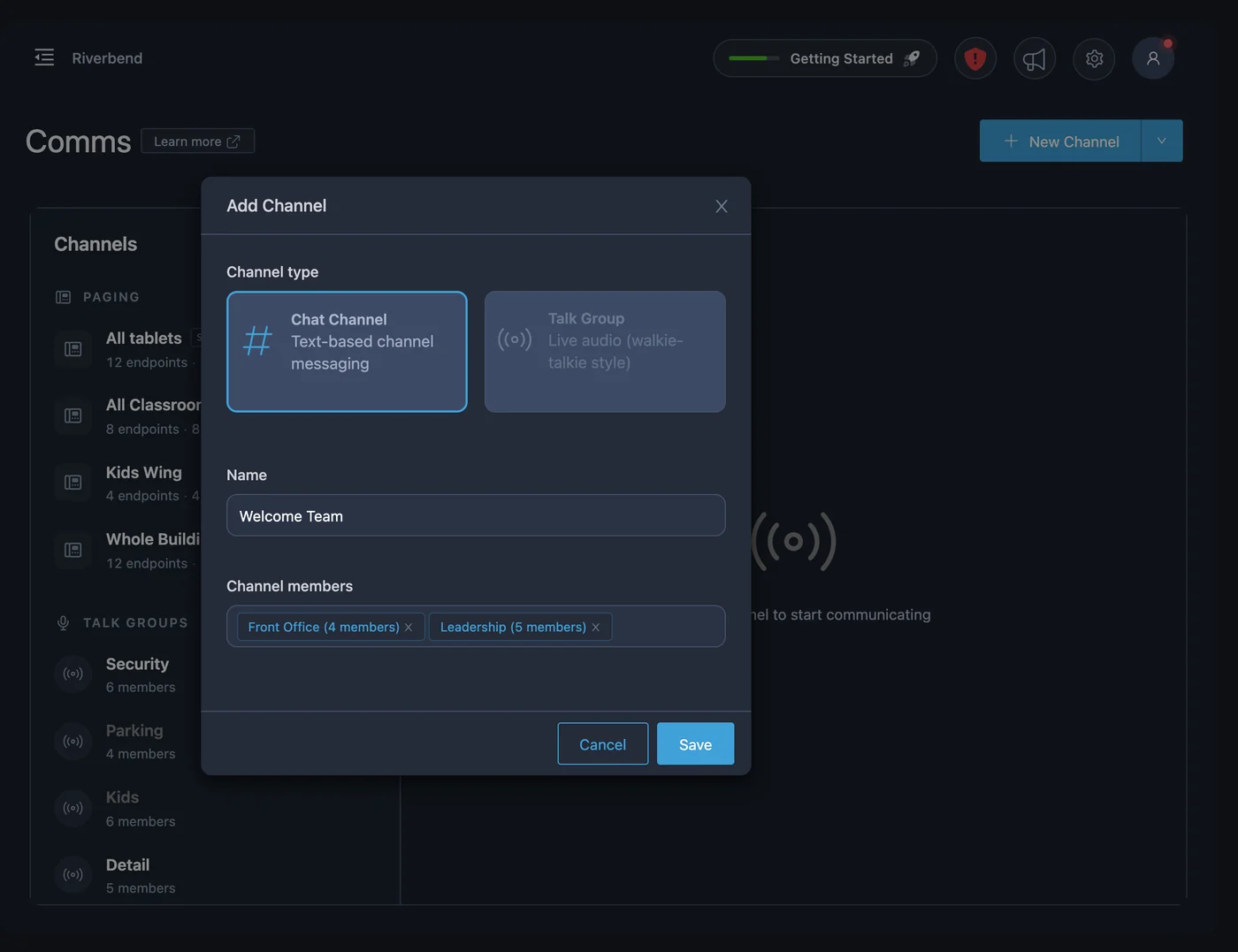
Admins create every paging zone, talk group, and chat channel, so people only see the channels meant for them. Add members one at a time or by group, and put the same person in as many channels as their role needs.
- Admin-created paging zones, talk groups, and chat channels
- Add members individually or by group
- One person can belong to several channels
- Paging and chat history kept for the record
Next to your alerts, in the same app
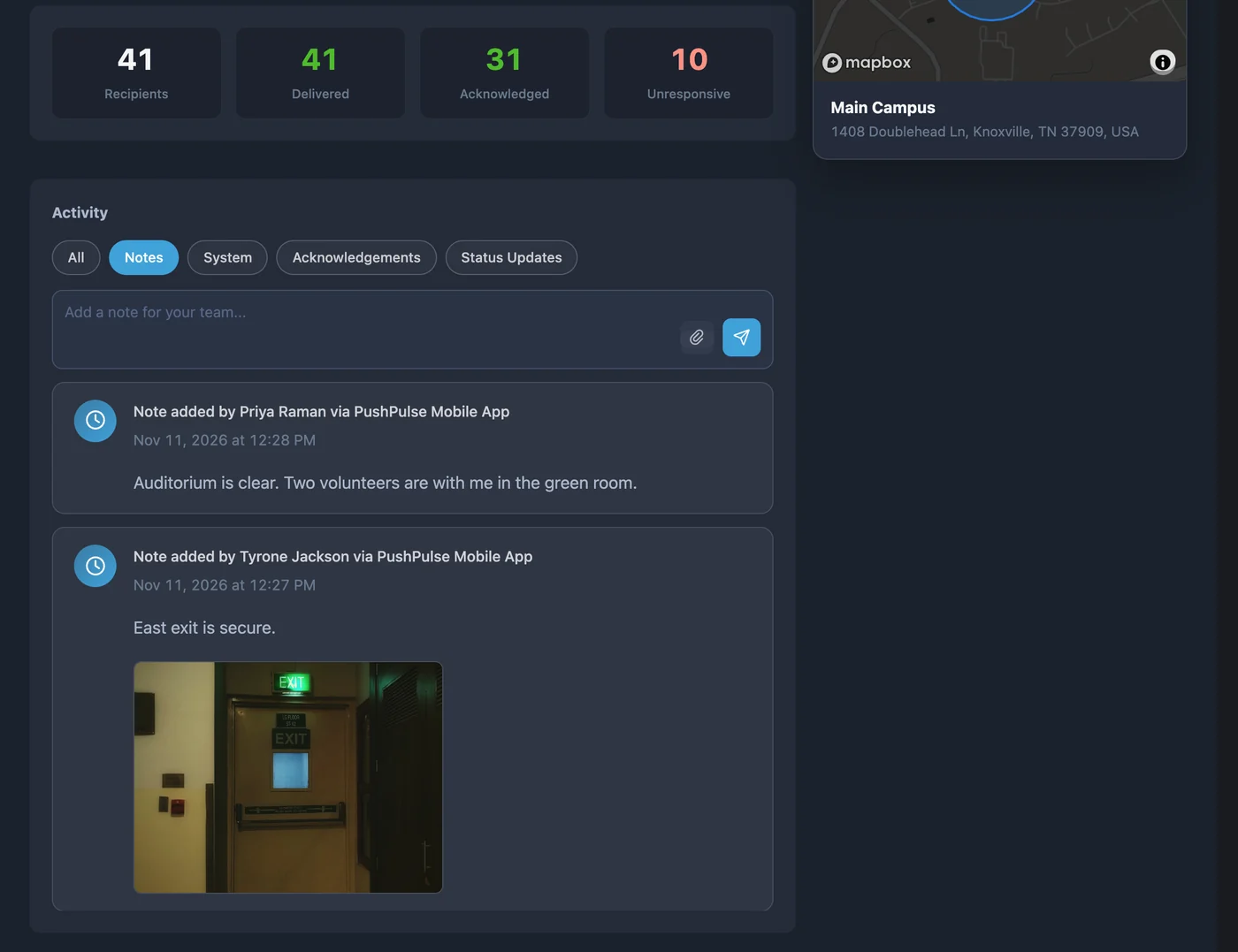
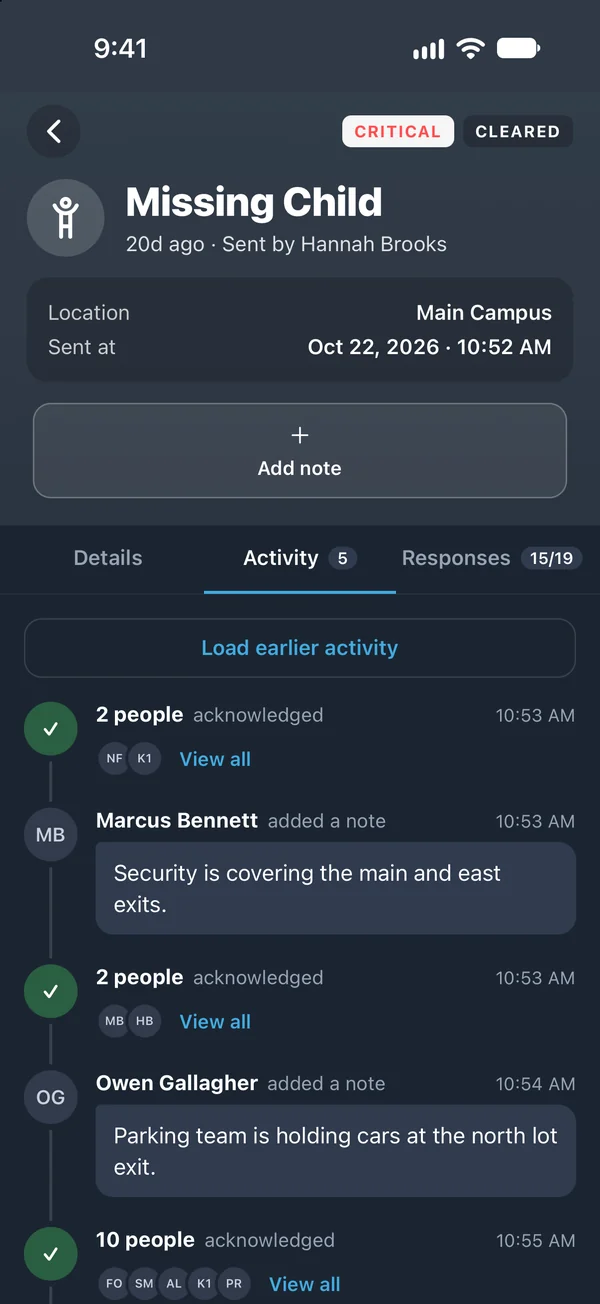
Comms is for the everyday coordination that keeps a team in step. When something goes wrong, the alert has its own notes, where responders and wall tablets add messages and attachments that stay with that incident. Your team does not have to switch apps between a normal day and an emergency.
- Same app as mass notifications and panic buttons
- Alert notes keep incident messages with the incident
- Tablets can add notes during an active alert
Comms questions
What is PushPulse Comms?
Does a talk group work like a two-way radio?
Do we need to buy radios or other hardware?
Where does Comms work?
Are Comms conversations recorded?
Can we use headsets with talk groups?
Can our team message each other during an emergency?
See PushPulse in action
Upgrading your safety and operations strategy is easier than you think. Get a personalized walkthrough from our team.