

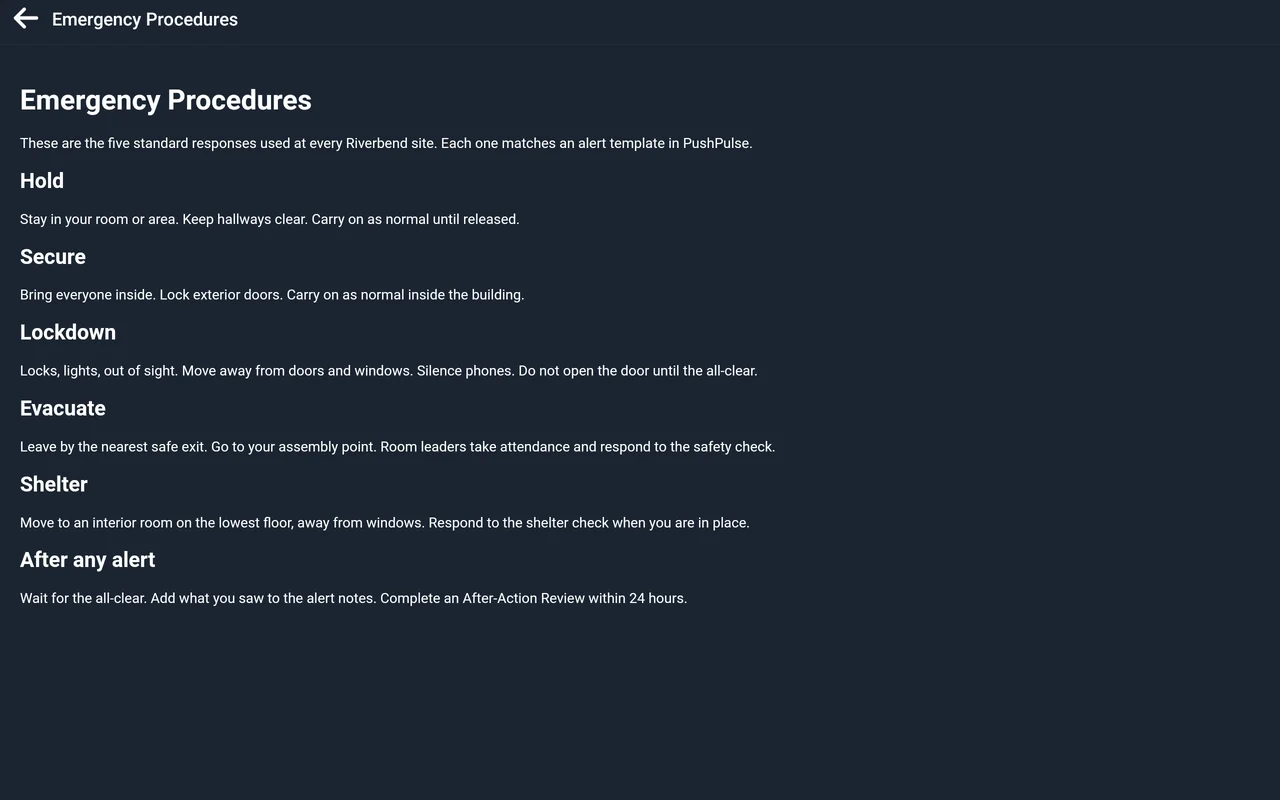
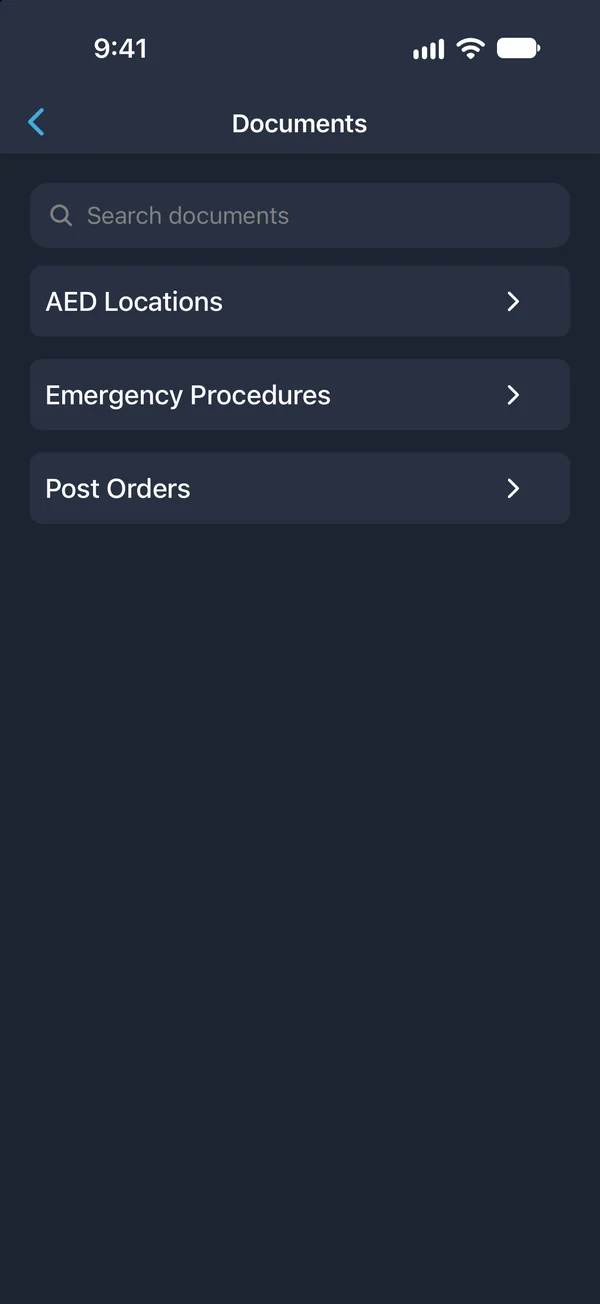
Document Library
The plan is in their pocket, not in a binder.
Publish the procedures, plans, and training your team needs, and choose who sees each one. Staff open them in PushPulse Mobile, in the browser, or on a wall tablet, and are notified when something is published or updated.
One place for what your team needs to know.
A document library is a single, current home for the information a team relies on in an emergency and on a normal day. In the PushPulse Document Library, admins publish a document once and the right audience has it on the devices they already use.
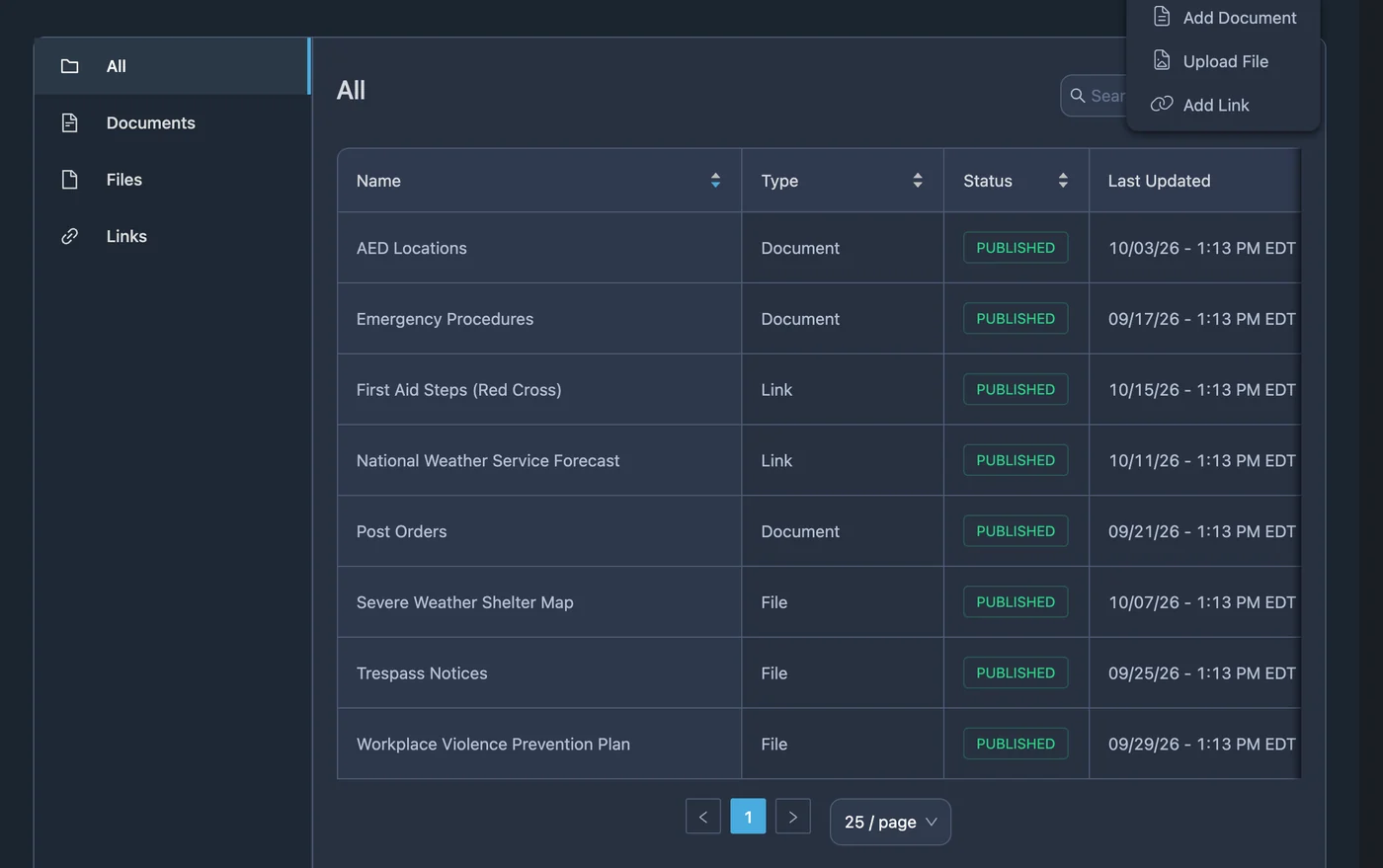
Write it, upload it, or link to it
Your information is already in different shapes, and the Document Library takes all of them. Write a document in the built-in editor, upload a file such as an emergency plan, a training video, or a floor plan, or add a link to a training course or an internal page.
- Write documents in a built-in editor
- Upload PDFs, videos, documents, and images
- Add links to training and internal pages
- Upload floor plans and site maps as files
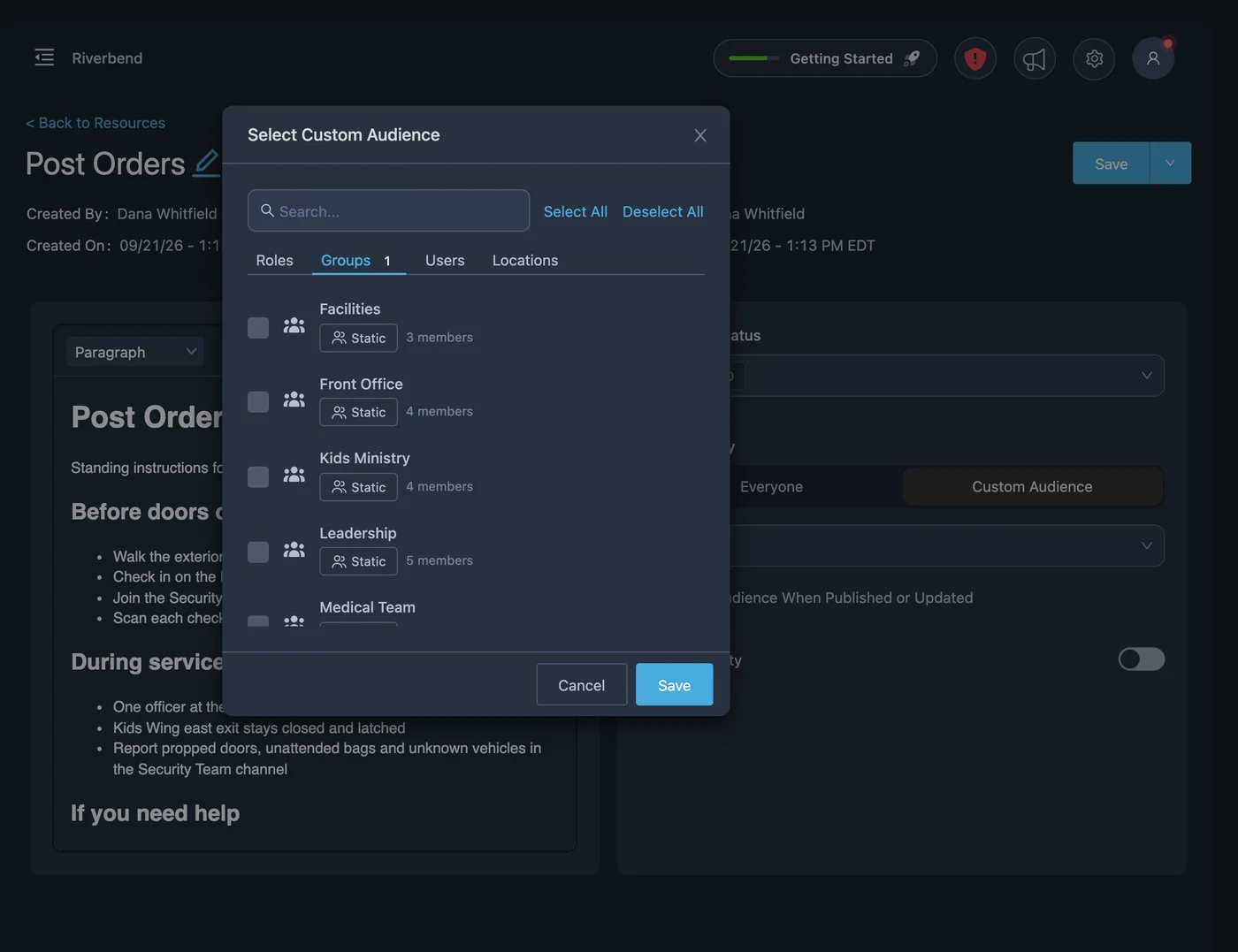
The right audience for each document
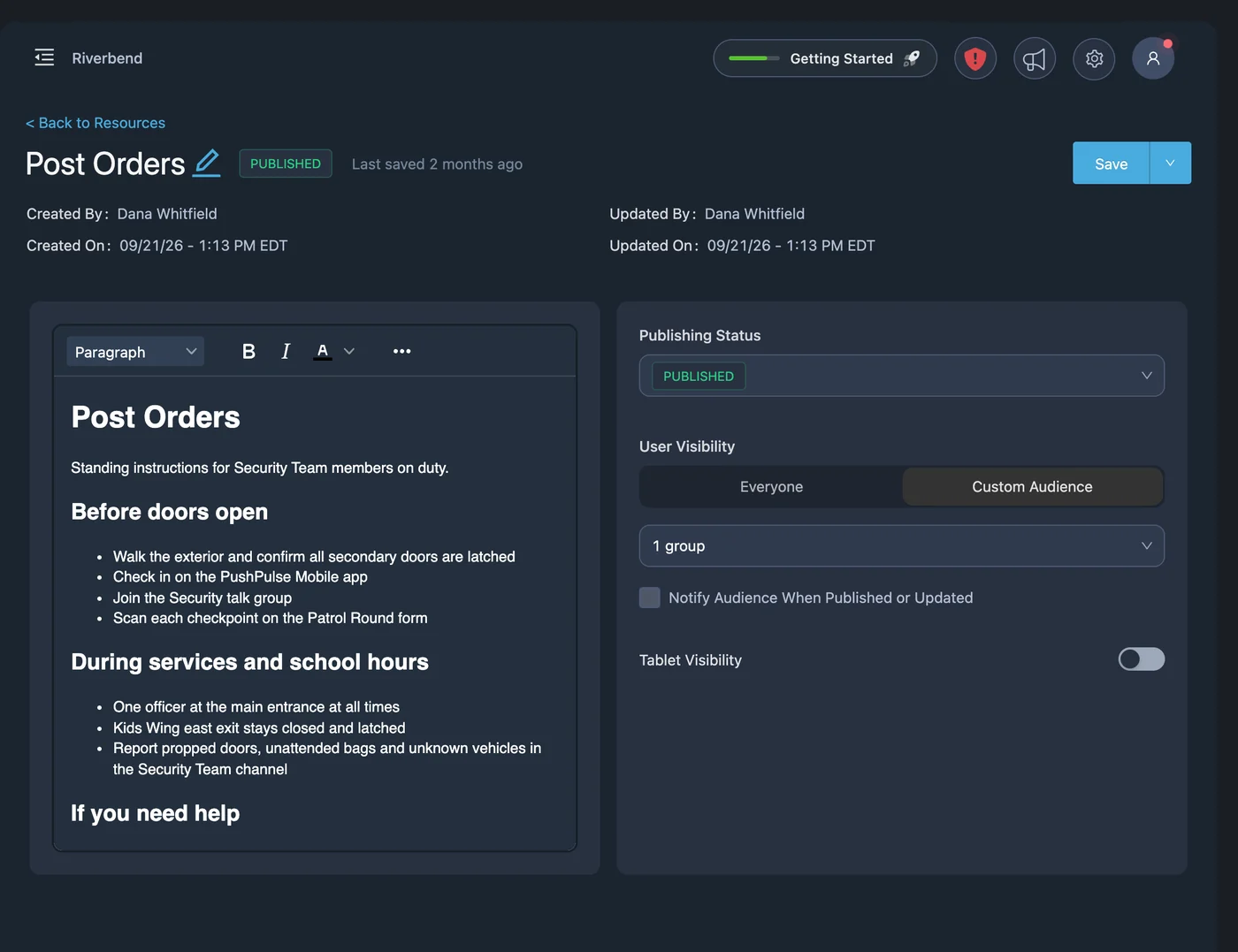
Not every document is for every person. Share a document with everyone or with a custom audience, so post orders go to the security team, kids ministry procedures go to those volunteers, and the building emergency plan goes to all staff.
- Share with everyone or with a custom audience
- Different documents for different teams
- Admins control what is published
People know when something changes
A new BOLO or a revised evacuation route only helps if people see it. When you publish or update a document, PushPulse can notify its audience, so you are not relying on an email that may go unread or a briefing that half the team missed.
- Notify the audience when a document is published
- Notify them again when it is updated
- Updates go to the same audience
Available where the work happens
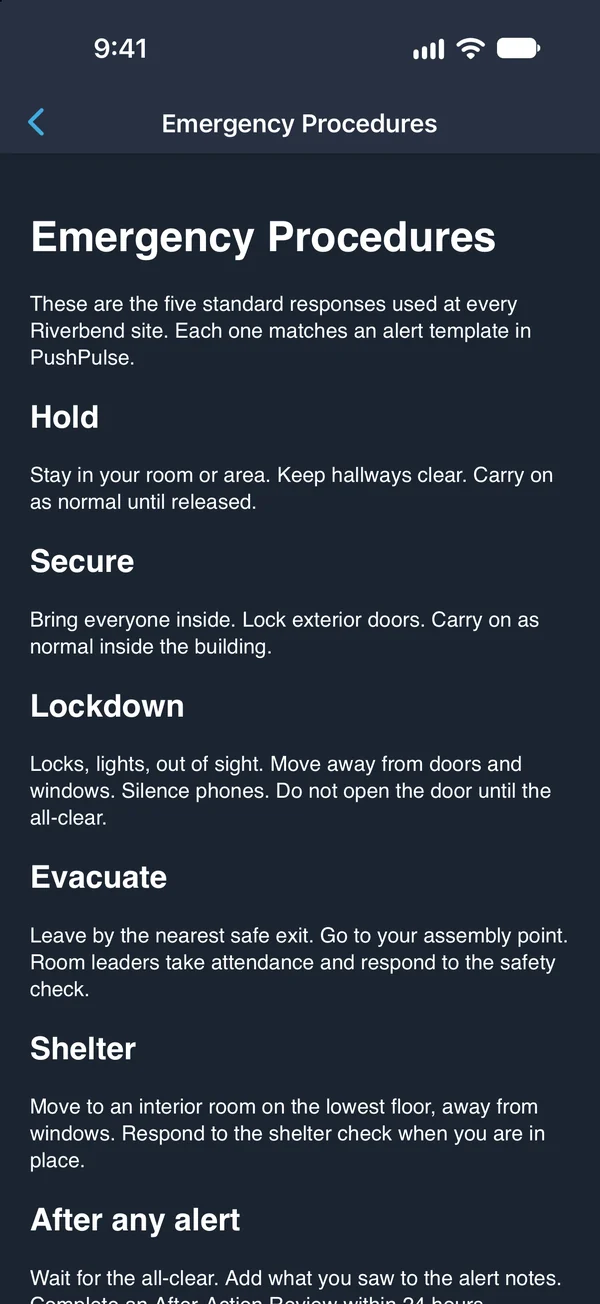
Documents are useful when they are within reach. Staff open them in PushPulse Mobile, including offline when there is no signal, in PushPulse Console at a desk, and on the PushPulse Hub tablet on the wall of a classroom or lobby.
- PushPulse Mobile, with offline access
- PushPulse Console in the browser
- PushPulse Hub tablets on the wall
Document Library questions
What is the PushPulse Document Library?
What can we add to the Document Library?
Who can see a document?
Are staff told when a document changes?
Can staff open documents without a connection?
Can we see who has read a document?
See PushPulse in action
Upgrading your safety and operations strategy is easier than you think. Get a personalized walkthrough from our team.