

Incident Management
See the whole incident. Work it together.
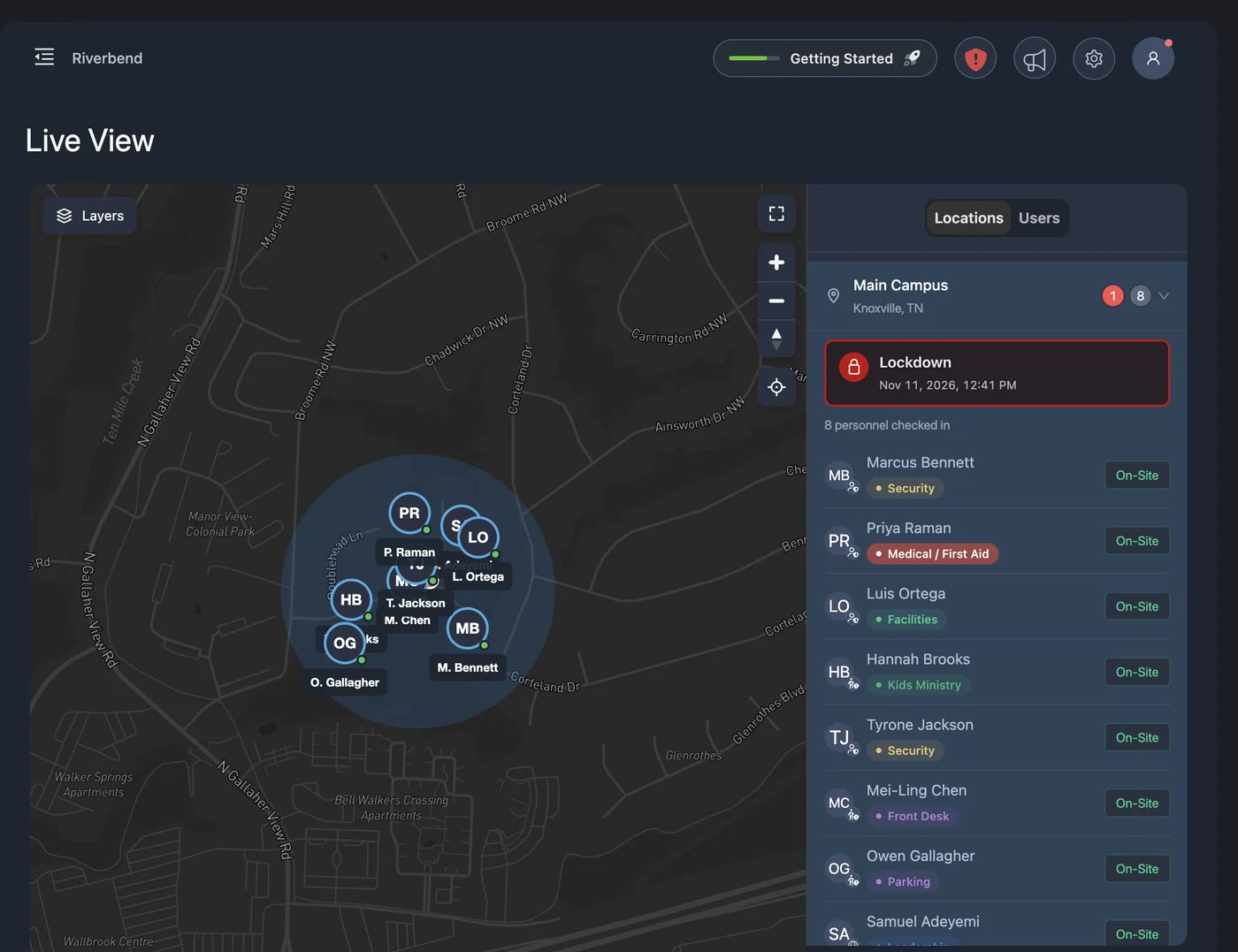
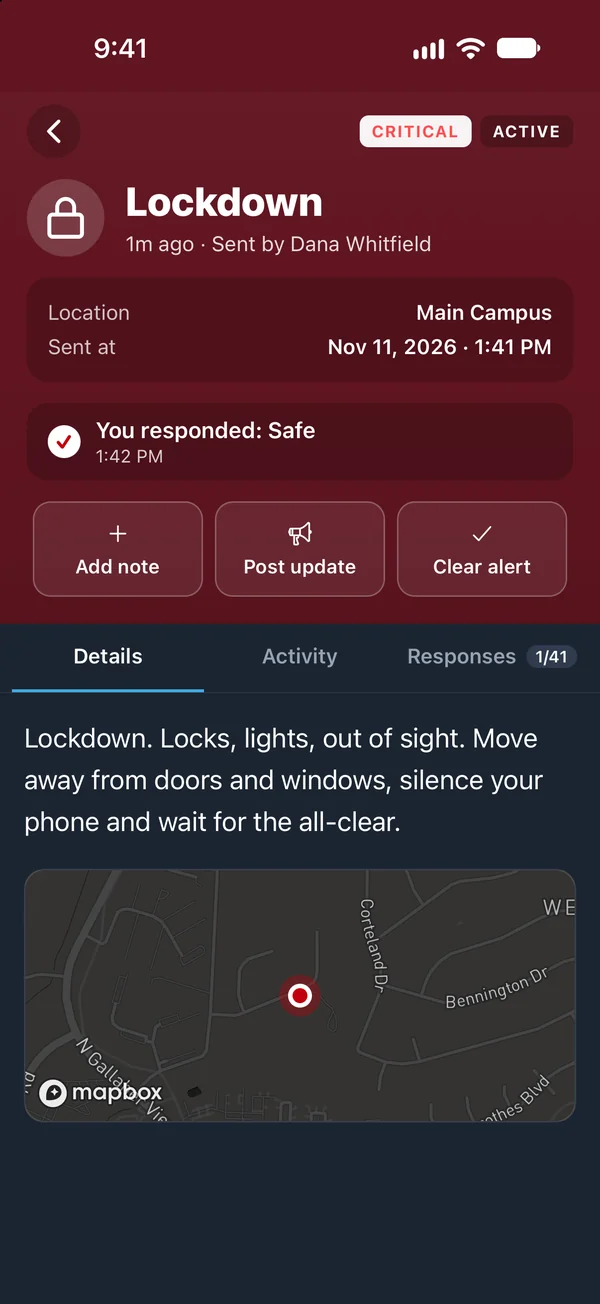
While an alert is active, your responders see the timeline, the map, who is checked in, and who has answered, all in one view. They add notes, post updates, and send the all-clear, and PushPulse keeps the record.
From first alert to all-clear, in one view.
Incident management is what happens after the alert goes out: knowing who is safe, getting information to the people responding, and keeping a record of it. In PushPulse, every alert becomes an incident your team can follow and work from PushPulse Console or PushPulse Mobile.
One view of what is happening
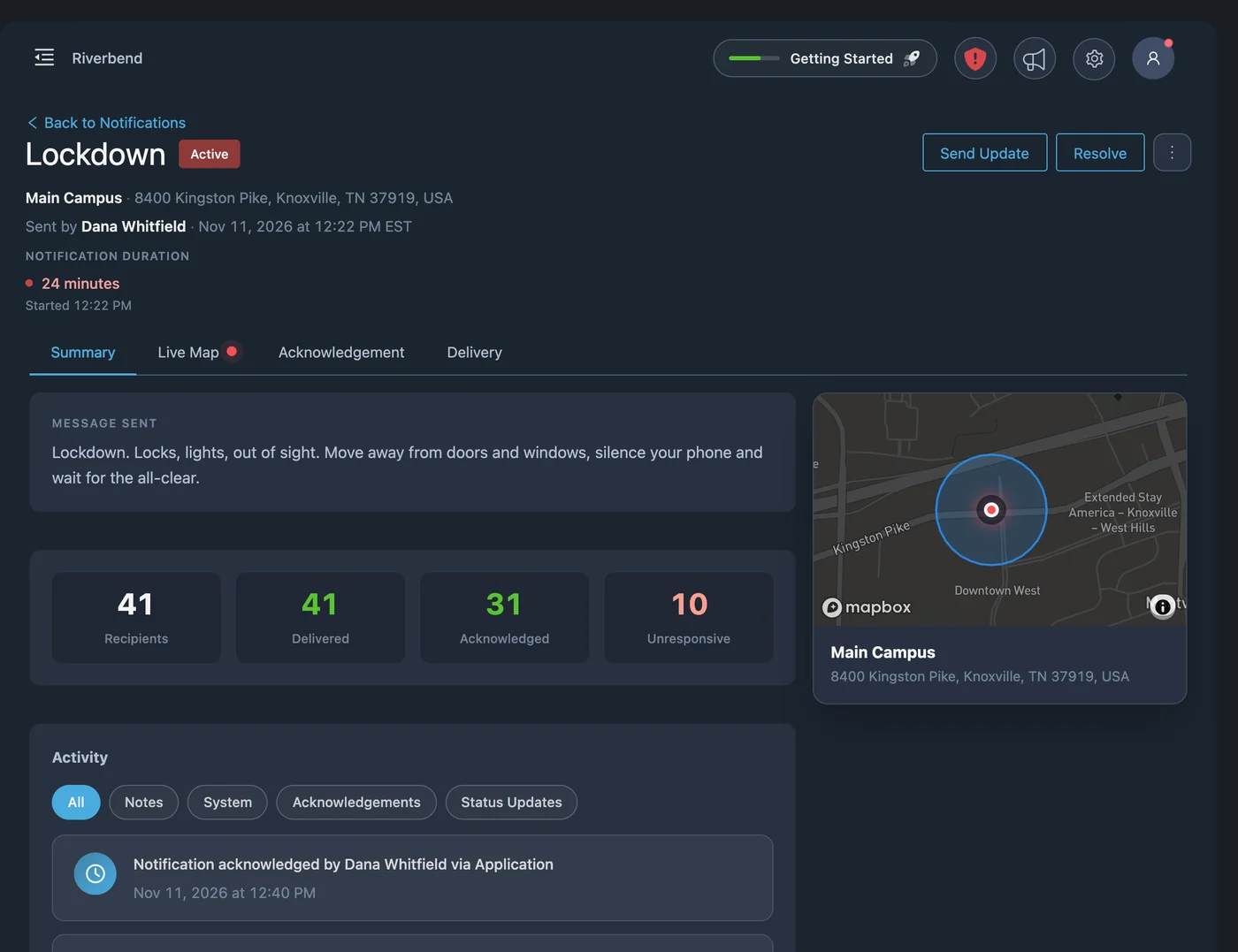
Whoever is running the response, whether you call them an incident commander, a dispatcher, or the safety lead, should not have to piece the picture together from texts and radio calls. The incident view puts the timeline, the map, check-ins, and responses side by side.
- Incident timeline of every event
- Map of the incident, with live positions when GPS tracking is on
- Who is checked in
- Poll responses such as safe or not safe
- Delivery logs for each person and channel
Work the incident with notes
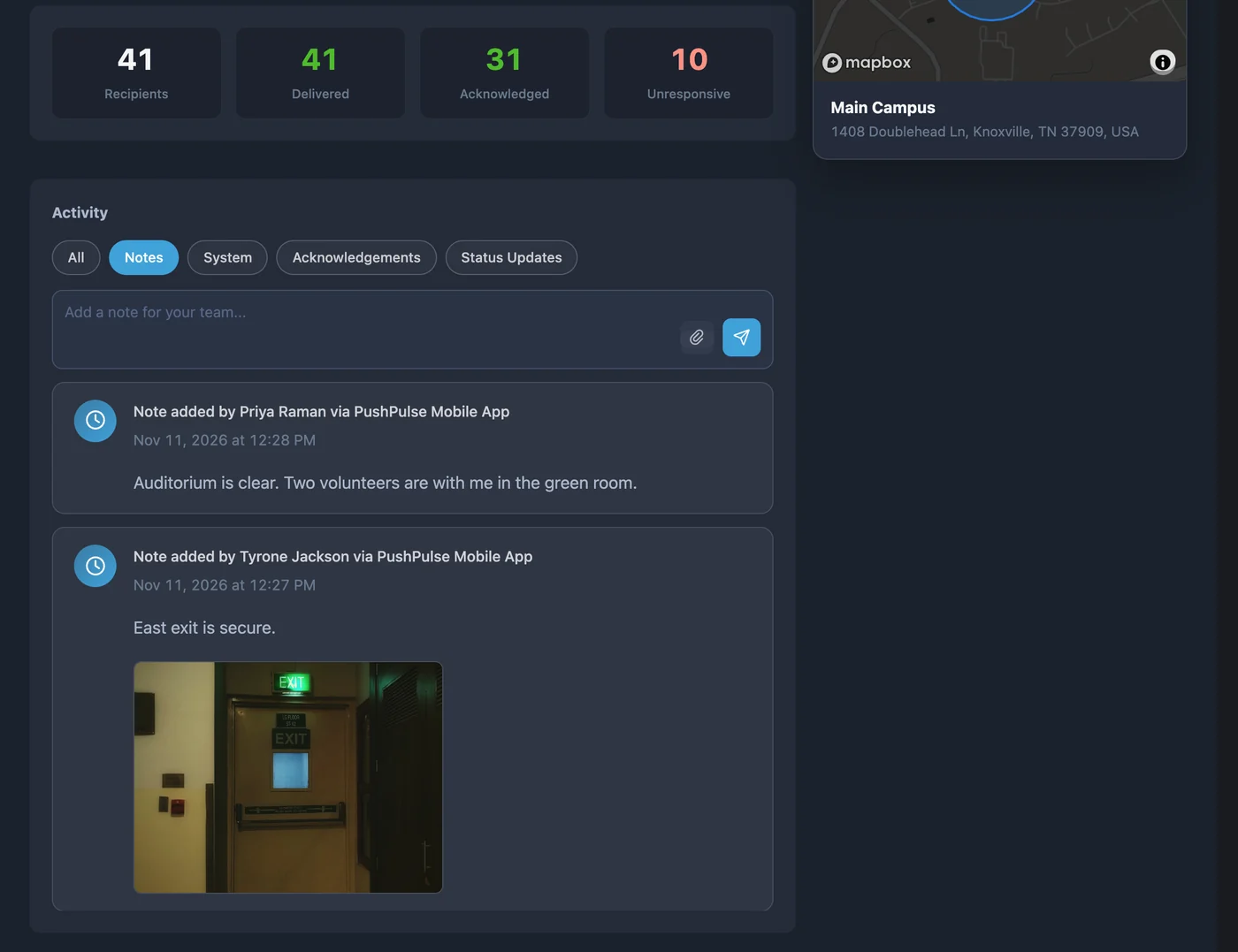
Every alert has its own notes, where responders share what they see and attach photos, video, or files. PushPulse Hub tablets can add notes too, so someone in a locked classroom can tell responders what is happening in the room. Talk groups and chat stay available, but notes are what stay with the incident.
- Notes between responders during an active alert
- Photos, video, and files attached to notes
- PushPulse Hub tablets can add notes from the room
- Every note recorded on the incident timeline
Keep everyone informed until the all-clear
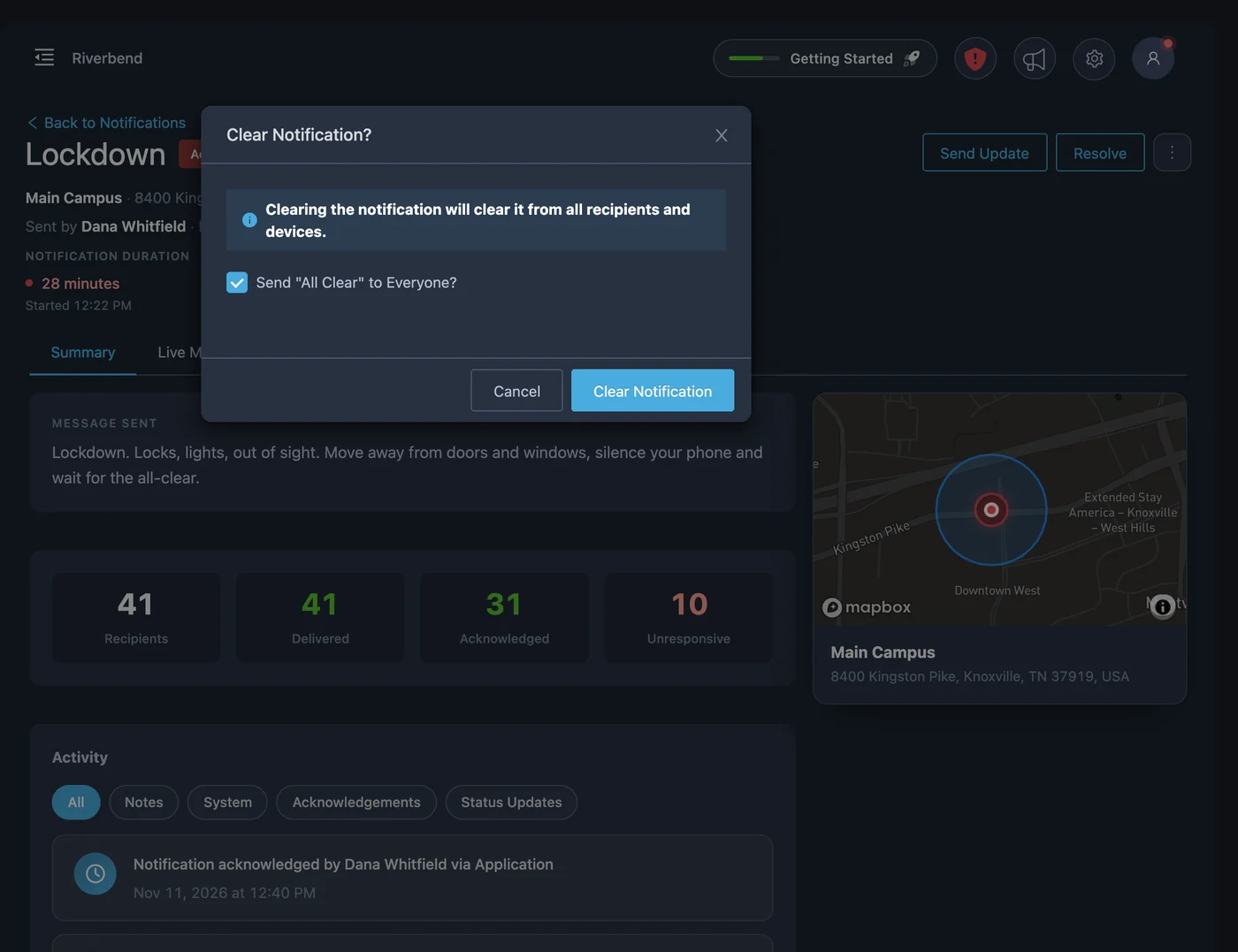
Situations change, and the first alert is rarely the last word. Post a status update and every recipient gets it on the same channels as the original alert. When it is over, send the all-clear to everyone, close the alert quietly, or let it clear on its own after a set time.
- Status updates sent to every recipient
- All-clear sent to recipients or closed silently
- Auto-clear after a set time
- Drill mode that marks the incident as a drill
The right view for each role
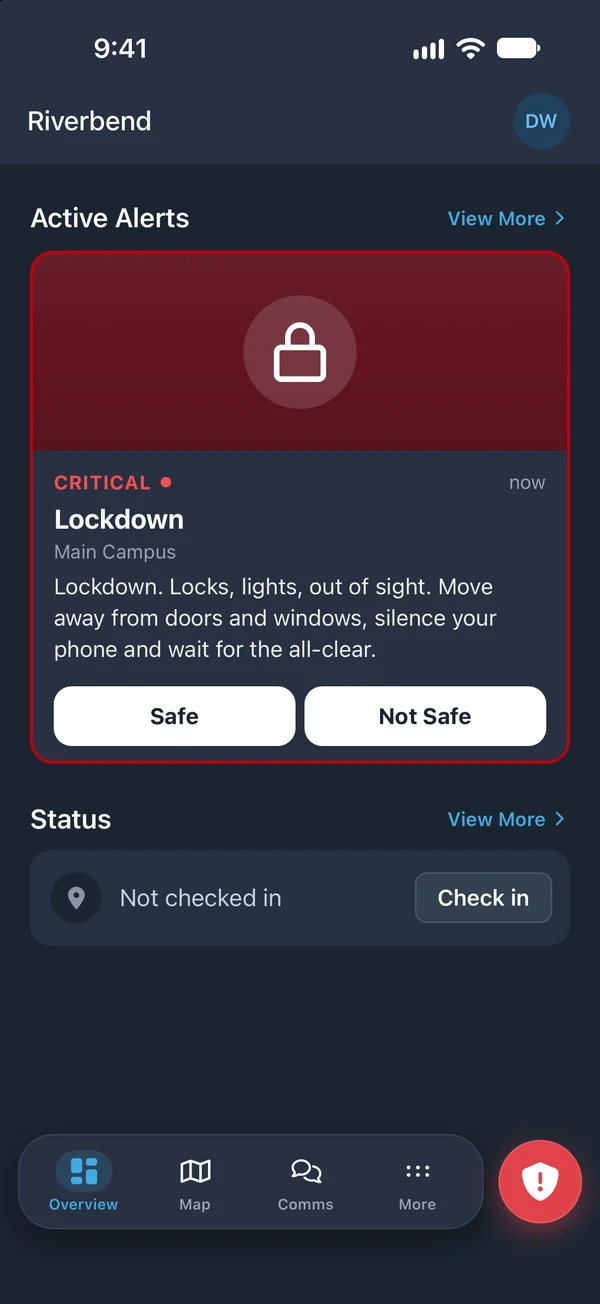
Not everyone needs the full picture, and some should not have it. The person who reported the alert sees the alert, the notes, and status updates. Responders and above also see the full timeline, poll responses, and the rest of the incident view.
- Reporters see the alert, notes, and status updates
- Responders see the full timeline and poll responses
- Map positions limited to the roles you allow
A record you can search and export
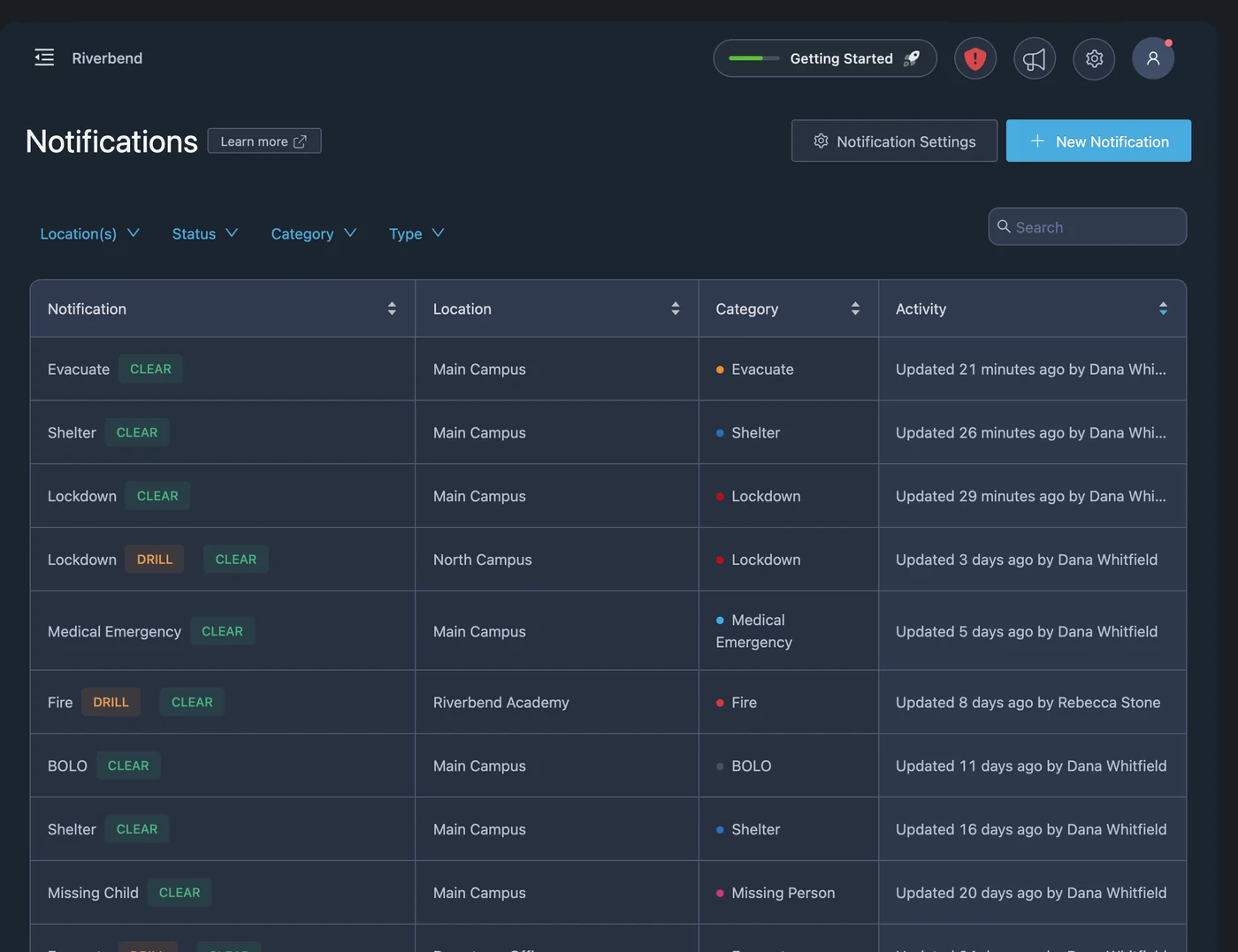
The timeline records the alert being sent, every note, every response, every status update, and the all-clear, so nobody has to rebuild events from memory afterward. Find past incidents in PushPulse Console or PushPulse Mobile, and export an incident as a PDF report.
- Every event recorded on the timeline
- Past incidents searchable in Console and Mobile
- Incident report exported as a PDF
- Delivery and acknowledgement logs for every recipient
Incident management questions
What is incident management software?
What does the PushPulse incident timeline record?
Who can see an incident?
Can responders message each other during an incident?
Can we add more people to an alert after it is sent?
Can we export an incident report?
See PushPulse in action
Upgrading your safety and operations strategy is easier than you think. Get a personalized walkthrough from our team.