

One tap. Everyone responds.
Trigger an emergency alert instantly from a dedicated Bluetooth button, wall-mounted tablet, or the app already on your team's phone. The right people are notified, the response is coordinated, and every action is on the record, all from a single tap.

One-Tap Activation
Physical & App
Instant Alerts
Full Incident Record
The fastest path from threat to response
When something goes wrong, your team should not be unlocking a phone, finding an app, or typing a message. PushPulse panic is always one tap away, on a dedicated Bluetooth button clipped to a lanyard, the tablet on the wall, or the app in their pocket. Press it, and your entire response chain activates instantly. Alerts sent, responders notified, incident clock started.
- One tap triggers the full response chain
- Dedicated Bluetooth panic buttons for instant physical activation
- Available on wall-mounted tablets, mobile, and desktop
- No login or navigation required to activate
- Silent activation option for discreet situations
- Immediate confirmation to the sender

A panic button wherever your team is, in whatever form they need
Not every situation calls for the same form factor. PushPulse gives you a dedicated physical button for the staff who need instant activation without reaching for a phone, a wall-mounted station for every room and hallway, a mobile tablet for staff who move through your building, and an app for everyone else. One platform, every surface, no gaps in coverage.
Bluetooth panic buttons: Small dedicated devices that pair with your tablets and the PushPulse app. Clip to a lanyard, mount at a desk, or place anywhere a phone would be inconvenient. Press it and the full response chain fires instantly, no screen, no unlock, no navigation.
Console: Fixed wall-mounted tablet for classrooms, hallways, reception areas, and common spaces. Always on, always visible, always ready.
Flex: Battery-powered mobile tablet for staff who move through your building and need a larger panic interface than a phone.
Mobile, desktop & web app: Every team member with the PushPulse app carries a panic button in their pocket, on their laptop, or at their desk.
- Bluetooth panic buttons (pairs with tablets and app)
- Console: fixed wall-mounted tablet
- Flex: mobile battery-powered tablet
- iOS & Android mobile app
- Desktop & web app
- Consistent activation experience across every surface
The right people know in seconds
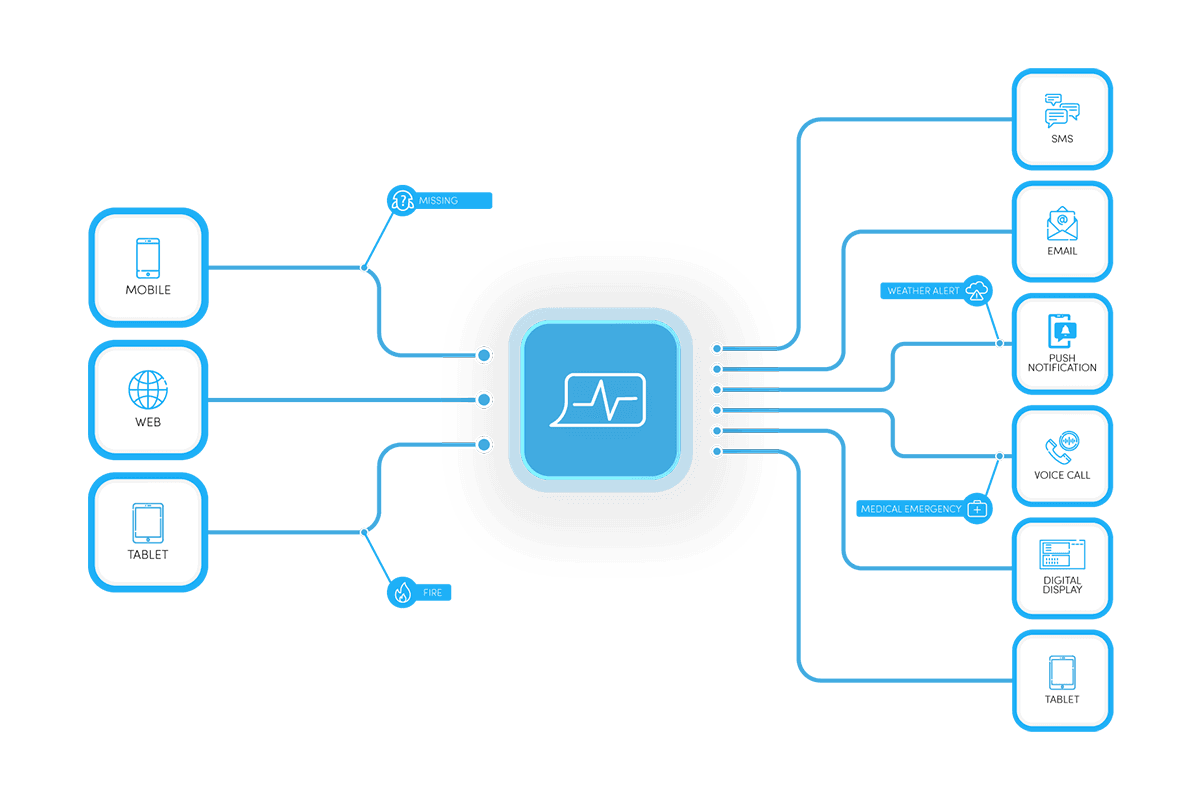
A panic activation is only useful if it reaches the people who can respond. When someone triggers an alert, your designated responders are notified instantly across every channel, push, SMS, email, and voice, with location context and incident details already attached. No relay, no guesswork, no waiting for someone to notice a group chat.
- Instant notification to designated responders
- Multi-channel delivery: push, SMS, email, voice
- Location and site context included automatically
- Custom responder routing by site or role
- Escalation if primary responders do not acknowledge
Every panic activation is documented automatically
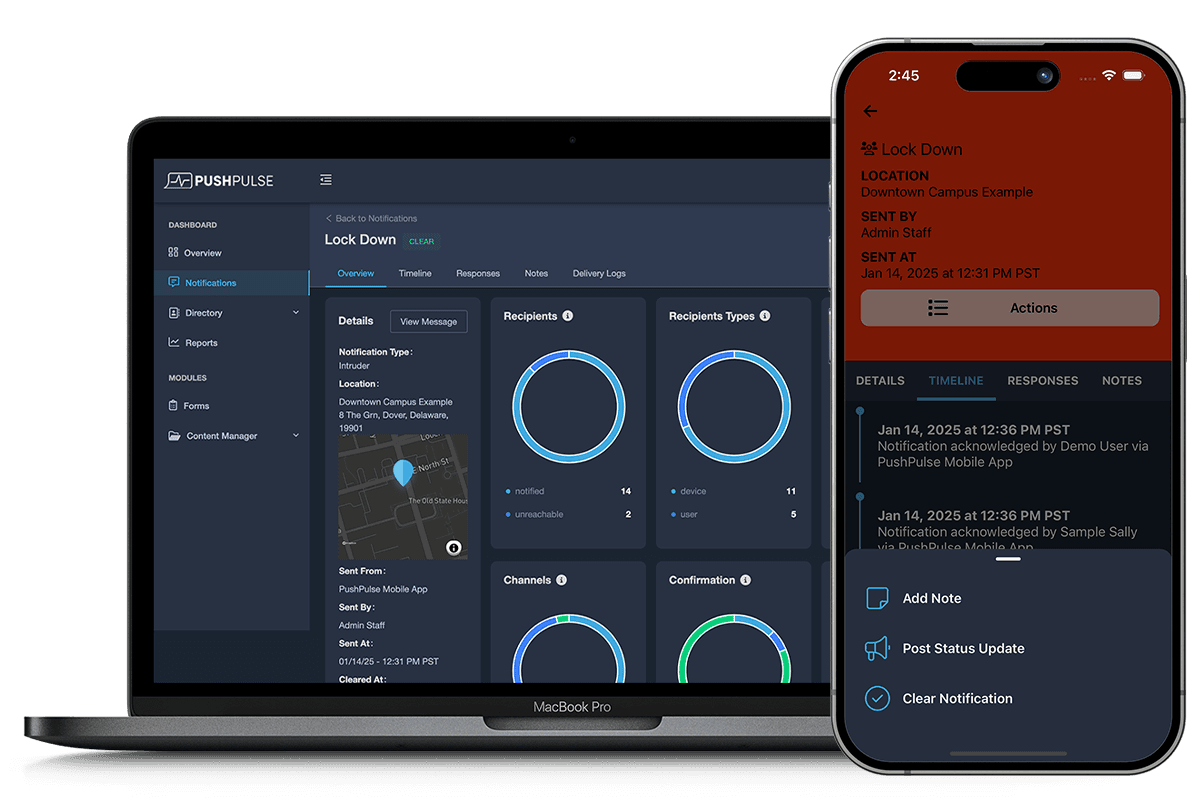
The moment a panic button is pressed, PushPulse starts the incident record. Who activated it, when, from where, who was notified, who acknowledged, and every action that followed, all time-stamped and exportable. When your administration, insurer, or licensing board asks what happened, the record is already built.
- Automatic incident timeline from activation
- Time-stamped record of every notification and acknowledgement
- Who responded and when
- Exportable incident report
- Full audit trail for administration and compliance
See how it all connects
See PushPulse in action
Upgrading your safety and operations strategy is easier than you think. Get a personalized walkthrough from our team.