

Emergency Response
From the first report to the all-clear.
When something goes wrong, your team has to tell people, find out who is safe, work the problem, and remember what happened. PushPulse handles all four in one place.
What an emergency looks like in PushPulse.
Emergency response software is the system a team uses to alert people, coordinate responders, and document an incident. Here is how one emergency moves through PushPulse, whether it is a fire alarm, a threat, or a medical event.
Someone sees it and sends the alert
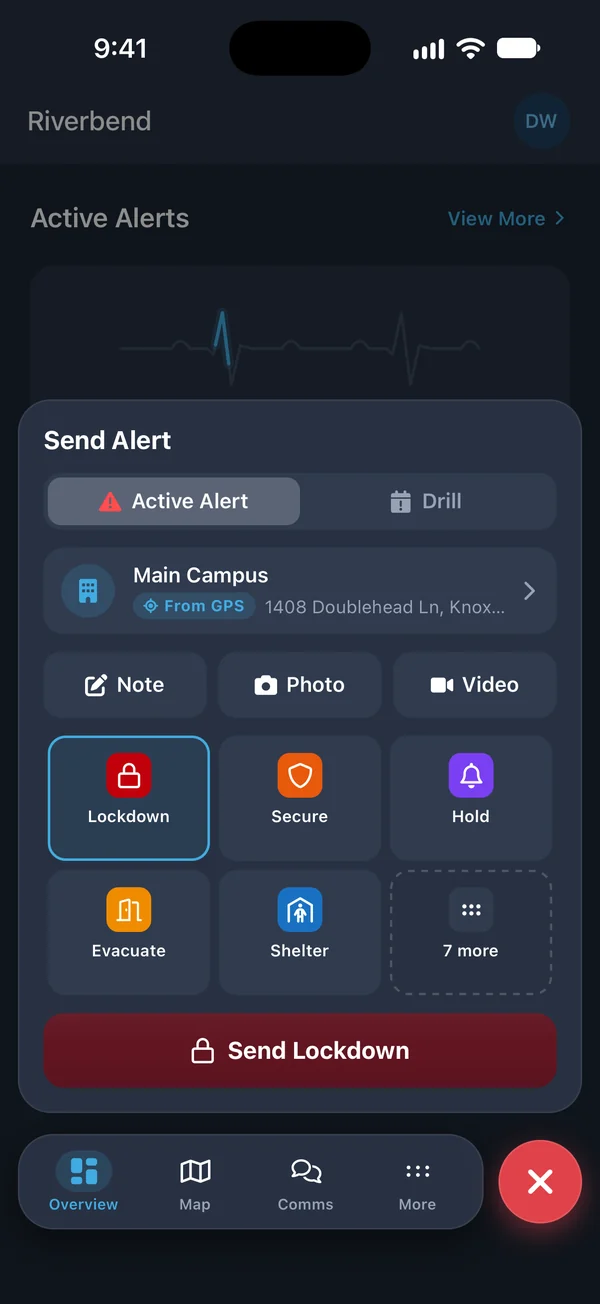
Anyone you allow can send an alert from PushPulse Mobile, a PushPulse Hub tablet on the wall, PushPulse Console, or PushPulse Desktop. They choose a template you wrote ahead of time, so the instructions are already right, and add details or a photo if they have them. The alert can also ask the sender whether to call 911, and the phone dials if they say yes.

Everyone is told at once
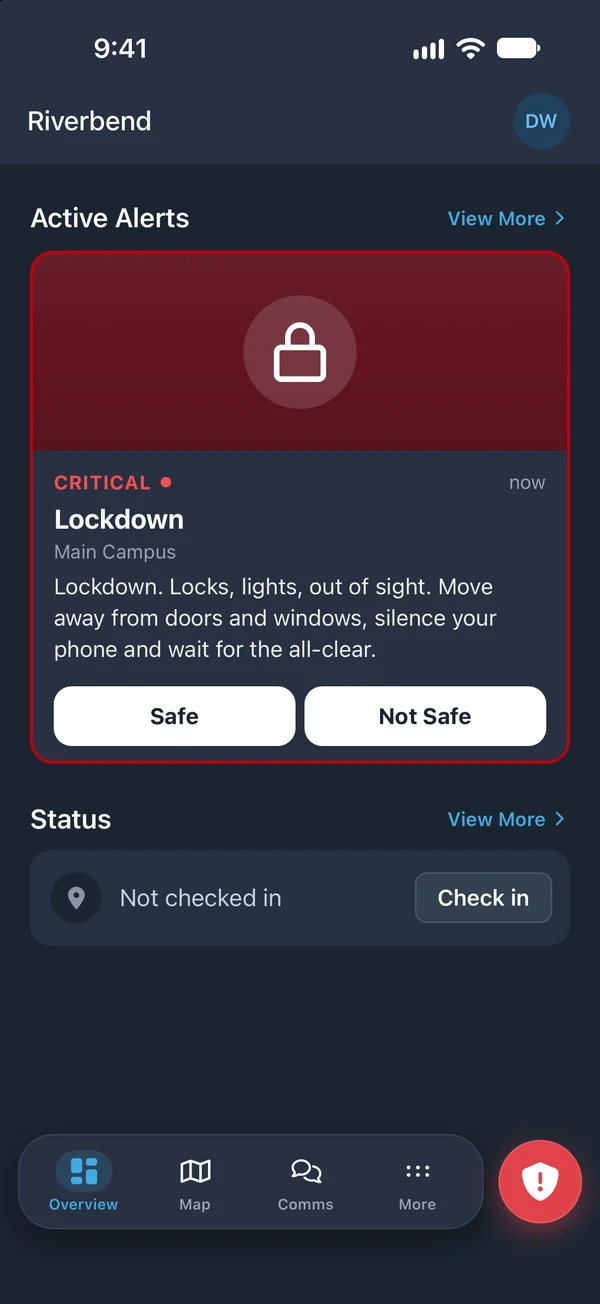
One alert goes to phones, Hub tablets, desktops, email, SMS, voice calls, Slack, and Microsoft Teams together. PushPulse sends the first alert in under one second from the moment the button is pressed. On iPhone it arrives as a Critical Alert that sounds through silent mode, and on Android it overrides the system volume.
You find out who is safe
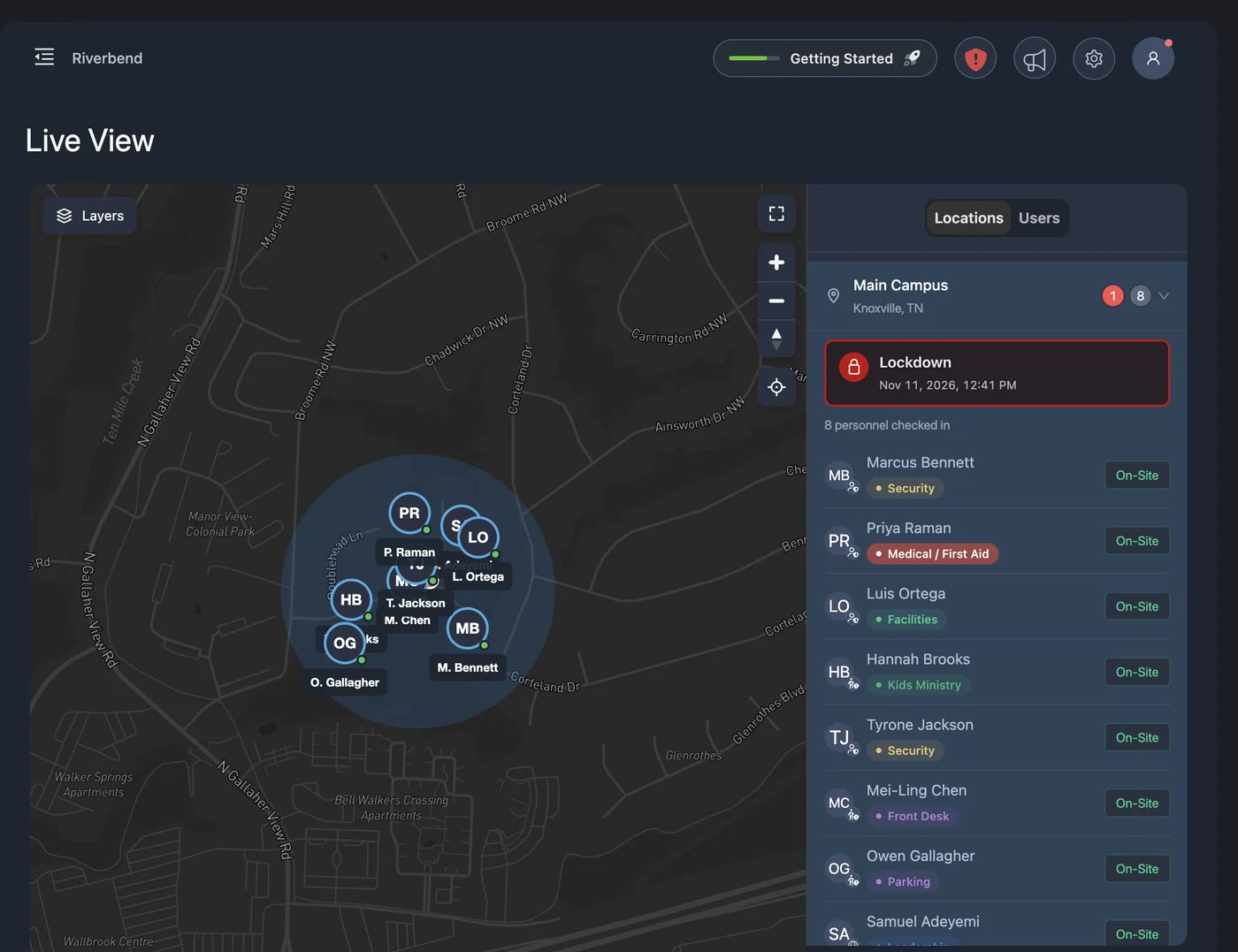
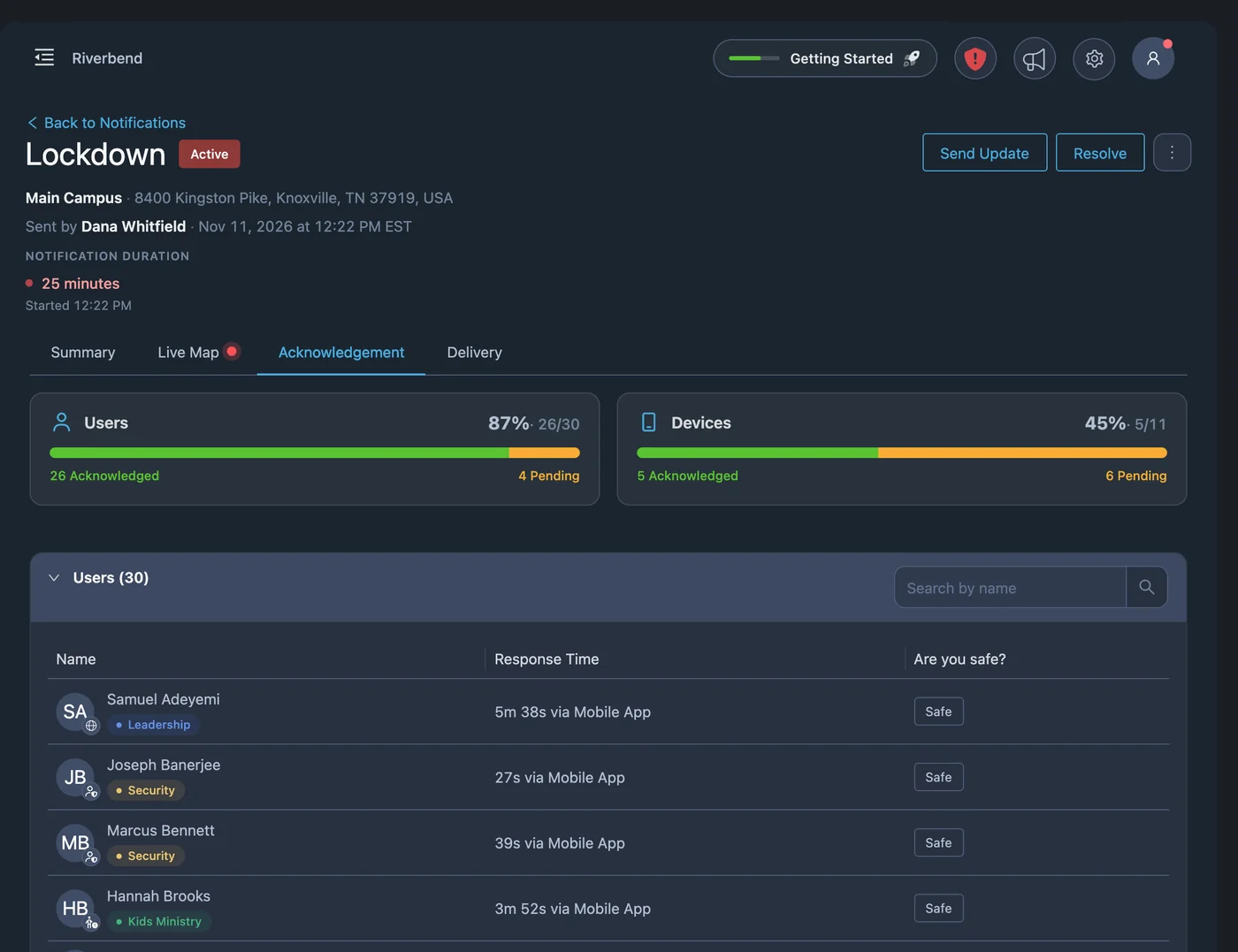
The alert can ask a question, such as safe or not safe, and people answer from the app, email, or SMS. Your responders see who has answered, who has not, and who was checked in to the site, so they know where to look first.
Responders work it together
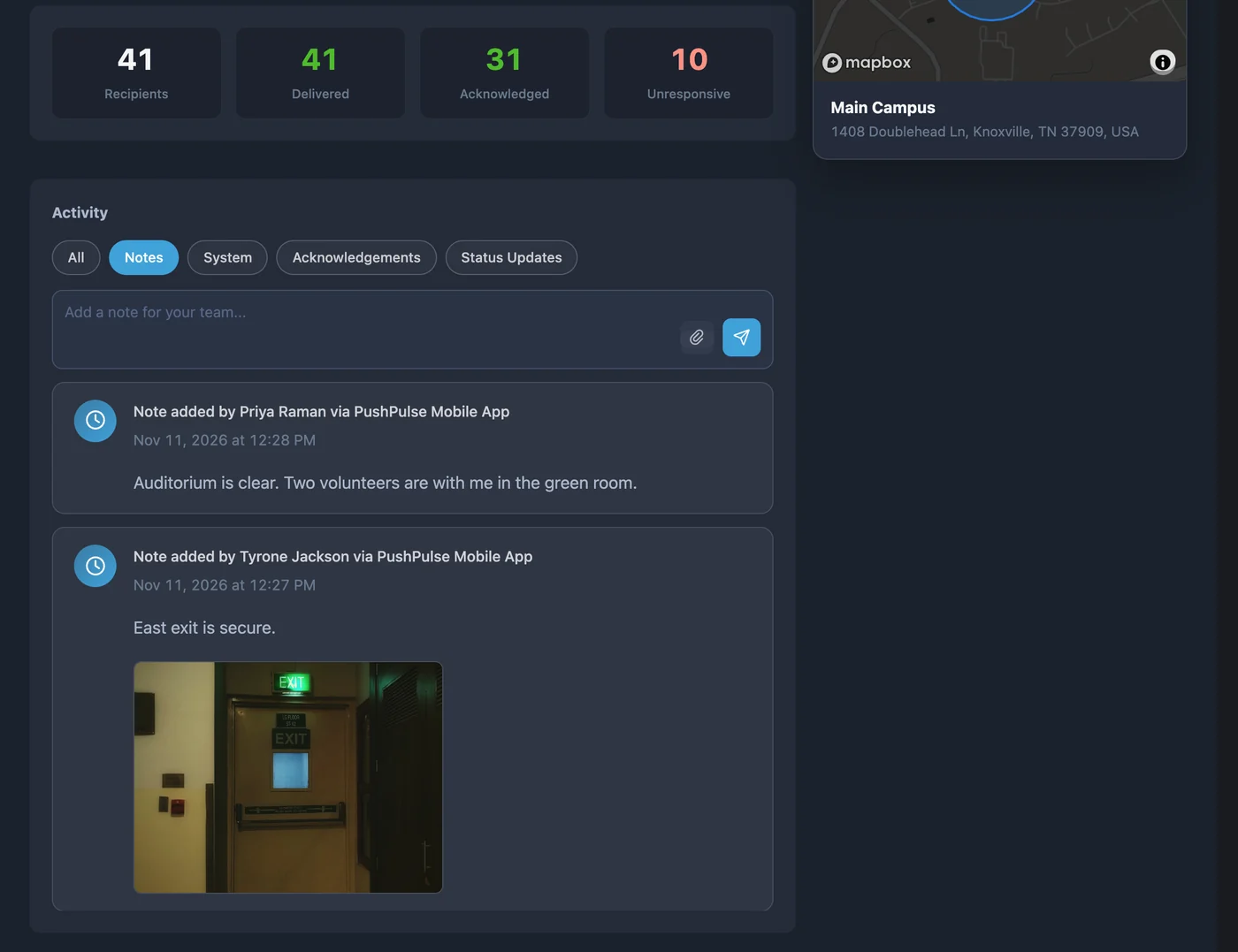
The incident view shows the timeline, the map, check-ins, and responses side by side. Responders add notes with photos and video, and people at a Hub tablet can add notes from their room. As things change, a status update goes to every recipient on the same channels as the first alert.
It ends cleanly, with a record
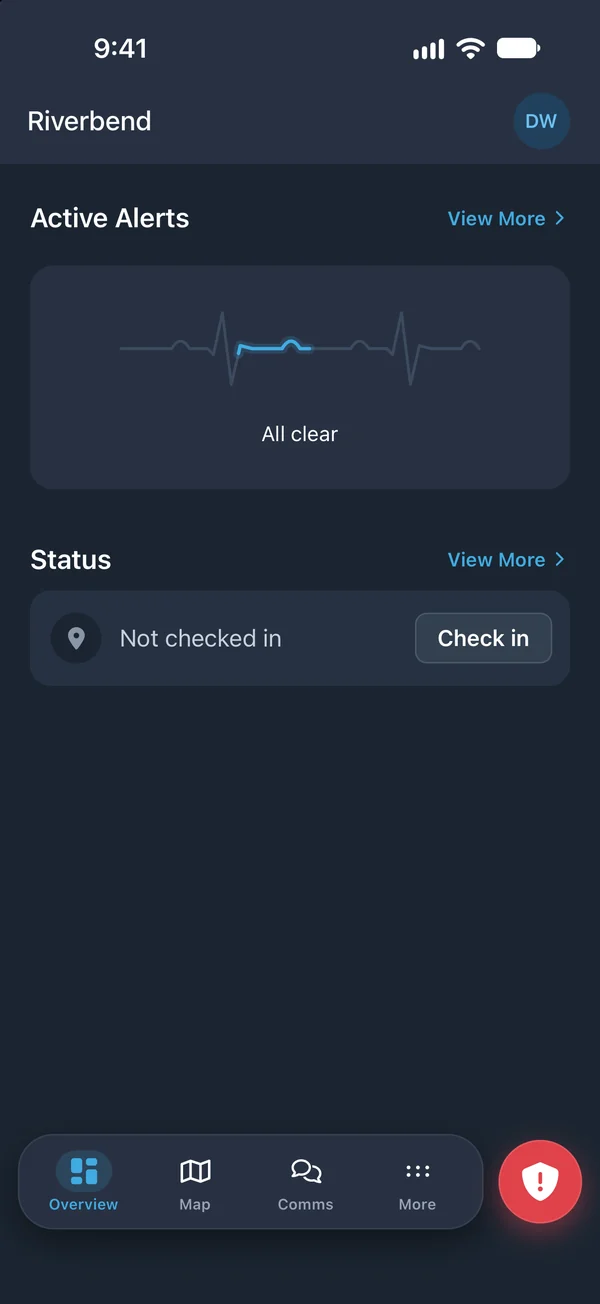
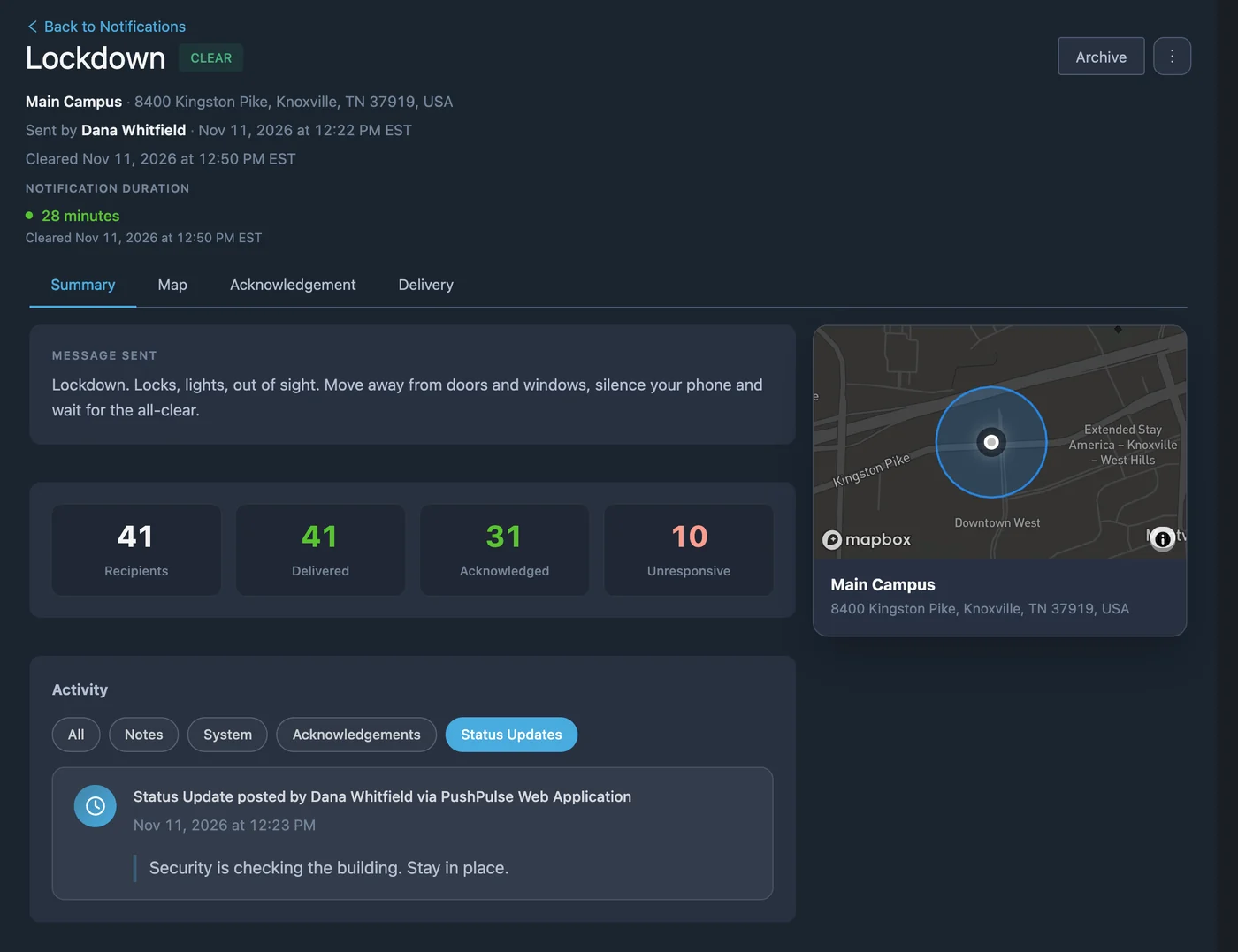
When it is over, send the all-clear to everyone or close the alert quietly. The timeline has already recorded the alert, every note, every response, and every update, and the incident exports as a PDF report for your leadership or insurer.
Emergency response questions
What is emergency response software?
How fast does a PushPulse alert go out?
Does PushPulse call 911?
How do we know who is safe during an emergency?
Is there a record after the emergency?
See PushPulse in action
Upgrading your safety and operations strategy is easier than you think. Get a personalized walkthrough from our team.